Even though this 2022-year chapter is about to end, October has brought me some positive developer news. 2022 has seen significant releases in the development space, including Angular 14, React 18, Tez JS, and others. With every technology releasing fresh updates, features, and functionalities, the Nodejs developer community could not ask for more.
This time, October surprised us with a fresh LTS (Long-Term Support) version of Node.js and a new major release.
The Node.js community has indeed announced the release of Node.js 19, which includes an update to the V8 JavaScript engine to version 10.7 and HTTP(s)/1.1.
The Node.js team updated the V8 JavaScript engine and added many additional features to the most recent version of the software, version 19.0.0, published on October 19, 2022. When Node.js 18 enters LTS later this month, Node.js 19 will take its place as the ‘Current’ release line. According to the Node.js team’s official statement, Node.js 19 will remain the ‘Current’ release for the following six months, through April 2023.
Therefore, for product deployments, we advise sticking with the LTS release. In upcoming projects, we’ll give the newest Node.js 19 version a shot. You should also try out the new features and functionalities for better development.
Node.js 19 resulted from more than 1,150 contributions since the previous release. However, as much of the work was done in the background correcting or reworking already existing features, there is fewer headline features this time. Among the noteworthy ones are the following:
–watch
Before Node.js 19 was released, this feature was already included in the Node.js 18 release line, demonstrating how additions may be quickly added to new releases. However, I still thought it was worth mentioning!
Node.js 19 introduces an experimental “—watch” command line option, which you will like if you have ever used nodemon to accelerate your development. With the help of this feature, Node.js is started in watch mode and will immediately restart when files are modified. It should be emphasized that only Windows and macOS, the two most widely used development platforms, are supported.
keep-alive enabled by default on global Agents
Both http.globalAgent and https.globalAgent in Node.js 19 employ keep-alive by default, typically leading to improved overall performance. The documentation for that choice is available here.
Diagnostic Channel Development Process and worker diagnostic channel events have been added. It’s wonderful to see that Node.js diagnostics continue to improve.
Advancement on the Diagnostic Channel
Process and worker diagnostic channel events have been introduced. It’s wonderful to see diagnostics continue to improve in Node.js.
V8 10.7
The V8 JavaScript engine is now available in version 10.7, thanks to Node.js 19. This improves efficiency while also keeping Node.js updated with JavaScript capabilities. The V8 JavaScript engine is the runtime environment that carries out JavaScript code, making it possible for developers to write JavaScript without worrying about whether their code will work on Linux, Windows, macOS, or hardware powered by x64, Arm, or Power PC. However, because V8 is written in C++, the Node community must maintain and enhance it across various hardware and operating system setups.
npm 8.19.2
Although the npm version included in the Node.js 18 line is the same one that will be included in Node.js 19, npm was first released in version 8.6.0; thus, new updates keep npm up to date.
Platform Assistance
In contrast to the previous release, Node.js 19 does not significantly alter the range of supported platforms. The standard prerequisites listed in BUILDING.md have not changed, but any operating systems that have reached their end of life will no longer be supported.
No Support for DTrace/SystemTap/ETW
DTrace can be used to get a thorough picture of the running processes on the system, as well as how much memory, CPU, disk, and network resources they are using.
It can be a helpful tool, but maintaining it is labor-intensive. As a result, as of version 19.0.0, Node.js does not support DTrace/SystemTap/ETW. The main factor is how resources are prioritized. The complexity of maintaining support for these instruments has shown to be effective with a clearly defined approach.
IIhttp 8.1.0
lhttp@8.1.0 is included with Node.js 19.
This project is porting the [http parser] to TypeScript. It is used to generate the C source file needed, which may then be linked and compiled with an embedder like Node.js.
Both requests and responses are parsed. High-performance HTTP applications are where the parser is meant to be used.
The llhttp project is constantly being improved if one hire Nodejs developer team with new API capabilities and callbacks.
Node.js 18 has been elevated to LTS status
Node.js 18 has been upgraded to LTS, making it ready for usage in production. Like every new release, Node.js includes improvements and functionality that make upgrading a wise decision. These consist of the following:
Experimental Fetch
Experimental Test Runner
Enhancements to ECMAScript modules
Better AbortController and AbortSignal support
Platform Support Updates
Version 10.2 of V8
OPENSSL 3 Assistance
Resolution of default DNS
Conclusion
Node.js 19 includes new features and enhancements, such as an experimental node watch mode, HTTP (S)/1.1 KeepAlive by default, and the V8 JavaScript engine 10.7 functionality. Until node.js 20 is released, it is the current release. In future projects, we will test the applications and modules using Node.js 19 for improved performance. With the latest upgrades and functionalities, we are confident that Node.js 19 will demonstrate the bright side of web app development.
The languages used in front-end development are constantly evolving. Front-end weariness has since developed as a result of the overwhelming quantity of technologies that are now accessible and the constantly evolving best practices for them. New, cutting-edge trends and changes must be adapted daily by startups. Business owners must adapt to the effects of emerging technologies to continue growth and development. Over time, JavaScript has significantly changed, with the introduction of new libraries and more capabilities.
Startups now have consistency and a secure environment thanks to React. We help you address all your questions about implementing React startups. This article is to help you better understand what makes ReactJS the most ideal option for your startup in case you have ever been unsure about it.
ReactJS’ initial release by Facebook in 2013 didn’t find immediate success because of some advances that developers had to get used to. The effect of the tools and best practices starting to change virtually monthly was this “fatigue.” However, it did succeed in coming up with some clever solutions to issues that were already there, giving React access to a wide ecosystem of tools suitable for practically any use case. ReactJS and third-party libraries have developed over the previous two to three years, dethroning AngularJS as the most widely used solution.
Why use ReactJS for Startup?
According to Buitlwith.com, more than 100,000 websites and apps are built using React. Due to its strong developer participation and maintenance, React is predicted to be the next major JavaScript library, which is why ideally startups hire ReactJS developers for their product development.
Community
React goes far beyond being a Javascript library. It is a sizable ecosystem of libraries, extra tools, instructions, and content. React provides numerous excellent methods for resolving common issues so that businesses may concentrate on the elements that are unique to their use cases. Additionally, React has a robust online community that helps developers be more productive.
Tools
With React, there are some incredibly useful developer tools for practically all major browsers that allow for component-by-component application inspection. You have the option to run performance checks and analyses in addition to the ability to alter a component’s state as you go.
JavaScript
JavaScript is the primary programming language supported by the UI framework React. It concentrates on being the greatest at what it does while delegating other problems to the open-source community. Any developer who is familiar with JavaScript may create code fast in this way.
Abstraction
Abstraction is a crucial component of object-oriented programming that enables programmers to conceal background data. Instead of MVVM, MVC, and MVP, ReactJS offers abstractions that let developers concentrate solely on the life cycle, props, and states of the component.
Reusable Components
A component-based framework for building applications is available in React for programmers. The logic, rendering, and styling of each component may be managed. Reusable component creation is a breeze using React. This makes the creation and upkeep of apps simpler.
Virtual DOM
For improved performance when using the Virtual DOM, use React. Without it, updating app data or performing many user interactions might cause the user interface to become sluggish. The Virtual DOM addresses this issue by building an in-memory replica of the actual DOM structure that can identify the elements that require updating and execute modifications only on those nodes. This makes it possible to design apps much more quickly.
When You Should Not Use React?
For practically every project, you may anticipate a distinct organization, folder, or coding style. This is why establishing a boilerplate and style guide for the entire firm is worthwhile.
JSX syntax is more difficult to read than “standard” HTML templates. This is not a pressing issue because most people can adjust and can obtain support from competent code editors. However, things might get tricky if you’re not familiar with JavaScript and you want to style a JSX template.
Javascript library React is designed to be a UI library. To handle routing, state management, styling, forms, etc., you must select additional tools. For entry-level developers who must learn new libraries for each project, this can be an issue. Although beneficial for their development, it may limit their capacity to provide value right away.
When Do We Use React for Startup?
Single Page Application (SPA)
The most popular framework for SPA is React. Its whole front end is downloaded as JavaScript files from the static server and then translated into an HTML structure by a browser. All of the application’s functionality is handled by JavaScript on a single HTML page. Redux, React Router, and Create React App are the three most popular tools for building SPAs. You can utilize Next.js, a more sophisticated framework based on React, to manage server-side rendering.
Native App
A native mobile application has never been easy to make. For iOS and Android, developers must write two different code bases. At first, the problem was resolved by creating a JS application and putting it on a platform web view. However, this was a concern due to speed issues and a lack of access to native capabilities. React Native held the key to the issue. Developers can now write React components in JavaScript and have React Native compile them into native code. Dispute settled!
Static Websites
This kind of website was previously primarily handled by server-rendered HTML, which WordPress dominated. However, as JavaScript technology advanced, technologies like Gatsby.js were built that allowed programmers to write templates as components and fill them with content from either markdown files or headless CMS systems.
Progressive Web Apps (PWAs)
A progressive web app offers native functionality to its users, operates both online and offline, and has access to the device’s capabilities. Thanks to React’s strong support for Progressive Web Apps, we can also turn our current React web app into one.
Top Companies that use ReactJS
Companies using Reactjs
Facebook
The script is embedded into the app code, and they have a React-built webpage. React Native, an advancement in the React family that displays native Android and iOS components rather than DOM components was used to build their mobile app.
WhatsApp
This well-known app uses React JS due to its reliable and secure operation. It uses ReactJS as its main engine to create user interfaces based on Facebook. For a better web experience, React is also utilized in the WhatsApp Web version.
Twitter
Twitter started using React when they updated their entire website with modern web technology. Their progressive web apps, which offer numerous features like an application, push alerts, and offline support, use React.
Atlassian
ReactJS and the ReactJS family have been utilized by Atlassian in both internal and external projects. Almost all of their single-page apps employ ReactJS. React’s reusable libraries and simplicity of deployment across desktop, web, and mobile platforms have particularly delighted Atlassian developers.
Cost of ReactJS Web Development
It becomes quite difficult for us to explain the expense of developing React JS web applications. The reason for this is that numerous elements influence costs. For example, the cost of developing a web app is determined by the following;
What do you hope to accomplish with your website or web app?
Who creates your website?
The number and complexity of features
The price will vary depending on the web development companies. Take the time to learn about the organization before choosing them; if you believe that the more you pay, the better the quality you will receive. Before making a final decision, research the firm. Go through reviews or directories like Clutch or Goodfirms. You may also contact specialists and obtain advice for your web app development tasks.
How ultroNeous can help you
Everyone is looking for a reasonable solution to their problem. And in this era, everyone wants to find it conveniently. So, your app or web app should focus on value-added content and seamless user experience. Other factors to consider are the navigation system, usability, and the technology used to develop your website. When you are new to the tech world and want to create an app that works well across devices, enhances user engagement, and draws people to use your product and services, ReactJS web app development is the way to go. ultroNeous can assist you in creating a high-quality website that efficiently fulfills your business needs. We are just an email away! Send us an email at hello@ultroneous.com
You could assume remote management is nothing new when you hear the term. In the post-pandemic era, it’s growing difficult to find people (especially in the IT field) who are prepared to work in-office; nevertheless, many are still just getting started. Simply put, this is a different mode of work. And some CTOs and executives might struggle to adapt.
While remotely managing their teams and business operations may be routine for some top managers, it continues to be a headache for others. All the types of questions keep lingering in your mind like, What are the primary reasons to outsource, How should I outsource, What shouldn’t I outsource, What are the best ways to outsource development successfully, What are the primary issues and roadblocks, etc. Therefore, whether you have expertise in this area or it is still entirely new, here is a guide on IT outsourcing that includes suggestions for effective remote management and how to make an outsourced workforce a successful course of action.
This article’s goal is to provide some helpful tools and best practices to use while managing a team remotely and outsourcing your project development. But not just IT outsourcing is affected by the vast majority of the problems listed below; other remote management scenarios and outsourcing models are also affected.
We will discuss some of the best practices and tools which will help you immensely if you are planning to look for outside resources for your project or are exploring outsourcing product development.
To give your questions a rest, we will start with the why.
Why Should One Opt for Outsourcing App or Web Development?
Three rudimentary justifications exist for outsourcing development. First, when you employ mobile app development services, those developers can deliver quickly if product development needs to begin immediately and there aren’t enough developers on staff. You can just sign a contract with an outsourcing company, and those hired developers will start working. Second: outsourcing provides flexibility. If you begin a project but are unsure of its viability, it is simpler to terminate the outsourcing company’s contract than to fire developers. Cost-cutting comes in third and is the least significant but most frequently mentioned. The cost of outsourcing is comparatively less. The next point is what and when.
What Should You Outsource?
What should you delegate to the independent provider? Beyond the obvious, like MVPs, it is less evident and more erratic what businesses outsource. Frequently, it simply comes down to management’s inclinations. Let’s face it. There are many scenarios in which outsourcing can prove to be a boon.
Let’s go over those, one by one:
When Should You Opt for Outsourcing?
When there is a Pressing Deadline:
It is the right product built at the right time that makes a world of difference in success. You can achieve this by taking advantage of IT outsourcing services.
When Tackling Challenging Projects:
Technical skills and in-depth knowledge are requirements for certain projects. For this reason, offshore agencies provide relevant engineers.
Lacking in-house Talent:
When all of your qualified professionals are committed to various projects, or when you do not have the IT expertise required for the development and delivery of software.
In Cases where Expertise is Necessary:
There are specific requirements for your IT project that can only be met by developers who have experience in that particular field.
When you Need to Optimize the Cost Savings:
Using an outsourcing company can help you avoid paying the high costs of recruiting your own employees while simultaneously producing superior results.
When Should You Not Opt for Outsourcing?
It is important to learn when and how outsourcing is suitable. But you also need to understand when it’s not. Here are some reasons that you shouldn’t choose offshore outsourcing.
When You are Short on the Funds
If there are qualified and experienced developers and time-sensitive sprints, the cost to outsource may be substantial.
When you Cannot Locate the Ideal Organization
Before entering into an agreement with a company, look into reviews, case studies, and other important areas. Never choose a business solely because it is providing affordable offerings.
When Confidentiality is in Danger
Be very cautious when it comes to software security, NDAs, IP protection, and the integrity of your business data. Forgo outsourcing if you detect any gaps.
When the Project is Slipping out of Your Hands
Software engineering outsourcing is not the greatest option if you prefer to retain some control over your project while an offshore team makes all the decisions.
An Essential Competency in Development
Giving it to a third-party vendor is not an alternative if digital product development is your company’s sole focus.
Read Also:- How to Manage an Offshore IT Team💡
Working with Outsourced Teams: Good Practices to Follow
Below are some effective practices for use by all companies who outsource – not just those who outsource software services.
Establishing a Trusted Contact Point on your End
The selection of a dependable person to serve as the exclusive point of contact between your company and the outside source is a smart idea. It’s crucial to specify their exact area of duty. Once more, it’s better to put it in writing at the start of the project development process, when all responsibilities and goals should be explicitly specified by the outsourcing service company and the client company.
Define the precise areas of cooperation where the individual can serve as your agent and make decisions without needing to involve you (CTO) every time. It’s crucial to establish and adhere to a border since there may be instances where you want to make judgments on your own.
Integrity and Authenticity are Essential
Throughout the process, it’s critical to be sincere and open; of course, this goes for both sides. Be attentive to let the remote project manager or any other service provider point of contact know if something worries you. Recognize that difficulties are a necessary component of productive collaboration.
This implies that if anything doesn’t seem to be fulfilling enough, ensure to let the team members who are operating offsite know as quickly as possible. By doing this, you can guarantee that it is fixed instantly and does not become a bigger issue. However, it’s advantageous to be receptive to pushback from the development team. Communicate with them genuinely if they have any reservations about cooperating.
Your cooperation will be more productive and healthy when you share information with empathy, and frequently. These qualities will also help you eliminate issues as you develop.
Faith in the Selected Company
The previous practice is related to another good one. The key is trust. This time, though, it’s about putting confidence in the selected vendor. You undoubtedly thought about some things before choosing an app development business to outsource your project to. So, if the firm you’ve picked is the result of your investigation and evaluation, you can be sure that the partner you’ve discovered is reliable. Outsourcing revolves around trust.
Strengthening Teamwork with Tools
Using dependable, tried-and-true tools comes in last on the list of excellent practices, but it’s certainly not the least. There is a tonne of tools available. We list a few tools that may be less well-known but considerable together with highlighting the most beneficial ones.
In general, the things you must do when leading a team remotely are:
communication, task and time management, and the means for monitoring results and progress. By utilizing some tools, we at ultroNeous have been able to develop our strategy for productive client collaboration.
For Daily Communication
We advise using Slack, Microsoft Teams, Google Chat, Skype, and Chanty for daily client contact as well as for immediate messaging among development teams.
Create distinct channels to make sure all parties involved are reached. One is for the development team, and it is used to talk about current development-related difficulties. The second is for internal management, so we can make sure the project is handled correctly on our end. To ensure everyone is on the same page, there will also be one channel for all the people involved in the project from both sides.
Video Conferences
There are several possibilities for some larger, scheduled video chats. We often recommend tools depending on what channel of communication we agree with our clients.
Slack is for one-on-one meetings, and it has chat video functionality.
As an alternative, we have Zoom, which is becoming more and more well-liked these days. Google Hangouts is also used to arrange video conferences. All of those choices are common and well-liked.
Task Management
We suggest Atlassian’s Jira for management and task control. We consider Confluence or Google Drive for file management. Both are famous and trustworthy.
Now, a few comments on the less visible techniques are linked to the impacts tracking system and are worthwhile testing. Specifically Miro and Reetro. The first is a system for online collaborative whiteboarding that may be used to share the strategy and timetable with a client and streamline internal work. The latter is a fantastic resource for the assessment meetings that are conducted following each sprint. It has several features like allowing remote access for the customer or product owner to join the online meeting. These are unquestionably excellent tools for any Agile team and significantly increase the efficiency of remote administration.
An Effective Onboarding Process
The last bit of wisdom is to set yourself up for partnership by creating a seamless onboarding process. The project requires ownership from your remote software development team and wants things to go more smoothly overall. Do you take pride in your work? Show them the value! Accountability and making each team member feel like they are a vital part of the project are what foster ownership.
What Will Outsourcing Look Like in the Future?
Deciding to outsource is a major move, therefore it’s critical to know what the industry’s future holds.
Numerous changes have occurred in recent years, and more are expected to happen in the future. It is a quickly developing region that is opening up to enterprises, especially SMB organizations.
Although it is difficult to predict how outsourcing will change in the future, it will undoubtedly evolve.
Summing Up
You learned the whys and hows of outsourcing and its management. Strategic outsourcing involves collaboration. It requires more effort than most people anticipate to make the relationship successful and rewarding. To utilize a true outsourcing solution, all stakeholders must be dedicated to good governance and management. While it may be tempting to handle everything yourself when running a business, outsourcing may be the simplest option. And that’s when ultroNeous comes to save you from the tiresome research. We will provide resources so you can relax, as your project will be in the hands of experts. Contact us to access the pool of industry-leading development skills and give shape to your ideas.🚀
The pandemic crisis did cause an unparalleled boom in the OTT Market globally. The OTT revolution has advanced significantly, from a small number of OTT platform providers in 2012 to approximately 40+ operators. The OTT service providers offer cable TV, news, movies, daily soaps, web series, and other sorts of media content. With the most widely used platforms, you may watch your beloved TV series on various linked devices. Due to technological limits, this was never feasible with conventional cable TV. The sheer diversity of video content available today is extraordinary, and we all can agree that it has made us binge-watch our favorite shows.
As it is now apparent that mobile apps are necessary for every OTT platform. According to Statista, Between 2018 and 2020, the number of over-the-top (OTT) video services used per user increased globally. The number of services used per user in the United States has increased from 5.7 to seven. At the end of November 2020, Indians used 8.6 services. In particular, if your business model is SVoD and your viewers expect to be able to watch on their phones, failing to have a mobile-first approach in the upcoming years could be fatal. To compete with all the brand-new apps that are created every day, a mobile app needs to be able to handle high demands. Thus, high-class mobile app development requires more than just good design and seamless functioning.
What is Flutter, and why do developers and CTOs love it?
Basic requirements for the creation of mobile apps include good performance and appealing graphics. And in this watch-on-the-go era, we need apps that can be accessed anywhere and anytime. But only some platforms are compatible with smart TVs, Mac, Windows, Android, or iOS operating systems.
Flutter is an open-source User Interface (UI) toolkit developed by Google that allows developers to build cross-platform apps using a single code base while retaining native-looking design elements. Although, a native application, which is said to have higher performance and compatibility with the mobile environment, is one of the options for tools while developing. The other option is to use a tool that only needs one code base to support several platforms and is thus simpler to maintain. And seasoned consultants recommend to hire Flutter app developer or another cross-platform solution to accomplish it.
Before you discover why Flutter should be your first choice for OTT development, let us provide you with a list of must-have features to consider while in OTT app development.
Features of the OTT app
Sign-Up & Login
There should be several ways to register for the app in it. The procedure of entering each user’s data shouldn’t take too long. Instead, a user should be able to sign up using any of his or her social network accounts to expedite the process. The user can join up quickly and without losing patience thanks to a faster process.
Search bar
It is a necessary part of every OTT app development. More than 70% of customers think that using the search feature is essential to discover the content they want. In addition, if a user cannot find the desired content, roughly half of users unsubscribe from their memberships.
Linguistic diversity
Ensure the network supports many languages if you’re producing video content for a broad viewing public. Users will be able to navigate the app in the language of their choice.
Dashboards based on roles
This supports the creation of numerous marketing tactics. The administrator can get current statistics on user behavior. You may follow it via the app.
Formulation of Recommendations (AI)
These platforms employ user ratings and reviews to regulate the material that is displayed on each user’s screen.
Watch List
This list feature allows users to add content they want to play later, which must be a priority for a video streaming service.
Payment Interface
To collect payments when consumers choose a subscription plan and proceed to pay, you must connect a payment gateway. You must offer customers a range of payment methods, including debit/credit cards, net banking, UPI, and e-wallet apps. Alternatively, select a reliable payment gateway provider.
In-App Notifications
Using the platform’s push notification tool, you may inform users when new material has been posted. This makes it simple for them to explore the videos or watch the teaser.
Things to keep into consideration
Content curation
Fantastic content storage is useless if consumers can’t quickly and easily find relevant stuff. Make it easy for consumers to see their favorite content. Create effective recommendation systems based on a viewer’s prior viewing experience using AI/ML technology.
Streaming experience
In an OTT app, the playback experience is crucial. Even while it seems clear, a lot of people regretfully neglect it.
The goal should be to produce videos with excellent resolution. The development team must be sure that the content supports these options and provides an amazing content-watching experience because users have devices that support 4K, HDR10, Dolby Vision, and Dolby Atmos.
Users strongly dislike having to wait when watching their preferred content. For faster speed and to avoid delays, select a CDN or server with sufficient capacity. Utilize tools like video analytics to track faults and correct them as soon as possible.
Benefits of using Flutter for OTT development
The user interface and app structure are identical on all platforms
Being experts, we are aware that practically every cross-platform framework offers a method for transferring code across the target platforms. Other than Flutter, there are no additional application frameworks that enable sharing of both the UI code and the UI itself.
Rendering engine
For rendering, Flutter leverages Skia. This engine enables the Flutter UI to be launched on almost any platform. There is these C++ 2D graphics library assists Flutter in rendering widgets quickly and seamlessly for a fluid user interface and quick animations. It is also utilized as the graphics engine in Chrome and Firefox browsers. To put it another way, the development process is highly efficient as UI no longer needs to be changed to be transferred to a platform. Similarly, there are plenty of Flutter libraries and packages, which makes the app development process easier.
Animated UIs of all levels are available
The freedom to customize everything you perceive on the screen, no matter how complex it might be, is among Flutter’s significant perks. While it is typically possible to create a reasonably tailored user interface on native systems as well, the work involved is much different.
Flutter boosts processes with flexibility and adaptability without adding to the workload. Flutter enables you to easily carry out shared element animations, curve alterations, clipping, and transformations.
Reduced time spent on development
With Flutter’s “hot reload” capability, you may observe the changes that have been made very immediately without affecting the state of your application. And precisely this is what accelerates the development of Flutter apps by a magnitude of several hundred.
Further, the Flutter team has worked tirelessly to offer an enormous selection of widgets that are ready for usage. Most of them are highly adjustable, which saves you more time than any other framework has ever been able to. Flutter offers a sizable collection of Material and Cupertino widgets that flawlessly replicate the behavior of each design language in addition to a large number of basic layout widgets. The entire process of developing an app is sped up, made more straightforward, and less stressful by using Flutter because it enables you to skip several excruciatingly tedious steps.
Quick time-to-market
This one is relatively easy to understand. In comparison to its rivals, Flutter development is more responsive. When compared to developing the same app individually for Android and iOS, you can often anticipate that a Flutter project will require comparatively fewer work hours, which results in lowering app development cost.
You can include the necessary visuals in your app without developing any platform-specific code. Any 2D-based UI can be implemented using Flutter without requiring interaction with a similar native app. Moreover, Flutter offers a declarative UI construction API, which significantly improves efficiency.
An experience similar to native apps
The performance of the app depends on its user experience. Although exact numbers are difficult to determine, it is safe to assume that Flutter applications will run as well as native apps in the majority of situations, and even better in complicated UI animation situations.
Flutter doesn’t depend on any interpreters or intermediary code descriptions. Any performance problems stemming from the interpretation process are eliminated because Flutter apps are immediately incorporated into machine code. Eventually, Flutter allows you to fully assemble your release app in advance.
Access to a broader audience with better interoperability
By developing apps with Flutter, one can create apps for a variety of devices and operating systems. By offering content on a variety of devices, OTT brands can reach a wider audience. Brands can build apps with uniform UX and UI using this framework. Consequently, even when switching devices of different screen sizes or operating systems, the user will continue to enjoy the same interface and experience.
Example of video content app build using Flutter
The official app of the hit Broadway musical, Hamilton. It includes daily lotteries, exclusive news and videos, and more. With the help of Flutter, developers build a high-performing streaming app that gives a consistent experience across different platforms.
Conclusion
A shortcode that quickly produces a vibrant, juicy visual of your app that informs each of your users. This may strike as being implausible. But because of how much the world has evolved, what was once considered implausible is now expected. The catchphrase for this new era should be “dreams come true, attractively and correctly, without much hardship.” Another approach to living by this mantra is to start leveraging the benefits of Flutter. We don’t see any barriers preventing you from acquiring a sensational app thanks to the advantages of Flutter app development. All you need to do is express your want, and a skilled team will go to work.
What are the native technologies? How do you develop a native app? What are the advantages, and what are the concerns? In this thorough guide, you get to know all the answers and guidance to build your dream native app.
Recent years have seen an exponential surge in software applications. Approximately 613 billion U.S. dollars will be generated by mobile apps in 2025, according to research. There are a lot of stats and figures that you need to look at, which justify this industry’s mind-boggling rise. Apps are a great channel for interacting with clients and boosting loyalty. Customize connections and engage clients in real-time. Because of its flexibility and convenience of it, you have the potential to grow profitability. Now that we have stir-up your curiosity, you may be wondering where to begin. So let’s dive into fundamentals without any further ado.
In simple terms, a native application is a program designed specifically for a particular platform. Thus, if you’re creating an app for an iPhone or other Apple device, you’ll be making an iOS native app. And the official development language for that platform is Swift. Apps developed for Android devices follow the same procedure and use Kotlin or Java as a programming language.
Apps of this kind have many advantages relating to usability, speed, flexibility, and other aspects of user experience and interface. The main reason for this popularity is that they take leverage of all the features the device offers. Camera, GPS, compass, list of contacts, and many more can be accessed by them. The standard gestures of the operating system can also be incorporated into native apps beyond these long lists of features. Also, some native apps can work without an Internet connection and use the device’s notification system. App developers develop native apps within the Integrated Development Environment, or IDE, for the chosen operating system, without relying on third-party libraries.
Pros of Native apps
After we’ve defined what a native app is, let’s look at some of the capabilities and qualities that distinguish native applications:
Ease in implementing UX/UI:
One of the most obvious perks of native apps is their user experience (UX). The principles developed for platforms such as iOS and Android are specifically intended to improve the user experience, and you can quickly grasp them to make sleek, seamless, and simple User Interfaces (UI) that satisfy clients.
You can also use push notifications, available through the iOS server (APNs) and Google’s Cloud Messaging (GCM), to connect with your app users and announce upcoming products and services.
Functional Compatibility:
Native device features can be utilized without limitations. It is much easier for native apps to access all the device-specific features, such as the camera, microphone, compass, and gestures, because native apps have access to all the device’s features.
SDK enhancements:
Google and Apple each offer their unique development resources, interface elements, and Software Development Kits to developers who use their platforms (SDK). Accessibility to SDKs speeds up the development cycle and gives developers direct availability to the most recent features.
When the operating system (iOS or Android) is upgraded, developers can gain access to native APIs and get rewarded by embedding exciting new features and updates into their apps.
Debugging:
Compared to hybrid apps and web apps, native apps are easier to fix bugs. With native apps, you do not need to use a bridge to access the hardware or device, as you do with cross-platform tools (such as Cordova or Xamarin).
Hybrid apps contain an extra layer that is beyond the control of the developer, making it much more likely to have bugs and more difficult to fix them. A smaller number of bugs will improve your app’s performance and lead to more loyalty from users. This will result in a higher reputation for your app and more revenue for you.
Performance and Security:
Because they are created for that specific OS and have direct access to their APIs, native apps are more intuitive, dependable, and speedier than substitutes. There will most likely be minimal platform-specific errors.
The Talent pool is large:
Due to the popularity and widespread use of native application platforms like iOS and Android, there are lots of developers who can create native applications. Considering Android’s open-source nature, it is easier to locate developers, since it provides developers with more support and tools. If you want to build a customized app for Apple devices as well, there are many native iOS app developers available.
Easily Scalable:
Native applications are compatible with the operating systems that they were built for, which makes them highly scalable.
This combination of factors can help you save money on one end of development and boost revenue on the other end. Customers will find it more convenient to use your native apps, and developers will find it easier to develop and upgrade. Nonetheless, there are particular circumstances where native apps may be inferior to the web or hybrid applications. Let’s look at some of the disadvantages of native app development.
Cons of Native Apps
The Native approach has its benefits, but as with any other development technique, it is not as ideal as it may seem. The following are some disadvantages of creating Native applications:
Development Effort:
Because Android and iOS applications don’t share the same features and capabilities, developing those will need separate time and resources for each. Furthermore, you will have to hire specific developers for each project, as most developers have expertise in one platform.
Time-Consuming Development:
Your product will take longer to develop if you are looking to cover both Android and iOS rather than if you adopt a hybrid or shared codebase approach.
A Rise in Costs for Development and Maintenance:
The cost of developing each app will increase because two separate teams will need to work on each product. It will require a longer timeframe than if they were to create only one product for app development. Each application uses a different programming language and release cycles. Maintaining and adding new features to an application requires unique skills, which could add to the cost of the product.
How to build a Native app?
You need certain requirements before you can build a native mobile app for your business. There are several categories of requirements. Let’s look at how native mobile apps are developed, the top tools you require, and the resources you can’t do without.
Which one to opt for Android or iOS?
When you want to dip your toes into the waters of native app development, this question naturally will linger in your mind. We will help you with some of the stats which can guide you to choose which you would like and some distinct reasons that make both these platforms popular and ubiquitous.
The average consumer spends $5.03 on apps.
On the Apple App Store and Google Play Store, mobile app spending is forecast to reach 185 billion U.S. dollars and 85 billion U.S. dollars, respectively, by 2025.
A combined 36.8 billion apps were downloaded from the Apple App Store and Google Play in the first quarter of 2022.
The two systems’ architectures are similar, but they still vary notably in terms of their user bases, methods for development, and maintenance. Additionally, iOS consumers are infamously devoted to Apple. It is to be anticipated that Apple users will be a continuous stream from this side of the market, as they seem reluctant to quickly transfer to a competing mobile device provider.
On the other hand, Android is compatible with gadgets made by a variety of manufacturers, including LG, HTC, and Samsung. Cost is one area where Android dominates the worldwide mobile device market. The fact that so many businesses use Android also makes it possible to commercialize, diversify, and create many “pricing tiers” without harming one company’s reputation. How do these facts matter to you? Even when one provider has a bigger market share in your nation, ignoring the other would mean ignoring and losing a sizable portion of the market. Therefore, it is advisable to create native applications for both Google Play Store and the App Store.
Step 1: Conceptualize and Assess the Idea
Native mobile apps must be validated before they can be developed for the market. Check to see if consumers are ready to adopt the mobile app you intend to create. Ask yourself and consider the following points:
Your application will address a genuine issue.
Do people think there is a problem?
Are they trying to find a solution?
Will they embrace the mobile app as a workaround?
If you believe that a native app will address the problem and that people will install it, you should try turning your vision into a native mobile app.
Step 2: Hiring Native app Experts
You will have to have developers on your team who possess the expertise required to create an app on the platform of your choice, as well as cross-platform skills when desired. This involves either recruiting talent within or contracting a mobile app development company to assist you.
Step 3: Plan UX/UI
How the users will come to a solution, how they will navigate, how you can make it easier to understand, and how you will gain their trust. All these questions and the answer is a one-of-a-kind user experience and interface. As mentioned earlier native apps have the super advantage to make the UX/UI of an app a smooth ride with the best tools. Swift is a powerful and user-friendly programming language developed by Apple for creating apps for iOS, Mac, Apple TV, and Apple Watch. Since it is free and open source, iOS app developers have more control than ever.
The SwiftUI tool is used to create user interfaces (UI) for apps. Another Apple user interface tool is UIkit. You can create a visually rich, event-driven user interface for your iOS application using UIkit. The declarative nature of SwiftUI means developers don’t need to intervene in events and presentation changes. With UIkit, developers are more involved in the process.
Creating a layout in Android is either done using a traditional layout or using Jetpack Compose. Google’s Jetpack Compose tool lets you build declarative UIs. In the same way, as SwiftUI and UIkit differ, you must choose how much you want your developers to mediate as your app’s UI changes between this and traditional layout options.
Step 4: Environment and IDE
After you’ve picked your devices and hired qualified developers, you must select the most suitable development environment. The options now are a bit more basic, and they are mostly determined by the device on which you wish to release your app. If you want to release it on iOS, you just need a device that runs macOS software. Android is slightly more adaptable as it might be developed on Mac, PC, or Linux devices. IDE is an abbreviation for an integrated development environment. It is an app development tool that integrates conventional plug-ins into a single graphical user interface (GUI).
If you’re working for iOS, you have two options: XCode or AppCode.
Xcode is a productive environment for developing fantastic apps for Apple devices. It is tightly linked with the Cocoa and Cocoa Touch frameworks.
For Android app development, Android Studio is the official-integrated development environment (IDE). Code editing and developer tools are based on IntelliJ IDEA, a Java-integrated development environment.
Step 5: Security
The security of users’ personal information is crucial. A secure app is precisely defined in the Apple app store. Although both Android and iOS devices have secure inherent technologies, you should follow the rules established by the app stores. It will make it easier to create extremely secure apps for various platforms. In general, native apps are regarded as secure and data-protective. But you can’t just gamble. Check all the data security safeguards that apply to that platform. Determine the compliance you must implement in the particular operating system. Prepare your native mobile applications for security and authentication. You may create a secure and reliable app for platform-specific app stores using these techniques.
Step 6: Releasing the App and Feedback
Before it is fully published and ready for people to buy or download, your software must go through some releases. Beta testing is the initial step. Beta testing, also called user validation or testing guarantees that prospective customers are pleased with a tech product before you allow it freely accessible. For beta testing, Apple provides a special initiative called Testflight, and Android also has a special app for the Play store. A review of the app follows. Again, there are particular rules for app reviews for both Apple and Android.
Before permitting free ad displaying, the app review procedure essentially assesses the quality of a mobile app’s inventory. As you proceed with the process, you’ll receive a comprehensive overview of the approval status of your app along with useful feedback from the related app store. To guarantee that upgrades function properly and older versions are kept as needed, you will require a team that can manage different app versions during the development, launch, and maintenance of your app.
Top Examples of Native Apps
Spotify
One of the essential apps that aficionados of music should install on their phones is Spotify, one good example of a native app. It is a center for digital music services that gives customers access to millions of tracks and podcasts from major studios and media networks.
Other than that, Spotify stands out as an exceptional example of a cloud-native application. Spotify can now better serve its users as a result of Google Cloud’s significant performance efficiency gains in its workloads.
Waze
Drivers from all across the world have given the GPS navigation software Waze positive reviews. This native app illustration works with mobile devices and tablets that have GPS capabilities. Specifically, the app helps users navigate by providing turn-by-turn instructions, route details, and user-submitted travel times. Waze also has the benefit of being free to download and use.
Tesla
The most recognizable brand in the electric vehicle industry, Tesla, is yet another well-known case of a native app. Using the Tesla mobile app, customers can remotely operate their Tesla vehicles. Using the Tesla app, you can see how quickly your Tesla is recharging and even start and stop it. Versions of the app are available in both the Apple App Store and the Google Play Store.
WhatsApp
The messaging app WhatsApp is popular throughout the world and was developed as native software for iPhones and Android phones. With more than 140 million downloads, this app was the fourth most downloaded app globally in Q3 2020. In a nutshell, this native app example is a workable alternative for corporate messaging services in the workplace.
Possible Alternatives
You might want to think about alternative build types before diving in. The primary substitutes for native apps are listed below:
Progressive Web App:
Utilizing HTML5, CSS, and JavaScript, progressive web apps are created and deployed over the internet. Although it integrates certain UX/UI changes to make it usable on mobile devices, it is fairly comparable to a website.
Hybrid Applications:
Using a single application programming interface, or API, developers can create a single mobile application that runs on both Android and iOS.
When Developing a Native Mobile App
Native apps are built for a particular device and its operating system. In addition, they employ hardware and software that are specific to each device. The latest technologies, such as GPS, can be accessed through native apps, which provide optimized performance. In the long run, you’ll save time and money by getting it right the first time, even if the initial costs are higher.
It is possible to provide a more tailored user experience, and better performance and use device features to provide an enhanced experience for your users. The long-term benefits will be worth it. In addition to improving conversion rates, a native mobile app can increase client loyalty. Which means an increased retention rate. If you have any app ideas, contact us now to get the wings for your project.
Fortunately, there are numerous tools and resources available to assist designers in staying up-to-date with web design trends. Whether you’re looking for a tool to help you build a mockup, a logo, a full-fledged website, or just swome inspiration, the web is full of websites that can help you improve your web design skills.
When you hire UX/UI designers who use these top web design tools to realize your visions and mold them into an aesthetic reality, you are making your path to success more detailed. Knowing all of the design principles or how to code should not be a barrier to designing and building the web. Here’s a list of some popular web design resources and tools that you can find useful during the design process.
Following is the list of tools that will help you in every stage of designing and help you give shape to your innovative ideas.
Web design software is used for commercial purposes by graphic designers. So, from that perspective, you will discover that the three categories are as follows:
Design Software for the Desktop
Software for Mobile Design
Software for Hybrid Design
Desktop Web Design Software is what you are most familiar with. It is more suited for business websites. You can make a static website for your company. You can, however, use a web design app for mobile websites. A desktop web design app’s objective is to provide designers an idea of website content and a visual hierarchy.
WordPress
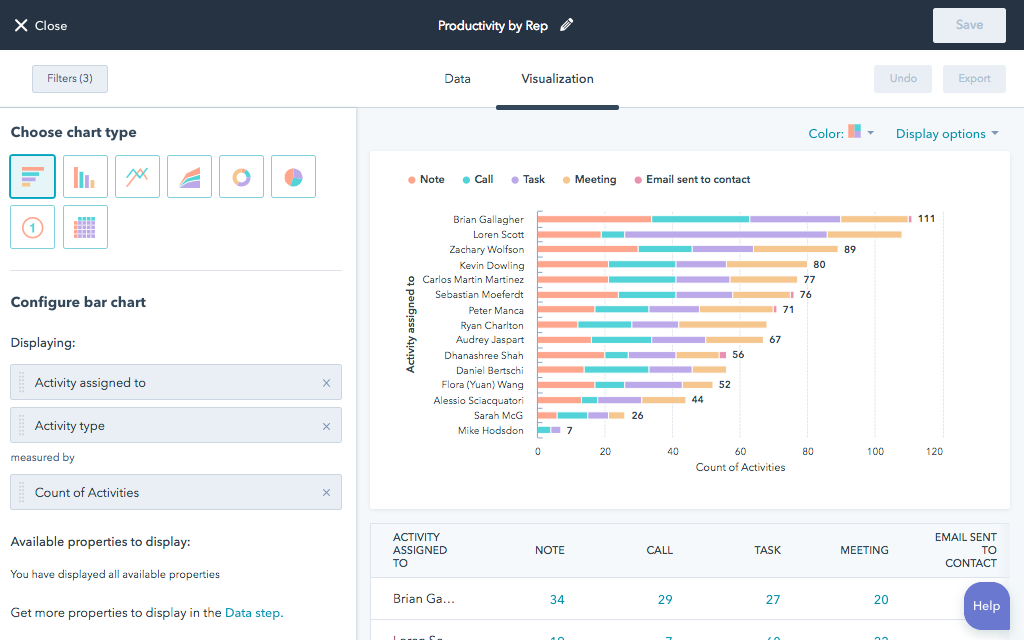
Source: WordPress
It’s no surprise that WordPress powers 40% of the world’s websites. This web design tool has hundreds of out-of-the-box built-in themes and a significantly higher level of customization (due to its versatility and 50,000+ plugins), making it an excellent option for designing a website that reflects your brand. WordPress offers a great content management system as well (CMS). It is simple and quick to post material in the shortest amount of time possible. And it’s said to be the ideal CMS for SEO.
Hubspot CMS
Source: Hubspot
While most people are familiar with HubSpot as a CRM tool, the brand also provides a free package of content management tools (CMS) for marketers and developers looking to increase their online presence with automated security, SEO advice, and other features.
Creating a professional website is simple and efficient using HubSpot’s CMS resources, which include configurable themes, a drag-and-drop page builder, and a lot more. And, compared to other free trials, you may use services like custom domains and premium hosting for free.
When it comes to creating a professional website, design is key. That’s why HubSpot’s CMS resources not only make it simple and efficient but also offer some of the best website designs on the market. With configurable themes and a drag-and-drop page builder, you can easily create a website that looks polished and professional, without needing any design experience. Plus, with the option to use custom domains and premium hosting for free, you’ll have everything you need to launch your website with confidence.
HubSpot’s free CMS solutions are just that: free. You will also have access to additional free HubSpot features like email marketing, meetings, live chat, and more.
Figma
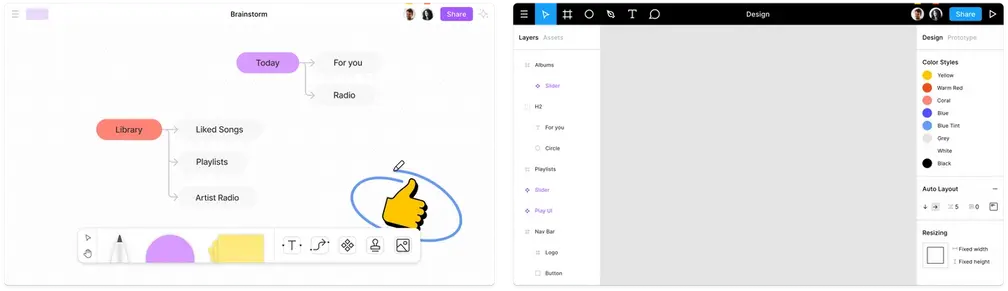
Source: Figma
Figma is a collaborative design tool that allows you to create website mockups, prototypes, and design systems, among other things. It’s fundamentally an all-in-one design platform. This tool is now used by businesses all around the globe as an ideation and design tool to create a more attainable web.
The company was founded in 2011 to extend design tools to the online, allow any individual with internet access to access their browser, and begin designing. Figma is best described as a collaborative design platform that allows numerous designers to interact in real-time. As a result, it’s preferable if various project members are participating in the design process. Figma is a web application, so you won’t need to install anything on your computer.
The free package allows an unlimited number of drafts, reviewers, and editors. The system supports one team project per account, so if your team is just focusing on one website, this is a wonderful option. The only constraint is that it only contains modifications from the last 30 days. You will be able to access unlimited projects and histories if you upgrade to the Professional tier, while you will enjoy advanced security and analytics capabilities if you upgrade to the Organization tier.
Webflow
Source: Webflow
Webflow is a web design and development software that allows you to build responsive websites on a visual canvas. Webflow has become the go-to tool for web designers to convert static (and dynamic) designs into usable websites over the years.
Webflow allows you to construct any website using a drag-and-drop user interface similar to Photoshop. Webflow generates clean semantic HTML5, CSS, and JavaScript as you develop. Webflow is absolutely unique in the class of website builders in the no-code space. Specifically, it is the only web development tool that generates clean code as you design.
Wix
Source: Wix
Wix is a website generator that offers free and premium plans and is an economical, easy-to-use WordPress competitor. Wix, like WordPress, allows you to create a plethora of projects, including eCommerce and blogs, in a matter of minutes. Yet, the experience of operating a Wix site will be significantly different from that of a WordPress site.
Premium options include a fully customizable subscription service. Managing backups, security, and maintenance of a website are handled by Wix. You can also select the sponsored promotion plan, which includes plenty of features and designs.
Adobe XD
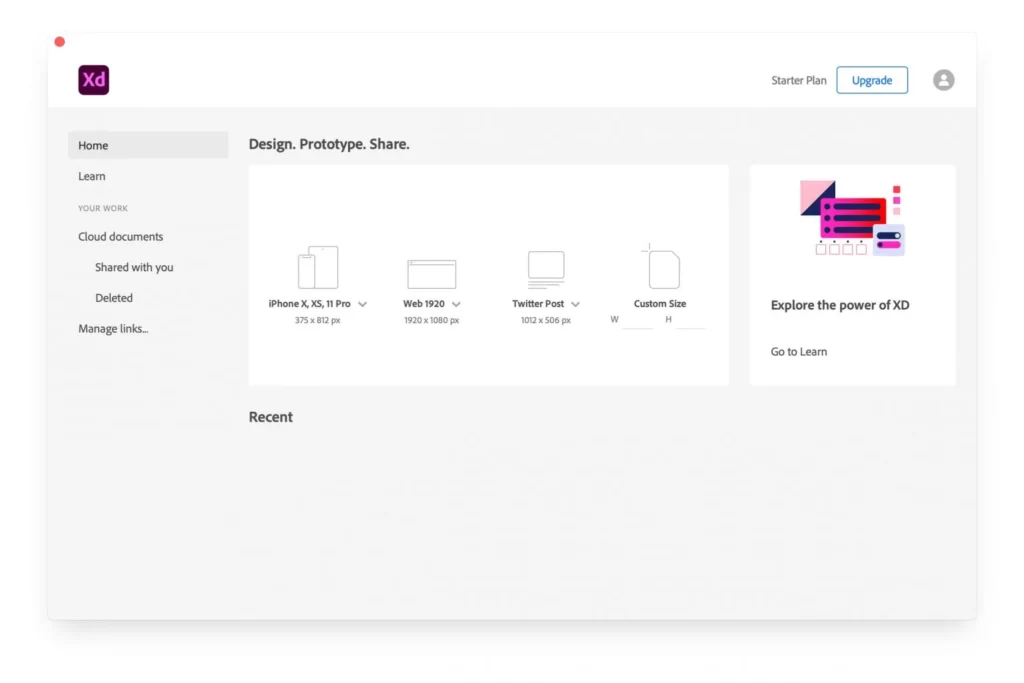
Source: Adobe
Despite being one of the more recent products on this list, Adobe XD soon became the software of choice for many in the online design community. Adobe Photoshop, Adobe InDesign, and Adobe Illustrator are the top three graphics software market shareholders. As a result, Adobe XD emerged as the inevitable pick for graphic and web designers.
Even if you’re unfamiliar with Adobe’s products, Adobe XD is a top-tier web design tool that you should use. The tool includes a repeat grids function that allows you to quickly design grids and fill them with images, text, and other distinctive content. It’s also useful for developing and evaluating modifications in UI element alignment.
Sketch
Source: Sketch
Sketch is one of the most well-known and widely used tools for web design. It includes a powerful vector tool for collaborative interface and prototype development. This tool was created specifically for the creation of websites and web apps.
Its popularity among designers is owing, at least in part, to its clear interface and great performance; nonetheless, it is only available for Mac. Because many designers use Windows, you might be better off with a web-based solution like CMS Hub or a Windows-based solution like Lunacy.
Squarespace
Source: Squarespace
Squarespace is a feature-rich website platform that proffers over 100 dynamic designer website design concepts. It provides online stores with customer account attributes as well as inventory management, discount codes, and abandoned card recovery. If you’re seeking perfect design and layout and cutting-edge artistic overtones, Squarespace might be the perfect eCommerce site solution for you.
Shopify
Source: Shopify
Shopify is increasingly becoming the go-to platform for digital storefronts. Every Shopify site comes with an SSL certificate, and you may purchase domain names from them directly. The team is continuously improving the shopping cart experience. As a result, they can assist prevent cart abandonment while also providing store owners and drop shippers the flexibility they require to compute shipping rates, taxes, and other factors dynamically. Shopify also provides a robust third-party integration ecosystem and marketing tools to help you sell more.
Lunacy
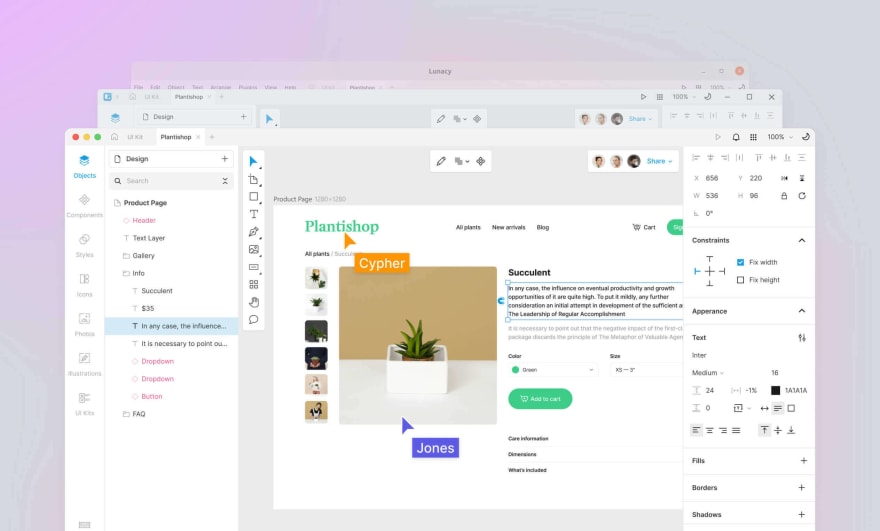
Source: icons8/luncay
As a free alternative to Sketch for Windows, Lunacy has valuable features, making it a capable graphic design program. Until recently, it could only open Sketch files on Windows. It now offers a library of cost-free, high-quality visual assets in addition to all the standard components of a UI and screen design tool. If you switch from Windows to Mac or vice versa, you can effortlessly edit your Sketch design because it has full Sketch file support.
Click Funnels
Source: Click Funnels
Clickfunnels is a powerful, easy-to-use application that assists entrepreneurs and small company owners in creating eye-catching sales and landing pages for their online businesses. It’s extremely easy to use, quick to set up, and loaded with numerous powerful features.
If you do a lot of design work and have a lot of creative ideas, building a page can rapidly become overwhelming. Fortunately, ClickFunnels has an image library that allows you to upload photos and modify your pages to your taste. This allows you to create pages that appear exactly how you want them to without having to download and upload files.
This tool is great for funnel creation because it allows you to rapidly create an opt-in page, landing page, or squeeze page. You can choose from a variety of pre-built templates and adjust them to meet your specific requirements.
I believe you will use the templates for creating a lead capture page, a squeeze page, and a sales letter the most. There are templates for a wide range of products, and you can even create your own.
InVision Studio
Source: InVision Studio
You can design for different screen sizes using the new mobile responsive feature of InVision Studio, especially, hybrid app responsive is a must nowadays. InVision Studio is available for PC and Macs. Since its start, this tool has been committed to providing a collaborative creative experience. Furthermore, it is now comparable to AdobeXD in terms of built-in functionality.
By downloading apps from the AppStore, you can further expand its functionality. Many of them are compatible with the repeat grids feature in AdobeXD. Additionally, UI Kits are available for immediate download and usage in screen design. The UI kits and all add-ons are free.
Fluid UI
Source: Fluid UI
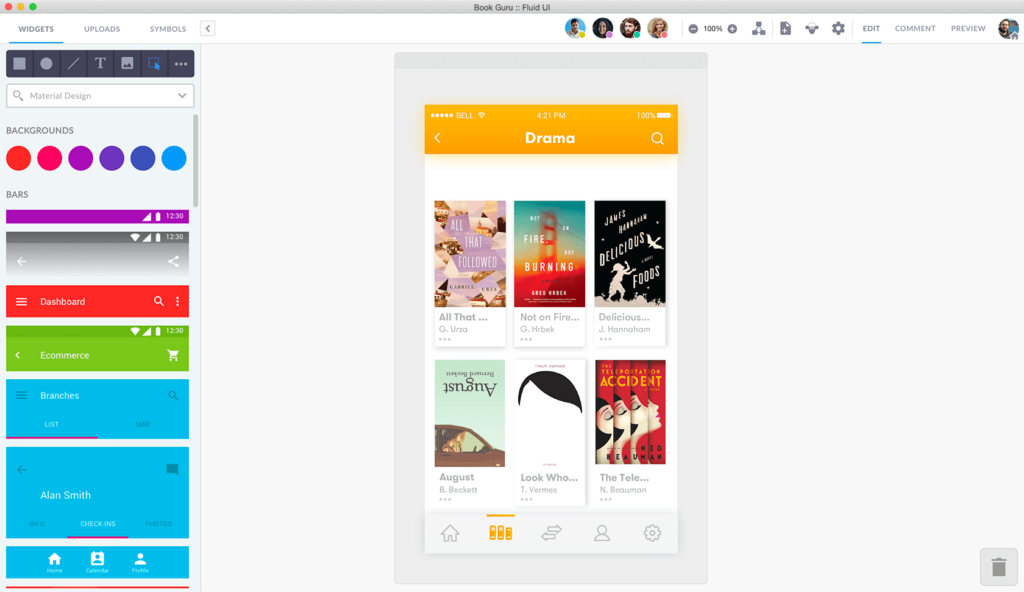
A free online application called FluidUI allows users to prototype and build user interfaces quickly. This program enables direct editing in your browser when used with the collection of standard Apple and Google Material components. Prototypes can also be emailed with website links so recipients can review and comment on them.
Marvel
Source: Marvel
Marvel is perfect for building prototypes and producing and refining an interface exactly as you want it to appear. It provides a very creative method of designing pages and allows you to simulate the design using a prototype. You can inject your designs into the project workflow through a variety of connectors. There is also a built-in user testing option, which is currently uncommon in the web design industry.
Conclusion
We’ve produced a list of the top web design software used in 2022 to make your search much easier. We attempted to cover all of the prominent players as well as some newer or lesser-known ones. As you can see from this list, there are many various sorts of programs available, so take your time to select one that is right for you. With the correct web design software, you can prototype, wireframe, and create a website that will thrill your visitors. Fortunately, many tools are free. Make use of the tools given above and contact us to code your site from the ground up or completely redesign it.
React. js for front-end development has been around for a long time, and Next JS and Gatsby are currently in competition. Although React has evolved beyond front-end development, its ecosystem has evolved far beyond the initial concept. There are now several frameworks, libraries, and tools available to build mobile, desktop, VR, and gaming apps. Among React developers and enthusiasts, NextJS and Gatsby are two of the most popular frameworks.
Static rendering and server-side rendering are two concepts we will encounter as we gain insight into these two React frameworks. Since Gatsby is a tool for creating static websites. Next. JS primarily performs as a server-side render tool.
Firstly, let’s examine server-side and static rendering.
Server rendering in the context of React refers to the process of producing HTML as demanded by each request.
Static rendering
At build time, a static site rendering only occurs once. There is no server involved. As a result, you must create a single HTML file for each page that the user can view beforehand.
What is Gatsby?
A free, open-source framework based on React called Gatsby. js is used to create quick and adaptable web applications. It makes use of React, Webpack, and GraphQL features to assist us in swiftly creating websites that are both fast and SEO-friendly.
Although Gatsby. js has changed over time, at its core it is still a React framework for static site generation (SSG).
Combining this with built-in PWA support makes it possible to achieve instant loading times by prefetching the assets required for subsequent pages and only loading the critical assets on the initial load.
Gatsby has its ecosystem of starters, plugins, and ready-to-use themes while being a React-based creation. It offers a developer-friendly static site generator by default and combines the greatest features of GraphQL, React, and react-router.
What is NextJS?
A NodeJS-based React development framework called NextJS is free and open-source. Up until NextJS 9. 3, which included SSG, NextJS prerendered its web pages using server-side rendering (SSR).
Now that Next. js is available, you may choose between SSG and SSR for how you wish to prerender your pages.
Parallels between NextJs and Gatsby
Both of them are React frameworks.
Both are implemented when there is a need for developing websites that are quick, powerful, and SEO friendly, which is why it is good to hire Reactjs developer for website development.
Both of them have comprehensive documentation.
The performance-catching feature of Gatsby and NextJS eliminates the need to split code and optimize it. With built-in routing, developers create new pages and split the code by default based on each page.
Next. js and Gatsby feature an incremental build methodology that enables developers to make content changes without updating the entire page.
NextJS Vs. Gatsby
Data handling
Gatsby
Gatsby instructs users on how to handle data in their app when it comes to data handling. The way this framework handles image data is one area where it deserves praise. A wide library of plugins that Gatsby includes allows for feature expansion. You can, for instance, resize the images your visitors see at build time with Gatsby images. Additionally, it has lazy-loading capabilities.
NextJS
On data handling, Next. js is a framework that completely leaves it up to the developer. It implies that they can determine how to manage data based on their own design. Similar to Gatsby, you must build up a backend solution in Next. js that can manage the data and content that are used to create dynamic pages. Therefore, if there are minimal data changes, you should use Gatsby over Next. js, but if users frequently demand data updates, Next. js is the better choice.
Plugins and ecosystem
Gatsby
Gatsby heavily relies on its user-created plugins, which are accessible to everyone and may be used in applications for tasks like sourcing and converting data or designing a website.
Basically, Gatsby makes using templates to build new websites incredibly simple. For instance, you could use the gatsby-source-filesystem plugin to source all your blog entries to GraphQL and then query them on your website if you want to when establishing a blog using Markdown.
NextJS
Since there isn’t a plugin community for NextJS like there is for Gatsby, the developer must complete all of this work by themselves. You must source and convert the data yourself if you want a blog that uses Markdown. Therefore, NextJS is ideal if you really do not bother undertaking this sort of task or just want complete control over the data sourcing procedure as well as the finer points of the code.
Page rendering
Gatsby
Gatsby is a static site generator since it produces HTML pages while it is being built. It does dispense the necessity for a Node server to control rendering. If you wish to create a sizable website with numerous web pages and hundreds of HTML templates, it’s not an effective approach.
NextJS
In comparison, Next JS progressive web apps use SSR to render pages. For each request, you must install NPM and NodeJS to manage HTML rendering in execution. After the initial HTML has loaded, NextJS manages hydration to launch the application.
Troubleshooting
Gatsby
Because of how much Gatsby relies on plugins and other people’s work, finding a bug in the code can be very difficult for the developers. Your website may have issues and problems for a longer period if you don’t mind waiting for other people to fix a problem and release an update. Alternatively, you don’t mind participating in the open-source community and working to find solutions on your own. In Gatsby, you have an equal amount of control over the code and data sourcing.
NextJS
The methodology is simpler to use and comprehend when using NextJS. You don’t have to wait for fixes to be pushed out if you use it. Without a doubt, a superior choice in terms of a customized approach and troubleshooting.
Scalability
Gatsby
Gatsby is a wonderful option for relatively small static sites and personal blogs, but if app sizes grow in the future, they may not create at all or build fairly slowly. Look at the Scaling issue on the Gatsby documentation page; it states that an app is deemed massive if it contains more than 100k pages or when a lot of data is retrieved from the GraphQL API. Gatsby’s integration with GraphQL enables users to easily generate static web pages, though they might not scale well.
NextJS
On the other hand, NextJS, a framework built with Node.js, is well-suited for enterprise development due to its ability to meet the most recent web development standards and serve customized content to logged-in users.
Data security
Gatsby
The necessary information in Gatsby’s instance is only obtained from the source. It is quite secure.
NextJS
The server still contains data despite NextJS CMS and APIs having private features. As a result, there are possibilities for misuse.
Extensibility
Gatsby
Gatsby’s extensive network of plugins helps coders to provide the app with any feature they want. The Gatsby plugin library includes features like installing the TypeScript compiler, compressing graphics, using a pre-built theme, and more. You can easily design and host your own customization options and features in the plugin library if you so wish.
NextJS
Given that Vercel, a well-known deployment and collaboration platform, built NextJS, this framework has a fantastic ecosystem of partner solutions. However, some features that were previously challenging to dynamically add to React, such as image optimization, page routing, and code splitting, come standard with NextJS. Additionally, NextJS integrates easily with other apps and libraries that you already utilize for creating, hosting, and designing, making it simple to add them to your tech stack.
Infrastructure
In NextJS, you must configure servers with maintenance, databases, and so on. In Gatsby, on the contrary, you can simply prerender on a build and leverage a CDN to construct ultrafast webpages.
Use cases
Gatsby
Gatsby is the ruler of basic, static websites. A static website is made up of a collection of separate HTML pages, each representing a physical web page. A personal blog is a perfect example of this type of website. There will be no real-time updates, so various visitors will see the same content.
When the content remains constant and the amount of pages on the website is predetermined, Gatsby is the top pick. It offers a diverse set of databases, REST APIs, CMS systems, and GraphQL. Because Gatsby can decouple the website and the data, anyone on your team who does not have coding skills can update the web page data and build it during runtime.
Use Gatsby:
When creating static content website
Portfolio websites or personal blogs
Websites that are SEO-friendly
Websites that support headless CMS
NextJS
If you intend to build a website with many users generating their own profiles and discussing the page content, NextJS is the best choice.
Furthermore, huge websites require you to show updated and original content to registered users. SSR is one of the numerous Next JS benefits to consider when dealing with many users based on authentication. When users visit the website, they will see the proper information.
NextJS also outperforms Gatsby when it comes to designing hybrid web apps that must manage data to the CSR as well as render the UI using SSR.
Use NextJS
Client-side apps that are rendered
Large eCommerce sites
Websites with substantial users
B2B and SaaS websites
Conclusion
To summarize the Gatsby vs NextJS debate, we can claim that both frameworks have grown much closer than they were previously. Gatsby has undergone numerous changes and now supports more client-side functionalities such as SSR and DSG. As a result, choosing one over the other has grown more difficult. After all, it all comes down to what you want and desire in your project.
To give a brief, NextJS is appropriate for apps with higher functionalities and traffic, whereas Gatsby is better suited for small-scale, static websites.
Frequently asked questions
NextJS or Gatsby: which is preferable?
Until recently, there were significant distinctions between NextJS and Gatsby that allowed developers to readily choose one of the two for their use case. However, recent upgrades, such as Gatsby’s introduction of Server-Side Rendering among other features, have brought the two frameworks considerably closer together. And Next’s recent release of on-demand Incremental Static Regeneration has pulled the two even closer together, leaving this decision up to the developer in a few crucial areas.
Which is significantly faster, NextJS or Gatsby?
When comparing Gatsby to Next, Gatsby is quick since this framework prefetches the content in the background even before the user performs browser requests. This data prefetching speeds up your website.
Is NextJS a backend framework?
Yes, we can build full-stack React applications with this framework. NextJS acts as the backend for the app’s server-side view, and it functions as the front-end for client-side features, meanwhile React for front-end is anyday a good choice.
What distinguishes NextJS from React?
NextJS is a framework built on React, whereas ReactJS is an open-source JavaScript library created and supported by Facebook. NextJS is used to build web apps and handle server-side rendering, while ReactJS concentrates on rendering to the DOM.
Using a framework to construct web apps depends on your needs, budget, and other development criteria. Although both technologies provide developers with a practical method for creating various Web applications, each has its optimal use cases and caters to numerous business requirements. The popularity of VueJS, a JavaScript toolkit for building dynamic web apps, has increased significantly, and both big and small enterprises are using it to build numerous projects. Whereas opting to hire Reactjs developers can be an excellent decision for designing single-page web apps such as UI, React is more adaptable because it is a library rather than a framework.
This JavaScript framework allows developers to create UIs (User Interfaces) and SPAs (Single-page Applications). As a result of the Options API, which helps beginners to learn more quickly, this framework is famous for its short learning curve. This is one of its defining characteristics. As a way to take the most promising parts of Angular and build a custom tool around it, Evan You created vue.js, which he made at Google working on some exciting and experimental projects centered on interaction. In Vue3, the latest version, TypeScript support has been improved, along with the composition API, global mounting/configuration API changes, and other features. It is also more lightweight and faster than previous versions.
What is ReactJS?
React is a JavaScript library that is open source and used to create user interfaces. It is a component-based frontend library that is only in charge of the application’s view layer, which is represented by the letter ‘V’ in MVC. A React app is composed of numerous components, each of which is responsible for rendering a small, reusable piece of HTML. Nested components can be used to develop large applications from simple building elements.
React uses a declarative approach to make reasoning about your application easier, and it attempts to be both efficient and versatile. It generates basic views for each state of your application, and when your data changes, React updates and renders the appropriate component quickly. The declarative approach improves your code’s predictability and debugging ability.
Parallels between Vue and React
Vue.js and React have many similarities.
Before we get into the differences, it is vital to know that they share some essential traits:
Community
In addition to a wealth of libraries and tools, React and Vue each have vibrant communities. They are also free and open source. React, on the other hand, keeps the advantage.
Virtual DOM
The two libraries share this characteristic in a significant way. The Virtual DOM in JavaScript is primarily a DOM tree representation. Every HTML element is a JavaScript object in this HTML DOM abstraction. This strategy boosts efficiency while also allowing for more declarative DOM manipulation.
Lightweight
Having a component-based architecture and exposing lifecycle methods, both are lightweight. Their performances are so identical that it is unnecessary to explain the distinctions. On the other hand, Vue renders data more quickly and is lighter than React.
Other Common features are
JavaScript code
Progressive Web Applications (PWA) support
View components that are both composable and reactive
Differences between Vue and React
Learning curve
All the JavaScript frameworks can be studied and understood, but Vue is the easiest. Learning takes anything from a few hours to under a week. All that is needed is a fundamental grasp of how ES6 functions and some familiarity with JavaScript. Since Vue’s documentation is not as vast as other frameworks, it is easy to understand.
React is easy to learn for someone with prior experience using JavaScript. The reduced learning curve makes it easier to build a team because any beginner or experienced developer can participate. Only the releases that came after 16.0 are up-to-date. As a result, newbie developers could find executing the more intricate functionality challenging.
Performance and Speed
With each new option or component added, the status of the Vue application becomes less explicit, making it challenging for the app to load more quickly. Fortunately, a virtual DOM is included in this framework to improve application speed. Lazy loading is one of Vue’s most significant features. It contributes to a faster load time.
A React app runs faster, has a more authentic customer experience, and has separate components that work well together. React’s component-based architecture helps to create more robust single-page apps, while reusability lowers the complexity of the code and eliminates DOM interaction to speed up page loading. The library focuses on making necessary website changes without reloading the entire page. It, therefore, updates the content.
Popularity
React won this competition. Given that Facebook supports this technology, its increased popularity and community are unsurprising. Although Vue has a smaller community with fewer resources and modules, Evan You and the team continue supporting it.
Ecosystem
React needs third-party libraries, whereas Vue is a standalone framework. React depends on other systems like Flux/Redux for routing and state management. These frameworks simplify debugging by giving users a single method for changing the state. The ecosystem has grown more fragmented due to Facebook granting users control over react-redux and react-router.
Fewer libraries are compatible with Vue. However, several React-required functionalities, such as props validation, are presently available in Vue. The Vue team maintains and supports key frameworks such as Vuex and Vue-router.
Components and Flexibility
The extensive libraries of components in Vue and React make it simpler to reuse code, boost developer productivity, and speed up the development process while creating component-based user interfaces.
Adding third-party libraries to Vue or React applications is simple. The majority of React source libraries are simply upgraded versions of existing components. The built-in plugin system is used by a number of third-party libraries in Vue.
Tools to Streamline Development
Since 2016, React has made a third-party CLI tool called create-react-app available to help programmers with activities like app development, scripting, and other related tasks. Before, React developers had two options: copy files from older projects or start from scratch. Although it didn’t take long, it was a laborious process.
On the other hand, Vue includes a tool called Vue CLI that enables quick project creation. The flexibility to install plugins at any project stage and ease of customization are just two benefits of Vue CLI.
Security
Vue and React have security issues, albeit Vue apps are marginally simpler to secure than React-based ones. Vue developers can clear HTML code before implementing it or use additional libraries to help prevent attacks, even though automatic defenses against XSS flaws are not accessible. In situations where you are confident that the HTML is secure, you can immediately build web pages while securing the applications both before and after production.
React security relies on the programmer adhering to security guidelines to protect against XSS flaws, SQL injections, and other risks. React is easy to use, but it takes a lot of knowledge and experience to ensure that React projects are secure.
Testing
ReactJS includes a number of practical test runners that simplify following the development process. Testers may execute test suites according to a standard procedure thanks to test runners like Jest, Mocha, and many others. This makes it easier for them to find bugs in actual browser configurations, unnecessary functions, and places where excessive function manipulation takes place. It expedites application deployment, reduces time to market, and promotes a more productive environment.
Vue is relatively new. The testing capabilities are conventional, easy to use, and efficient. It does not put the ability to test the code at risk and does not offer excessive tools. Two of the libraries that are officially suggested are Vue Testing Library and Vue Test Utils. This architecture allows for hot reloading, CI/CD, and the establishment of faster feedback mechanisms.
Community Support
The most prominent social networking site, Facebook, consistently supports React. The main benefit is that React is constantly being developed and improved by a dedicated team at Facebook. Vue is not, however, supported by a significant company. This is not to imply that it lacks public support or is unpopular. This is because the Vue community is smaller than the React community.
Wondering Which React Framework To consider in 2022?, Check out this article ✅
Where is Vue used
The popularity of Vue is rising exponentially, and many leading companies are using it for their projects, such as Adobe, Alibaba, GitLab, WizzAir, Netflix, and even NASA. One of the few JavaScript frameworks available today that has attained this degree of widespread usage is Vue. In addition, the community for this robust framework has expanded as more developers opt to learn how to code with it.
Where is ReactJS used
Some companies that use React for their projects include Facebook, Instagram, WhatsApp, PayPal, Yahoo, Khan Academy, and, yes, Barack Obama’s website. It is undeniable that React has cemented its position as the go-to technology for rapidly crafting efficient web apps.
Selecting the Perfect One
JavaScript frameworks do not have a universal design. Both React and Vue provide developers with exceptional possibilities in their unique ways. The developer must take the web app’s functionality and the aspects that are most crucial to its success.
Similar products like Vue and React offer libraries and frameworks to developers so they may create dynamic, quick-loading user experiences. On the other hand, Vue is a bit simpler than React, making it easier for beginner programmers to master. React, on the other hand, has a more challenging learning curve and needs more practice to become fully proficient. Despite this, programmers consider it a versatile tool with greater flexibility than Vue.
Assume that making reusable components is your main objective. If so, you should presumably use React since it has JSX support, simplifying developing unique features. Moreover, React already has a significant community supporting it. We hope this comparison and explanation help you understand how to use each in your projects and which one should be used in which situations. Contact us to know more about what technology can be the right choice for your million-dollar idea.