Top Flutter Libraries and Packages for App Development

As an open-source cross-platform framework, Google’s Flutter UI framework is being rapidly adopted by the app development community since it allows developers to create apps across multiple platforms from a single codebase. As a result of Flutter Packages, Flutter is now more appealing for developing easy-to-use and modular code for creating applications across Windows, iOS, Android, and Linux. The ingenuity of these packages has even won the praise of many developers since they no longer have to think about Developing From Scratch. Plugins and packages speed up development and expand functionalities. As a result, Flutter won the most searched Google query in April 2020 in a fierce battle against ReactNative and is expected to continue the trend in the future. We have compiled a list of top Flutter libraries and packages to provide remarkable support for Flutter app development.

Url_launcher

Among all the Flutter packages, this package can be used to launch URLs in mobile apps via predefined schemas and many features. This is because it supports both iOS and Android operating systems. HTTP, email, and SMS are all accepted URL schemas. Adding url_launcher as a dependency to pubspec.yaml is necessary to use it.

import 'package:flutter/material.dart';
import 'package:url_launcher/url_launcher.dart';

final Uri _url = Uri.parse('https://flutter.dev');

void main() => runApp(
      const MaterialApp(
        home: Material(
          child: Center(
            child: ElevatedButton(
              onPressed: _launchUrl,
              child: Text('Show Flutter homepage'),
            ),
          ),
        ),
      ),
    );

Future<void> _launchUrl() async {
  if (!await launchUrl(_url)) {
    throw 'Could not launch $_url';
  }
}

Ref:pub.dev

Fl_chart

fl_chart is a remarkable library that can be used to create pie, bar, and line charts among others. In addition, it offers a number of excellent methods for personalizing the look and feel of the graphs to develop data-driven apps that offer features such as visualizing, sorting, and analytics. Refer below example from pub.dev.

Image Source: Github

Rxdart

It is a Flutter package with a variety of advanced features, including DART STREAMS and STREAM CONTROLLER. Through the use of this package, the developers have been able to integrate React Native’s (a framework originally developed by Facebook for developing iOS, tvOS, macOS, Windows, and Android apps) functionality with that of the Flutter applications. The package also lets developers analyze the businesses of companies they are working for effectively through asynchronous programming, thus enhancing users’ experience.

Here is how you utilize it:

import 'package:rxdart/rxdart.dart';

void main() {
  const konamiKeyCodes = <int>[
    KeyCode.UP,
    KeyCode.UP,
    KeyCode.DOWN,
    KeyCode.DOWN,
    KeyCode.LEFT,
    KeyCode.RIGHT,
    KeyCode.LEFT,
    KeyCode.RIGHT,
    KeyCode.B,
    KeyCode.A,
  ];

  final result = querySelector('#result')!;

  document.onKeyUp
      .map((event) => event.keyCode)
      .bufferCount(10, 1) // An extension method provided by rxdart
      .where((lastTenKeyCodes) => const IterableEquality<int>().equals(lastTenKeyCodes, konamiKeyCodes))
      .listen((_) => result.innerHtml = 'KONAMI!');
}

Source: github

Package_info

This plugin is used to fetch information about application versions. You can use it during runtime to check version information. Android and iOS both are supported.

import 'package:package_info/package_info.dart';
PackageInfo packageInfo = await PackageInfo.fromPlatform();
String appName = packageInfo.appName;
String packageName = packageInfo.packageName;
String version = packageInfo.version;
String buildNumber = packageInfo.buildNumber;

Source: pub.dev

Dio

Among its many features, Dio is a powerful HTTP client for Dart that supports interceptors, FormData, cancellation of requests, timeouts, and other features.

Get started as it is effortless to use:

import 'package:dio/dio.dart';
void getHttp() async {
  try {
    var response = await Dio().get('http://www.google.com');
    print(response);
  } catch (e) {
    print(e);
  }
}

Source: pub.dev

Cashed_network_image

A flutter library to display images from the internet and store them in the cache directory. Besides using SQFlite for management, it also supports placeholders and error widgets. It is possible to use the cached_network_image directly or through the ImageProvider. 

Example:

With a placeholder:

CachedNetworkImage(
        imageUrl: "http://via.placeholder.com/350x150",
        placeholder: (context, url) => CircularProgressIndicator(),
        errorWidget: (context, url, error) => Icon(Icons.error),
     ),
With a progress indicator:
CachedNetworkImage(
        imageUrl: "http://via.placeholder.com/350x150",
        progressIndicatorBuilder: (context, url, downloadProgress) => 
                CircularProgressIndicator(value: downloadProgress.progress),
        errorWidget: (context, url, error) => Icon(Icons.error),
     ),

Source:pub.dev

SQFlite

The team has created a method to facilitate accessing the SQLite Database since Flutter has no built-in abstraction for it. You can now access SQLite databases on Android and iOS with the SQFlite plugin. It is a highly maintained package and is widely favored by the Flutter team.

Features:

  • Transactions and batch processing are supported
  • Automatic version management from the start
  • Provides helpers for inserting, querying, updating, and deleting
  • DB operations are performed in the background thread

Intro_slider

You can now seamlessly design interactive, entertaining animated intros for your apps. Various patterns and animations are available in this package. Furthermore, you can instantly enhance the aesthetics of intros using the comprehensive set of parameters.

Here’s how to get started with this package: pub.dev

Path_provider

Path_provider allows developers to get frequently used locations on Android and iOS file systems (for instance temp and app data directories) conveniently and rapidly. When using the SQFlite library, you can fetch the database path with this package. In addition to supporting internal and external storage, it provides direct access to directories such as documents, privates, etc.

Get started here: pub.dev

Image_picker

With this Flutter plugin, you can browse images from the image library and take new pictures from the camera. In your pubspec.yaml file, first add image_picker as a dependency for use.

Example:

import 'package:image_picker/image_picker.dart';

    ...
    final ImagePicker _picker = ImagePicker();
    // Pick an image
    final XFile? image = await _picker.pickImage(source: ImageSource.gallery);
    // Capture a photo
    final XFile? photo = await _picker.pickImage(source: ImageSource.camera);
    // Pick a video
    final XFile? image = await _picker.pickVideo(source: ImageSource.gallery);
    // Capture a video
    final XFile? video = await _picker.pickVideo(source: ImageSource.camera);
    // Pick multiple images
    final List<XFile>? images = await _picker.pickMultiImage();
    ...

Source:pub.dev

local_auth

This package is intended to aid in the implementation of local and biometric authentication on the user’s device, including Touch ID APIs for iOS and Android fingerprint APIs.

It is compatible with two different biometric authentication types:

  • biometric authentication of the face
  • biometric authentication using fingerprints

Font_awesome_flutter

There are many icons in the intriguing plugin called Font Awesome Flutter that you may utilize in your application. Each icon stands for a distinct feature that improves the effectiveness of the app.

  • Simplifies and streamlines the development of applications.
  • Some icons are created specifically for a given operating system.

Conclusion:

We trust that you now clearly understand the top Flutter libraries and packages. These Flutter libraries and packages are immensely useful and can significantly transform how you work. And by getting in touch with us you can access our pool of expert Flutter Developers to make your project development seamless and intuitive. 

How to Make an App like Airbnb: Develop your own Vacation Rental App

Over the previous decade, Airbnb has evolved into one of the most well-known and successful rental apps in the global market leading all other competitors. What are the major reasons for its distinctiveness and success? What is the platform’s monetization approach for profit? Is there a quick way to build a comparable platform?

Table of Contents

Overview of Airbnb

The idea for Airbnb originated with two designers who shared their house with three tourists in need of a place to stay. Today, the concept has become a global phenomenon, with people who have spare rooms using Airbnb to host visitors. This platform allows residents and visitors to share their interests and experiences.

The Airbnb-like app is a travel business that provides a single platform for renting flats all around the world. Airbnb provides enticing marketplaces for both landowners and those looking for short-term rentals or accommodation.

navigating Airbnb app
Photo by cottonbro

Working Principle of Airbnb

Airbnb is more than a marketplace for tourists and hosts. It enables the host to list their home, including pricing, amenities, restrictions, and other details. It allows tourists to look for vacation rental properties by specifying the area, zip code, radius, price range, and several other filtering and sorting options.

While browsing the various homes, tourists may reserve the property for the precise days they want, and the host will accept the request if the property is available for rent on those dates. The host has the authority to accept or decline the booking request. Once the host confirms the booking request, travelers may begin the payment process. Both the stay host and the tourist can review each other after their stay. It can assist other hosts and tourists in making decisions.

Critical Features for Creating a Good Rental App like Airbnb

Simple Registration

Although consumers must register on your platform to access your app, do not make registration compulsory. Compulsory registration may limit your user base and severely impact the success of your app. A preferable way would be to allow non-registered users to access the basic capabilities of booking and finding trips. You may also include features like social login, which significantly reduces the time necessary for user registration and confirmation.

Airbnb Banner

Clean UI for Booking the Desired Place

The app’s objective is to allow users to select residences in their chosen location and book them for a specific amount of time. Making an effort to provide a user-friendly and efficient booking experience can boost user engagement. Don’t irritate the user with unnecessary information. Just make sure it only contains the information required to generate a successful reservation. Geolocation tracking is a useful feature you may provide to make it easier to use the app’s booking functions.

Instant Messaging Service

When a guest is booking or utilizing another service on your site, they may want clarification. In such cases, having an instant messaging option that facilitates communication between the parties engaged in the transaction is beneficial. This function allows the guest user to communicate in real time with the property owner/representative. The messaging feature on your platform can aid in the prevention of disagreements.

Push Notification

You’d want to mimic Airbnb’s great notification system, which provides consumers with up-to-date information about their bookings. This functionality may also be used to promote deals and discounts to app platform users. This functionality will be useful for improving sales and money generated by your app.

Simple Search Feature

The search feature is one of the most important aspects of an app like Airbnb. Prospective guests may look for properties by entering a keyword, such as their name, or by selecting a specific area, which will show all available properties. The search option improves the utility of your software.

Details of the Accommodation

An accommodation information page must be included in your travel and tourist app. When traveling, all users would like to have a closer look at the housing they choose to stay in. Here are some elements to consider including on the details page.

  • A map that shows the near vicinity of the property.
  • The renting costs
  • Relevant information about the building
  • Images of the inside and outside of the property
  • A button that says “book now” or something similar.
  • Add this place to the user’s list of favorites.
  • Feedback or reviews from previous guests
  • A list of the services provided by the property host.

Easy to Use Payment Method

You should also make it possible for users to make payments without difficulty. Payment integration, like any other financial transaction, must be safe, secure, and simple to use. Although Airbnb supports credit cards and PayPal, you are not required to limit your app to those two methods. It’s a great idea to provide your app users with a variety of payment alternatives. It will assist you in expanding your user base.

Simple Cancellation

In addition to developing tools for simple reservations of lodging, customers should be able to cancel the booking without any issues when the need arises. In this sense, your platform should feature a cancellation policy. Simply look at successful travel websites and observe their cancellation policies.

Administration Panel

Although property owners and visitors are the major users of your travel app, an administration part of the app is required. This is the part where the app administrator may manage the app’s listing, integrate management solutions, and obtain critical app statistics. In summary, the backend for app management is just as vital as the frontend elements for improving the user experience.

Conclusion

We hope that now you have a good understanding of how apps like Airbnb work and the features they provide. If you’re still unsure about your app concept and where to begin, don’t worry, as an established Web and Mobile Development company, we can help you in selecting the best path for the development of your app. You can simply send us a message at any time, and the team of our consultants will respond right away to your query.

In-house vs. Outsourcing your Software Development

After deciding to develop software or an application, the question of whether to do it in-house or outsource the work arises. In-house software development entails creating software utilizing the capabilities of your staff. Working with a third-party source with specialized abilities to build your project swiftly and efficiently is what outsourcing means.

Both approaches have advantages and disadvantages. Different projects may require a different approach, but the question is – which solution will work best for you? Let’s find out

The Things that you need to consider for Software Development

Cost:

Adequate cost control guarantees a project’s budget remains on track and finishes. The process of controlling project costs may be broken down into three parts. The first is to estimate expenses, create a project budget, control spending, and track costs in real time. So, for the must be completed, you must control the fee and manage the funds.

Length of the Project:

You first need to see the length of the project and the time frame you have to complete it. Outsourcing is ideal for microtasks, projects that are straightforward to perform and have a limited time frame. Outsourcing non-core projects can cut overhead and enhance time to market. If your company relies entirely on the project, I will advocate assembling a solid in-house team to collaborate with the offshore developers rather than wholly outsourcing it.

Human Resources:

It’s essential to have a strong leadership team (in-house or offshore) to guide the project, i.e., experienced project managers, CTOs, architects, and growth hackers that have track records, provide quality results, and act quickly. Having leaders helps keep your project transparent, lowers risk, and increases your chances of success.

Risk:

You have to understand the various risks you may face during or after the project’s completion. For example, How easy is it to build the software? In other words, how big is the risk that the project will fail?

Advantages of In-House Development

1. Guaranteed Availability

This is very convenient when your development team is working next to you. Some processes, such as scheduling tasks, and discussing problems that have arisen suddenly, can be resolved quickly enough. This is primarily important for a start-up. Given the specifics of start-up development, when you work on scrum and the product’s flexibility is essential, the in-house team will be more familiar with the process. Suppose you suddenly feel that some tasks are being delayed or are being performed in the wrong way. In that case, you can immediately contact your developers and understand the problem more deeply.

2. A better understanding of Corporate Culture

When you have an in-house team, you see the result of the work done and communicate personally with these guys. You can discuss with them some topics not directly related to your work, have small talks over a cup of coffee, etc.

You understand and build a specific system of values, norms, rules, traditions, and principles driven by which your team works and your firm develops. Often, corporate culture performs a motivational function by inspiring the team to achieve its goals.

Disadvantages of In-House Development

1. High Costs

Often, for a start-up, having an in-house team is quite expensive. Precisely because of the budget issue, people tend to consider outsourcing teams. You can just calculate the budget allocated for the development of a start-up and write down a plan for half a year or a year. And do not forget that when assembling an in-house team, you will need additional resources and costs for recruiters, rent, and maintenance of jobs, not to mention costs for purchasing equipment and the necessary software. It is important to have the right development team on your side.

2. The Time Required to Select and Adapt to the Team

For the start-up development process to be as productive as possible, you need to assemble a team in which the developers will be synchronized and think in one direction. To pick up a group of like-minded people, you need to spend a lot of time and probably seek assistance from recruiters or a recruiting agency. And then you’ll have to validate the expertise of these guys: How much they quickly and efficiently perform their work in a team, whether deadlines are missing or not, and what are their soft skills. Communication in a group when developing a start-up is one of the essential components of process optimization. So, you may pay attention to this.

Advantages of Outsourcing Development

1. Reasonably Cheap Cost

When it comes to outsourcing IT services, low cost is an advantage. You do not need to hire an in-house team. You hire a contractor to supply IT services and then arrange a work plan. To produce an estimate in hours, the outsourced team should adequately analyze the technical specs and documents. Based on your projects, you’ll know how much the outsourced workforce will cost you each month, quarter, or year. You do not need to invest in expensive equipment, office space, or software.

2. Faster Delivery Process

You can save on an in-house team and hire more outsourced developers, which will speed up your start-up’s development. The quality of the product should not suffer from this. Outsourced developers have gone through many projects, and their teams are already united.

3. Access to Worldwide Talent

Your skill pool is not limited by geography when you use outsourcing services. You have access to the world’s greatest minds.

Outsourcing development Disadvantages

1. Lack of Transparency

You may not see much of what is happening in outsourcing teams. Some teams may hide problems that they encountered during development. They can also increase the number of hours in monthly reports. You are advised to control the process. Task tracking systems like Jira or Trello can help you handle tasks and accomplishments.

2. Intellectual Property (IP)

This risk should be considered first and foremost, and if not, there is always a danger of losing your product. But if you don’t take measures, you may lose your product. You can take several steps immediately, apply for a patent or copyright for your product, and sign a non-disclosure document with the outsourcing team. But if the outsourcing team does not pursue the goal of deceiving their customer, they will provide all the documents confirming your product ownership.

Conclusion

When picking between in-house software development and outsourcing, there are various situations to consider. You’ve seen the benefits and drawbacks of both approaches, but it’s up to you to choose the best decision for your situation.

Many startup entrepreneurs and startups have already worked with us for various software development works. Discuss your possibilities for outsourcing software development with us.

10 Deadly Mobile App Development Mistakes That Can Cost You Thousands

Let’s face it. App development is not an easy task. When you want to develop something innovative and have genuine users’ interest at heart, you want a refined product. And it is no mystery that development comes with its own slips. The software apps industry is gaining a lot of traction.

In assertion, many now view them as a goldmine due to the enormous profit they provide. Although, a large number of apps get uninstalled after one use. The reason behind this is the deadly mistakes done by clients and app developers. We have curated 10 of these mistakes. You can successfully establish your app to become the dependable revenue stream you’ve always wished for by avoiding these typical missteps throughout development.

Let’s go over them one by one!

Insufficient research on the needs of users

Definitely a big mistake. By not doing enough research on what your target audience needs and wants, you are heading your project to failure. Extensive and comprehensive user research is the bedrock of a successful mobile application. And especially when you are investing a great deal into it, it is better to proceed slowly and steadily. You should conduct market research to develop insights into what functionalities users need in the app and what other aspects they might want to have. In addition, you must guarantee the accuracy of your findings. 

A distinct user persona, objectives, and behavioral tendencies must be identified by effective user research. To develop an innovative product, you must also be aware of what the competitor is already doing. This supports your idea’s validity and assures you that you will have a sizable user base.

Lack of research when hiring a mobile app development company

As you know, there are different mobile apps to serve various purposes such as financial apps, healthcare apps, real-estate apps, educational apps, eCommerce apps, on-demand apps, and so on. In the same way, every mobile app development company is different. So choosing an adept mobile app development team may sound like an uphill task. When you keep certain points in mind like your budget, the scope, the platforms, and the use of your application in mind, you will find it much easier to determine which app development companies will meet your needs.

An inefficient budget management

This is another fatal mistake that can end up costing you more than you can imagine. Getting a rough estimate of the cost of your app right from the start is essential. Create a detailed cost structure before initiating the development. 

Set realistic budget expectations by taking into consideration the below-listed factors.

  • Initial development
  • Feature list
  • Design elements
  • Integrations
  • Updates 

When you want to put your best foot forward, you need to make room for unexpected costs. Keep the miscellaneous expenses in mind to get ready for a customizable project. Adhere to your budget when it comes to critical stages of development.

Getting carried away with features

As app development and technology seem cool, adding new features is tempting. Cramming your app with a lot of features will negatively affect it. Remember that a complicated app is not just frustrating for users, but also more challenging to sell. However, you should consider whether new features are really worth it. Leaving out features that do not add value to the app is a smart idea. Having a clear vision of your product is vital for removing irrelevant features from your app.  Also, it will not take long for you to identify areas where universal functionalities can be built if your development team has clearly defined targets and goals.

Designing a subpar app appearance

Bad UX/UI is one of the dominant reasons behind the uninstallation of apps. When people open an app, they have particular hopes. What users want and need is a smoother and more engaging experience. Their journey to solve the query should be quick, easy, and to the point. Take inspiration from the most successful and popular apps on the market today. From any screen, these apps have seamless navigation, a search function, and a home menu. Often, developers get extravagant with UI, which negatively impacts the user experience. Stick to what works instead of trying to win the race for the most innovative home page design. Prioritizing user experience and the interface is the only way to win customers’ hearts and save money.

Not choosing the right platform

Naturally, you’d want to develop your app separately for iOS and Android, as that would get you the most users. Even though that may be true, simultaneously developing apps for both platforms will significantly increase costs. One of the effective approaches here would be to focus on a single platform first and select the operating system that your users tend to use. Android holds the majority of the worldwide market share, but in countries such as the United States and Japan, iOS is the preferred choice. In-app purchases are also much more common among iOS users.

Cross-platform development is another option you might wish to consider, which involves creating one application for both platforms using the same codebase. By eliminating the need to create separate iOS and Android apps, you will be able to save some valuable time and money. You should, however, keep in mind that native app development is the better option if platform-specific features are important to you.

Performing inadequate tests

A glitch-free app is everything to a user. In the earlier days of the app’s release, it is critical to have an app that retains its users by performing flawlessly. A favorable first impression can only be achieved by testing an app across a range of devices, in addition to simple testing. As well as improving the user experience, it’s the only way to fix any bugs or problems. Additionally, it is imperative that app testing should be done by a professional testing team. Then, your app will be ready for release.

Ignoring the Marketing aspect

Even the best mobile app can’t sell itself. Apps’ features and performance determine their success in many ways. However, a product without a strategic marketing plan will eventually fail. Marketing your app is essential for acquiring new users and sustaining its profitability. Pre-launch and post-launch marketing strategies are essential for app marketing success. Most pre-launch marketing strategies include market research, engagement with your target audience, and branding. To generate organic traffic, you should use App Store Optimization (ASO) after launching your app. Additionally, consider paid advertising and referrals as promotional methods.

Neglecting User Feedback

Never let any user feedback slip. Ultimately, this app is being developed for the general public. It is therefore crucial that they have a say in what they prefer in the app. They simply would not use it otherwise. 

The only way out of this terrifying scenario is through continuous iteration of user feedback. What needs to be changed in the app should be based on what the users want. It is easy for app developers to build loyal customers by paying close attention to the feedback they receive from users.

Emphasizing Downloads Instead of Retention

Mobile app success is often measured by the number of app downloads within industry circles. Nevertheless, this is just the beginning. An app’s success is not always determined by its download rate. The cost of acquiring new users is already high for many brands. A lot of marketing costs could be saved if you consider user retention equally. Existing app users can be a potential source of massive Return on Investment (ROI) if properly engaged.

The loyalty of a customer stretches beyond repeat purchases. They also provide valuable feedback and genuine word-of-mouth advertising for your brand.

Conclusion

The process of creating an app can frequently be tedious and time-consuming. Producers will undoubtedly make some blunders along the process that could hinder the app’s success. Typical erroneous development techniques usually involve ignoring user retention metrics, not hiring the leading app development company, and having poor knowledge of users’ interests. We believe this thorough list will help in a big way toward positioning your product for success.

Low Code vs. Traditional Development: Which to Consider?

The skepticism revolves around which method of development between Low Code and traditional, and some companies and entrepreneurs always need to consider crucial factors like speed, cost, and productivity, in which Low Code development comes as a boon. According to Statista, the global low-code platform market will reach approximately 65 billion dollars by 2027. Nothing short of a surprise there. There is a growing view that traditional coding will likely be obsolete with the growth of no-code/low-code development. But, that is not the case. Why? For that, explore these two approaches in more detail, including their features as well as differences. Then you can make an informed decision.

What is Traditional Development?

Traditional development is the method of developing software from scratch. The team of developers discusses and determines specific needs, creates a plan, and creates code from nothing for an application to meet the particular requirements. 

Benefits of Traditional Development

You might be wondering: if the traditional approach sounds a bit tiresome, then what are the reasons businesses opt for it over Low Code? Let’s discover its benefits.

Benefits of Traditional Development

Unconstrained Feature-set

As you have a professional team of developers at your command, you get the ability to customize the software as you deem fit. You are free to add features, choose technologies, and any integration to realize the desired ease of experience. 

Complete Ownership

Traditional software development also offers complete oversight over every aspect of the software. The source code of a custom app belongs to a company that owns the app. Thus, it allows control over how the app is built, its security, and its integrability, among other aspects.

Excellent Scalability

Traditional web development allows you to scale the app as needed. Creating the code from scratch makes it scalable and portable from the start.

Highest Quality Results with Smooth Development

You need a standardized and reliable development process to craft a custom app. You can ask your entire team to recode if something isn’t up-to-date. Using DevOps, you can easily maintain, update, and release your application and take steps to ensure its quality.

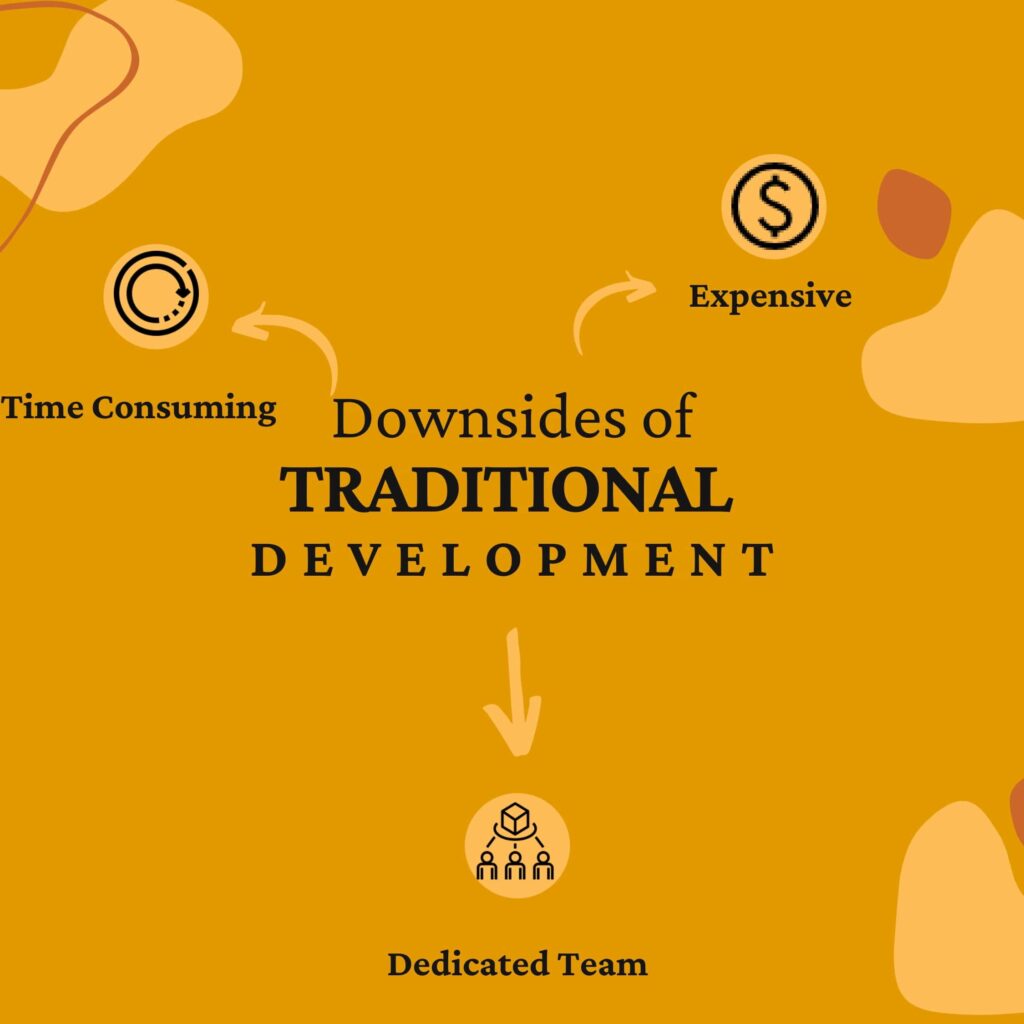
Downsides of Traditional Development

Disadvantages of Traditional Development

It takes Time

In comparison to Low Code programming, custom app development takes a longer time frame — from a couple of months to a year. And because of the complications of custom app development platforms, errors and interruptions can slow down the time to market.

It is Expensive

Let’s face it. The fact is you can build an in-house or outsource team, but traditional development needs a considerable budget and devotion of resources for a longer time to produce a successful web application.

Demands a Dedicated Development Team

For the creation of an application in a traditional way, you require a designer, web developers, and QA experts. Moreover, you need to hire a web development company that understands the value of your product. 

When to use

As you can see from these pros and cons, traditional development does have needful strengths. The following are the scenarios where we advise using traditional programming.

  • Logic-intensive applications
  • Systems that must be integrated with a wide range of third parties
  • An application that requires an exclusive user interface
  • When you desire complete control over how the app develops

What is Low Code?

Low Code, aptly named, refers to using some code when creating an application. This approach involves ready-made templates, pre-coded snippets, and a drag-and-drop interface. Both beginners and professional web developers can benefit from Low Code development platforms. Using minimal manual coding, they can develop standard applications quickly. The process of designing a website is even easier with Low Code. Making striking web page designs doesn’t require sophisticated software like Photoshop or Adobe XD.

What is the difference between Low Code and No Code?

There is a common misconception that low-code development is the same as no-code development. No-code development platforms are designed for non-technical people. A drag-and-drop interface is available for them to develop apps. In contrast, Low Code requires a basic knowledge of programming. Developers can drag and drop elements, modify them using code, and build applications effortlessly.

Is Low Code the Future?

Our present and future lie in custom development since it delivers software with extraordinary performance and appearance. Low Code development is rumored to be wiping out programming jobs. However, all it does is change them. Low Code platforms enable skilled developers to focus on the complicated details of their code to create outstanding applications.

Benefits of Low Code

Benefits of Low Code Development

Basic Programming Knowledge Acceptable

Drag-and-drop is a common workflow in many Low Code platforms. With it, anyone with a basic understanding of coding can build a full-featured web app. For non-coders, it is relatively easy to learn.

A Faster Pace of Development

Developing takes a short amount of time. Low Code development tools track and monitor workflows, processes, and overall app performance through data streams, which allow for in-depth evaluation and reporting. By using a low-code platform, users can be alerted when there’s a risk of failure. They can even reroute processes to avoid delays. A working application can be built in a month or so. Developers will be able to launch faster and be more agile.

High Revenue with Minimum Risk 

The low-code platform includes data management, information security, and prototype modules. And with ease of upgrade, it becomes a favorable choice with low risk.

Downsides of Low Code

Disadvantages of Low Code Development

Low Customization

With low-code platforms, customization is compromised. Although some platforms offer some customization, adding personalization requires technical expertise. Also, when pre-written segments are used it can affect the quality of the app.

No Scalability and Portability

The low code applications are not appropriate for widespread customers. If you want to build enterprise applications and higher scalability, it is better to avoid this methodology. When using a low-code platform, deployment choices are constrained. Additionally, it is nearly impossible to migrate the code if you need to switch for certain reasons.

When to use

As we have gone through the highlights and challenges of the Low Code development approach, we can conclude that there are some cases where you can proceed with this approach.

  • When Quick Minimum viable product (MVP) Development Is Necessary

When you have an innovative idea or are looking to build a prototype, it is a prudent choice to quickly create a low-cost and low-risk with a Low Code platform. Since it is quicker, affordable, and easier than traditional development.

  • Standalone Websites and Web Apps

Low code development is suitable for simple websites and web apps. It’s not necessary to write HTML and CSS code while creating a static website.

Low Code vs. Traditional Development

AttributesLow CodeTraditional Development
AgilityMore agile; changes can be made more rapidly, and errors can be solved easily.Making changes requires time, but it is possible to streamline the procedure by employing agile techniques.
QualityLimitations exist in terms of integrability, scalability, and portability. Both speed and performance are average. And with the help of live troubleshooting, the app is free of flaws.You get a highly extensible, integrable, and portable app. Both performance and speed are extraordinary. While debugging takes up a lot of time.
DeploymentFaster deployment, but only on supported platformsThe app can be deployed to any platform, though it requires time.
MaintenanceEasy to maintainYou need a dedicated team to update the app regularly.

Choosing between Low Code & Traditional Development – Factors to consider

Before making a decision, you should ask yourself the below-listed questions to develop an app.

  • Is this project vital to the mission of the company?
  • Do you have enough resources for development? 
  • What is your estimated time to market?
  • Does your application require a one-of-a-kind user interface?
  • Does your app need third-party integrations? If yes, then how many?

These questions will help you get more clarity on what exactly you have and what particularly your project needs.

In a Nutshell

As we have gone through all the aspects of Low Code development and Traditional (custom) development approaches, it has become clear that both are useful in specific use cases. Even though Low code platforms have managed to attract many people, traditional development is not out of the picture. It has maintained its position in large enterprises and heavily user interface-reliant projects. If you are still confused about which one will be the right choice for you, contact us right away to get advice from tech experts and get started with your projects.

How Outstanding Health Apps Are Built

Since the outbreak of the worldwide COVID-19 pandemic in 2020, mobile apps have been flexing their muscles and proving just how handy they can be for users and app makers. According to Statista, the digital health market was valued at a whopping 175 billion dollars globally in 2019. And with a projected growth rate of a jaw-dropping 25 percent from 2019 to 2025, it’s expected to balloon to a staggering 660 billion dollars by 2025. Health and fitness apps have been sprouting up like weeds, branching into various fields, from social medicine and contact tracing to creating tight-knit sports communities where people can share their athletic journeys. A fantastic app is just the ticket to keep tabs on all the important stuff. That’s why this article will give you the rundown on creating amazing health apps with some of the finest examples out there. Are you ready to dive in? 

Health Apps: What Are They?

Health Apps are mobile applications designed to help individuals maintain or improve their overall health and well-being. These apps often include features such as meal planning and tracking, physical activity tracking, sleep monitoring, water intake tracking, and stress management tools. They provide users with tools and resources to help them make healthier lifestyle choices and meet their health and wellness goals.

What Are the Common Types of Health Apps?

There are several types of health apps, including:

Fitness Tracking Apps

These apps track physical activity, such as steps taken, calories burned, and workout routines. Examples include MyFitnessPal, Nike Training Club, and Fitbit.

Nutrition and Diet Apps

These apps help users plan and track their meals, monitor their water intake, and manage their weight. Examples include LoseIt!, MyPlate by Livestrong, and Noom.

Sleep-tracking Apps

These apps help users monitor their sleep patterns, track their bedtime routines, and improve the quality of their sleep. Examples include Sleep Cycle, Pillow, and Calm.

Mental Health and Wellness Apps

These apps provide users with tools and resources to manage stress, anxiety, and other mental health conditions. Examples include Headspace, Calm, and Talkspace.

Women’s Health Apps

These apps cater specifically to the health needs of women, including period tracking, pregnancy, and fertility. Examples include Clue, Flo, and Ovia.

Chronic Disease Management Apps

These apps help individuals manage chronic health conditions, such as diabetes, heart disease, and high blood pressure. Examples include Glooko, MySugr, and Blood Pressure Monitor.

Sport-specific App

Apps like Runtastic are exclusively dedicated to measuring cardiovascular activity (running, cycling). For other sports, you’ll need a different product. But, with all-in-one programs, you can choose from a wide range of sports activities.

Understanding Your Target Audience to Develop a Health App

When it comes to creating a health app, it’s crucial to know your target audience inside and out. Here’s what you need to consider:

Demographic Information

This is all about the who’s who of your crowd. What’s their age range? Where do they live? What’s their gender? What’s their income? This information will help you understand who your app is for and tailor it to their needs.

User Needs & Expectations

This is all about what your people want and needs from your app. What are their goals? What kind of features are they looking for? What do they need to feel motivated? Understanding these needs and expectations will help you create an app that will resonate with your target audience.

Pain Points & Challenges

This is all about the aches, pains, and struggles your target audience faces while maintaining a healthy lifestyle. What are their biggest hurdles? What makes it difficult for them to stick to their goals? Understanding these pain points and challenges will help you create an app that addresses these issues and allows users to overcome them.

How can you get the data you need for your health app?

There are several ways to gather information about your target audience, including:

Surveys and Questionnaires

You can conduct surveys and questionnaires to gather information about your target audience’s demographic information, needs, expectations, and pain points. You can use tools like Google Forms or SurveyMonkey to create and distribute the surveys.

Focus Groups

You can organize focus groups to gather information about your target audience’s needs, expectations, and pain points. This allows you to interact with your target audience and get a more in-depth understanding of their experiences.

Competitor Analysis

You can analyze your competitors’ apps and websites to understand their target audience and what they’re offering.

Social Media Listening

You can monitor social media platforms like Twitter, Facebook, and Instagram to see what your target audience is talking about, what they’re interested in, and what their pain points are.

Analytics Tools

You can use analytics tools like Google Analytics, Mixpanel, and Flurry to gather data on how people are using your app, what features they’re using, and how they’re interacting with your app.

Must-have Features for a Health App

For a health app to be a hit, it must have features that resonate with the target audience. Here’s a rundown of the must-have features that users expect:

Smooth Sailing Sign-Up

No one wants to be bogged down by a complicated registration process. Make it quick and easy for users to sign up, with a minimum number of required fields. Bonus points if you let them log in through popular social networks like Facebook, Twitter, or Instagram.

Social Media Integration

In the age of social media, leaving out the social aspect of a health app would be a huge mistake. People love to communicate and show off their accomplishments, so tap into that human tendency to your advantage. Encourage users to share, communicate with friends, and interact with other users to keep them engaged and coming back for more.

Go Anywhere, Use Any Device 

To maximize user satisfaction, health apps must be accessible on any device, including smartphones, tablets, and even desktops. This means the app needs to utilize cloud storage for data and have a team of skilled developers to ensure seamless data exchange and protection of personal information.

Reminders at Your Fingertips 

Push notifications are a must-have for successful apps and can boost engagement and time spent in the app. For health apps, push notifications can serve as reminders for workouts, meal times, and other important events.

Design Matters 

A user-friendly design and easy-to-use interface are crucial for health app success. This is where the skills of a talented designer and UX specialist come in. The designer will choose the right colors, backgrounds, buttons, fonts, and more to avoid eye strain. Meanwhile, the UX specialist will make sure the overall app experience is convenient and seamless.

Setting Targets 

The primary objective of most health apps is to assist users in achieving measurable and quantifiable results for their bodies. Setting goals should be straightforward and clear-cut as users set their desired outcomes.

Tracking Progress 

Sports are all about numbers. Whether it’s reps, sets, calories, distance, or weight, everything can be counted, and it’s what fitness enthusiasts are keen on. Identify the metrics that the app should and can track and be sure to include such functionality in it.

Sleep Monitoring

Let’s catch some z’s! – that’s what your app should be helping its users do. By monitoring their sleep patterns, the app can provide insights into sleep quality and help users get the most out of their slumber. It’s like a personal sleep coach that can snooze the alarm for a few more minutes of sweet dreams.

Water Intake Tracking

 Drink up, mate! – staying hydrated is crucial for a healthy lifestyle, and your app can help keep tabs on how much H2O is consumed. Users can set their own hydration goals and track their progress. This feature is like having a virtual water bottle that never runs dry!

Stress Management Tools

Take a deep breath and relax! – life can be stressful, but your app can provide users with the tools they need to manage it. Whether guided meditations, breathing exercises, or mood tracking, the app can help users find their zen and stay calm under pressure. It’s like having a personal therapist in your pocket!

Design & User Experience of Healthcare App

When building a health app, design, and user experience play a crucial role in making it a hit with users. Here’s how to make your app look and feel like a dream come true:

User-Friendly Interface

Make your app easy peasy to navigate. No one wants to feel lost in a labyrinth of buttons and options. Keep it simple and straightforward, like a clear blue sky.

Visual Appeal 

A picture is worth a thousand words, and so is a good-looking app. Hire UX/UI designers to sprinkle magic dust on your app and make it visually appealing. A good design can keep users hooked, like a good movie.

Interactivity & Personalization 

Make your app feel like a custom-made suit. Personalize it to the user’s preferences, let them choose the color scheme and fonts, and make it interactive like a good conversation. This way, users will feel at home and keep coming back for more.

Healthcare App Technology Stack and Platforms

Developing a health app is a task that requires lots of planning and strategizing. One important aspect that needs consideration is the technology stack and platforms for the app.

Choosing the Right Technology Stack for Health App

When choosing the right technology stack for your health app, there are several factors to consider. Here are some of the key things to keep in mind:

  • Scalability: Choose a technology stack that can easily accommodate growth and scaling as your user base grows.
  • Security: Security is vital for any app. Choose a technology stack with robust security features to protect user data.
  • Performance: Your app should be fast, reliable, and responsive
  • Compatibility: Your technology stack should be compatible with different devices and platforms to ensure maximum reach.
  • Cost: Choose a technology stack that fits within your budget.

Some popular technology stacks for health apps include React Native, Swift, Kotlin, and Node.js.

Native vs. Cross-Platform App Development for Health Apps

When it comes to developing a health app, you have the option of choosing between native and cross-platform development. Here’s a brief overview of each option:

  • Native App development: This involves developing an app for a specific platform, such as iOS or Android. Native apps offer the best performance and can leverage all the platform’s features. However, they can be more expensive and time-consuming to develop.
  • Cross-platform App development: This involves developing an app that can run on multiple platforms using a single codebase. Cross-platform apps can be more cost-effective and faster to develop, but they may not offer the same level of performance as native apps.

When deciding between native and cross-platform development, consider your budget, timeline, and performance requirements.

Choose The Right Technology Partner for your App

If you collaborate with an experienced technology vendor, the development of your health app can be seamless and without risks. It is advisable to ask for the portfolio of your app developers and to be informed about the previous projects they have executed for the healthcare, sports, and medical industries.

Monetization Strategies for Health App

For health apps to remain sustainable and profitable, developers need to devise monetization strategies that work. Here are three of the most common ways to monetize a health and fitness app:

In-App Purchases

In-app purchases refer to selling virtual products or services within the app. Here are some examples of how in-app purchases can be used to monetize a health app:

  • Users can purchase premium features or additional content within the app, such as personalized workout plans or meal plans.
  • Users can purchase virtual goods, such as badges, trophies, or in-game currency, to incentivize behavior and increase engagement.
  • Users can purchase one-time or recurring packages, such as a 3-month workout plan or a 1-year diet program.

Subscription-Based Model

Subscription-based models charge users a recurring fee to access premium content or features. Here are some examples of how subscription-based models can be used to monetize a health app:

  • Users can pay a monthly or yearly subscription fee to access personalized workout plans, meal plans, or coaching services.
  • Users can pay a fee to access premium content, such as exclusive workout videos or healthy recipes.
  • Users can unlock additional features or tools by subscribing to a premium version of the app.

Advertising

Advertising can be a powerful way to monetize a health app, especially if the app has a large user base. Here are some examples of how advertising can be used to monetize a health app:

  • The app can display banner ads, interstitial ads, or native ads within the app.
  • The app can use sponsored content, such as sponsored articles, to promote healthy products or services.
  • The app can offer promotional deals or discounts on healthy products or services in exchange for advertising fees.

It’s important to remember that the monetization strategy that works best for your app will depend on various factors, including your target audience, the features and content you offer, and the current market trends.

Here are some recent trends in health app development:

Artificial Intelligence and Machine Learning

Health and fitness apps are leveraging AI to create personalized user experiences by analyzing data such as diet and fitness history.

Wearables Integration

Integration with wearable fitness devices is becoming increasingly common to provide real-time tracking and monitoring of vital signs and physical activities.

Gamification

Health and fitness apps use game elements such as points, rewards, and challenges to motivate users to stick to their goals.

Social Connectivity

Encouraging community building and social interaction through shared goals and progress-tracking features.

Virtual Reality and Augmented Reality 

The innovative use of VR and AR technologies is being explored to enhance user experience and provide immersive workout experiences.

Coaching Goes Digital

Fitness coaching programs have now gone digital through a website or an app. Users are all in on this trend because they can easily fit it into their day-to-day life without worrying about scheduling conflicts. Plus, they can track their progress with the help of trackers. 

MyFitnessPal 

MyFitnessPal app

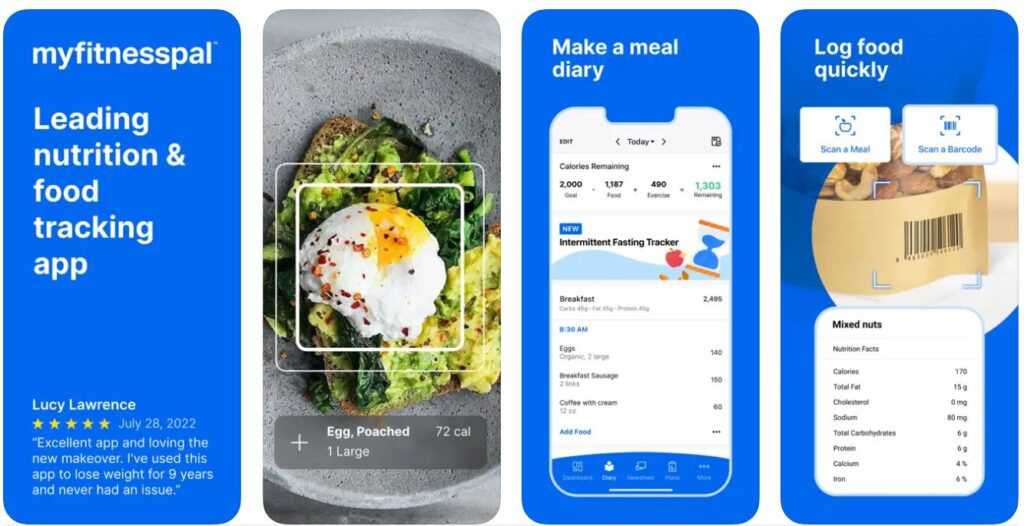
This app allows users to track their daily food intake and exercise with a database of over 11 million foods. It also provides personalized insights and recommendations based on the user’s goals. It is available for Android and iOS devices. Users can use it for free if they only want to track nutrition intake. Although other features like guided fitness plans, food analysis, custom dashboard, etc. will be available for premium users only.

Available on: Android and iOS

Price: The premium membership is available for $9.99 a month or $49.99 for the year

Headspace

HeadSpace App

This app offers guided meditation sessions to reduce stress and improve focus. It has different programs for different levels of experience and can be used for specific purposes like falling asleep or managing anxiety. 

Available on: iOS and Android devices.

Price: After your free trial, the annual subscription is $69.99 USD and automatically renews each year.

Fitbit 

Fitbit App UI

Fitbit is a fitness tracker that can monitor activities such as steps taken, calories burned, and sleep patterns. It also includes features for setting goals, tracking progress, and social sharing.

Available on: iOS and Android devices.

Price:The monthly subscription is $ 9.99 And annual subscription is $79.99. 

Nike Training Club

Nike Fitness App

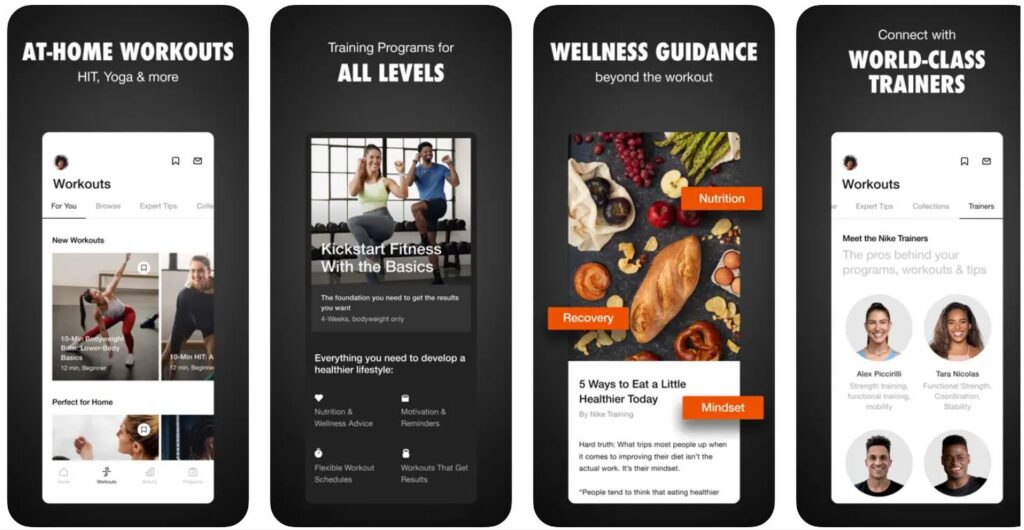
This app offers a variety of workouts, ranging from bodyweight exercises to targeted strength training. It also includes videos and audio instructions and the ability to create personalized workout plans.

Available on: iOS and Android devices.

Price: It is free for use and users get access to over 190 fitness-related videos.

Plant Nanny 

Plant Nanny app UI

This app encourages users to drink more water by gamifying the process. It features a cute plant avatar that grows as the user drinks more water, with reminders and achievements to help them stay motivated.

Available on: iOS and Android devices.

Price: It has an annual subscription of $75.

Summing Up

Developing a health and fitness app becomes effortless when you partner with a nearby technology-savvy vendor. ultroNeous is a well-known mobile and web app development company that specializes in providing solutions for the medical and fitness domains. Additionally, we are willing to provide personal consultations and share our valuable knowledge, so do not hesitate to contact us.

Top React Frameworks to Consider in 2023 and beyond

Every developer should stay on top of the advancements in their respective domain. The ability to constantly learn and evolve with different technical innovations makes developers set apart. If you are on the hunt for the most suitable UI React framework for your project, then you are at the right place. As a result of its popularity, you will be able to find a wide range of frameworks for creating great-looking interfaces for your React projects. We’ve curated our picks for top frameworks in 2023 to make your search easier. In this post, we’ll examine the different functionalities and UI features of each UI framework so that you can decide which is right for you. Let’s jump right in to know what ReactJS is and its frameworks.

react framework to consider in 2022

What are React and React UI frameworks?

React is an open-source JavaScript library for building user interfaces based on UI components. Meta maintains it alongside a community of independent developers and companies.

React UI framework is a comprehensive set of classes and interfaces included in the ReactJS library. In addition, it defines the elements and behavior of the ready-to-use React UI subsystem as well as provides a structure for creating custom UI screens, websites, or visual elements. With the React UI framework, you can create beautiful, responsive, and cross-platform apps without extensive knowledge, background, or experience.

Essential frameworks to Consider

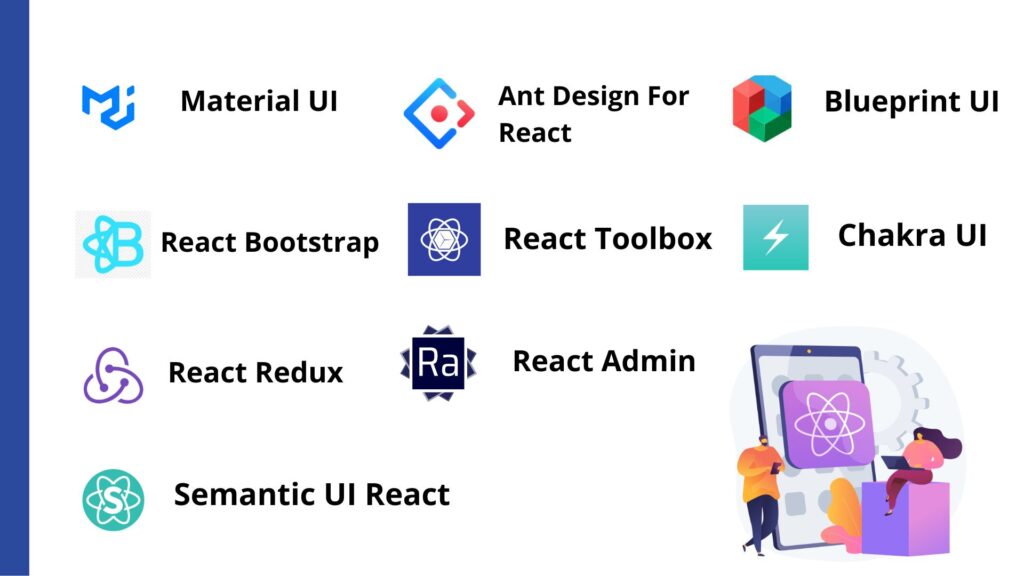
Material UI

Material UI, or MUI, is one of the most popular UI frameworks for ReactJS as it comes with an array of UI component libraries and tools, allowing developers to build and ship new features. In this React UI framework, ready-to-use components are categorized into four categories, MUI Core (essential components of MUI), MUI X (advanced MUI components), Templates (ready-to-use layouts), and Design Kits (for customizing MUI components). MUI also comes with advanced theme features. With CSS utilities, you can customize your code further using Google’s Material Design system. Using these tools, you can control both styling and component usage.

Features:

  • Interoperability with multiple styling systems
  • A variety of pre-built components, such as icons, dialogs, typography, grids, etc.
  • A wide range of themes to choose from
  • Frequently updated with the latest features
  • Documentation and community assistance
  • The easy-to-use layout that responds to any device
  • Fast and efficient

React Bootstrap

React Bootstrap includes React libraries integrated into the Bootstrap core, allowing back-end design and front-end prototyping simultaneously. This makes the React Bootstrap framework useful for separate development teams working on different features of an application concurrently. Furthermore, the elements are highly accessible, allowing the developer to customize the app, plugin, and theme according to user specifications.

Features:

  • Bootstrap components are implemented using React
  • Virtual DOM insertion makes it easy to insert bootstrap components.
  • No need to rely on jQuery or Bootstrap.js
  • Changes to events or methods directly in the DOM
  • Access to Bootstrap themes
  • Cleaner and more understandable code

Grommet

With rich features and React UI libraries such as accessibility, modularity, responsiveness, and themes, Grommet is one of the leading CSS React frameworks. If you’re seeking a feature-rich web design system, consider using it. As it has many helpful UI components and detailed guidelines for coding, layout, and more, it is a user-friendly option. The ease of integrating Gromet into existing projects or creating brand-new ones is one of its most appealing features.

Features:

  • Mobile-first UI framework
  • Excellent theming tools
  • An external CSS system is used for styling
  • Among the best React frameworks for UI, it offers the most design templates, patterns, and stickers
  • Provides default support for Web Content Accessibility Guidelines (WCAG) 2.1
  •  Powerful theming tools

React Redux

The most well-known feature of React Redux is its predictability. You only need to specify which values you want from your components. They will be extracted and updated automatically by the interface. As such, it offers a straightforward interface for testing your code in different environments and comparing results accurately. On top of that, React Redux is reputable for being one of the top UIs for debugging applications. Using DevTools, you can identify and log changes to the application state, as well as send error reports. For fine-tuning your app’s details, React Redux is an essential tool.

Features: 

  • Because of its predictability, React UI offers the best responsive experience
  • DevTools are accessible for effective state management and debugging
  • An integrated performance optimizer
  • Allows state persistence and only re-renders after substantial state changes
  • Large Community Support

React Admin

The React Admin framework is ideal for building B2B admin applications using REST/GraphQL APIs and is flexible by design. There is also an enterprise solution available along with the free version. With the enterprise solution, you have access to private modules and professional support from Marmelab.

Features: 

  • Adaptable to any backend (REST, SOAP, GraphSQL, etc.)
  • The UI is super-fast due to optimistic rendering 
  • WYSIWYG editor
  • Layout, menu, and dashboard can be customized
  • Supports Relationships (one to many, many to one)
  • Filter-as-you-type

Ant Design For React

Ant Design is a React CSS framework with a rich design library to develop bespoke organizational apps and dashboards. By using Less.js, the code becomes lean, organized, and easy to maintain – particularly compared to CSS. Though the basic components will include your typical run-of-the-mill elements, the compound components like comments, cards, timelines, and carousels (to name a few) are what make it stand out for enterprise applications. Therefore, this particular framework is used by many top react js development companies. 

Features:

  • Developed using TypeScript with predictable, static types
  • Atypical React UI components
  • It provides support for multiple international languages
  • Cross-browser compatibility
  • Smooth theme customization
  • Environment support feature

React Toolbox

React Toolbox is another React UI component framework that can be used to implement Google’s material principles. Utilizes CSS modules for this purpose. Although module bundlers are available, it integrates seamlessly with webpack workflow. Additionally, visitors can experiment with components in real-time as React Toolbox has an in-browser editor.

Features:

  • Stylesheets written in SASS are imported using CSS modules
  • Multiple options are available for theme customization
  • The UI includes 28 components including autocomplete, data picker, dropdown, list, menu, navigation, progress bar, ripple, snack bar, etc.

Chakra UI

With Chakra UI, you can build your React applications with simple, modular, and accessible building blocks. It is a flexible library and incorporates reusable and composable components, and makes it easy to develop front-end applications regardless of the project. Even though it is pretty new to the React UI framework scene, it is backed by a highly active community that always helps fellow developers. 

Features:

  • Building larger structures is made simple by the use of composable components.
  • Because Chakra UI provides simple React UI libraries, you don’t have to worry about complicated setup. 
  • Mobile-first responsive design
  • Every element can be themed and customized.

Semantic UI React

In essence, Semantic UI is a human-centric framework that transforms HTML into a more readable form. The system accomplishes this by creating classes and words as interchangeable concepts. As a result, classes follow natural language principles such as noun-modifier relationships, word order, and plurality while intuitively linking concepts together. Additionally, prebuilt components make it easier to write semantically friendly code.

Features:

  • Develops front-end applications using concise HTML, intuitive JavaScript, and easy debugging
  • Components can be rebuilt and redesigned using the built-in tools
  • The Semantic UI is largely tag agnostic except for special tags
  • You can access and edit your markup using sub-components.
  • Themes can be developed more easily with high-level variables.

Blueprint UI

The Blueprint UI is a React CSS framework and a prime choice for desktop applications. A complex, data-heavy interface can also be built using it, which requires multiple modules and components. It comes as a pleasant assuagement that thorough documentation is provided given the complexity of the application and use cases. Every aspect of its functionality is explained here.

Features:

  • There are about 30 standard components in the React library. Each of them can be styled with CSS.
  • With little to no coding on your side, you can adjust these parts and applications using the interface’s settings.
  • Adheres to WCAG 2.0

Summing Up:

As we have given you a curated list of frameworks and libraries for React, we hope it helps you to discover the most suitable framework for your project. Being a ReactJS development company, our team is proficient in using UI components and modules to build feature-rich and interactive user interfaces. So, before you start on your next React project, go through some research and then get in touch with us to convert your perfect pictured vision to reality.

Cloud Technology: Boosts your Business’s Growth with Cloud Technology

To survive and succeed in the market, businesses of all sizes need to adapt to the latest technologies those who adopt the latest technology succeed, whereas those who don’t, they fail. Cloud technology is one of the latest thriving technology which is adopted by almost all businesses. With the use of cloud technology, the limitation of traditional IT technology has been completely eliminated. 

Cloud technology provides an infrastructure that is significantly more scalable, dependable, and tailored to improve corporate performance and foster expansion. The main benefits of cloud technology you can overview, why more companies are adopting it.

Table of Contents

Cloud Business Intelligence

In simple words, the integration of business intelligence in cloud technology is cloud business intelligence. Moreover, the use of business intelligence applications hosted on the internet to give businesses access to business intelligence-related data, including dashboards, KPIs, and other business analytics is cloud business intelligence.

Today, it’s challenging to find a company that doesn’t employ at least one cloud-based application. Examples include customer relationship management (CRM) programs, online collaboration programs, online file storage, and even some help desk software. So, businesses are found adopting cloud business intelligence in their business so they can actionable insights that will not only add value to the organization but also help it expand and scale business to a new level. For an instance, cloud kitchens are benefitting from the web and mobile apps because of cloud technology.

How does Cloud Technology help your business grow?

Data fuels business operations. The data your organization obtains through a range of software and applications is probably essential to your business operations, whether it’s to carry out routine functions or make significant decisions. Cloud technology is thriving technology that would let you access the information whenever you wanted on any internet-connected device.

The availability of more cloud technology is one of the largest achievements in recent years that has benefited businesses of any kind. Adapting to cloud technology in business has dramatically transformed the way of doing business. Regardless of the size of the company, cloud technology can influence your business in several ways.

Let’s see the significant advantage of cloud technology that will help to grow your business

Increased Productivity

With a cloud connection, a company can do complicated activities without having to rely just on one person. Data processing can be done more effectively by assigning a task to a group of professionals.

Furthermore, cloud technology allows them to share data, and tools without a physical means such as a hard disk or floppy disk. Tools and data can be shared among the employees of the business within a second, which eventually increases productivity. 

Looking for Cloud Computing Services?

Our team of Cloud Developers helps you with solutions of any scale.

Provides High Flexibility

Cloud technology provides data access across various devices. So, business owners may manage their operations from anywhere. From your mobile device, even if you have access. 

When it comes to utilizing cloud technologies, flexibility has been one of the top sources of cost reduction. Owners can allow staff to use their own devices and link to cloud apps for access, or they can connect them online. This will provide the staff to work flexibility from home if needed, furthermore, it reduces the business operation cost.

Increasing Customer Care and Support

Customers who use the cloud find that contacting customer support is significantly easier. Moreover, employees can use a single platform to examine the same information, whether accessed from a laptop, smartphone, tablet, or desktop computer, and they can provide service from anywhere 24/7. This ensures higher-quality, more efficient customer assistance and helps to build trust among customers. Cloud technology enables all forms of assistance, from resolving issues to completing purchases, potentially around the clock.

Keep data secure and allow access from anywhere

The requirement for organizations to regularly back up their data onto physical computer equipment is completely gone. Once you adopt cloud technology, you no longer need to worry nearly as much about the security of your important data.

In addition to this, cloud technology provides furthermore options, to back up data both internally and on the cloud. Cloud providers handle data encryption, other security functions, and automatic backup services. This help to make the essential data more secure and minimize the chance of getting data lost. Furthermore, you can access the data and information of your business from anywhere at any time when you have internet access and a device either a phone, laptop, or PC.

Conclusion

The shift away from a product-based economy and toward a service/utility-based economy is what cloud computing represents for the IT sector. Every day, people, organizations, or businesses use the cloud, either to store their data or to use its functions. It is now a most required resource for many business owners that gives their companies real-time IT solutions, eventually helping a company or organization to grow. So, cloud technology might be the best answer if you expect your business to expand.
The benefit of our cloud-based solutions is significantly improving the overall business process of most businesses. If you believe the time is right for you to test or expand your existing cloud technology, consult a cloud computing company

Let’s Discuss your Idea.