How a Custom Logistics App Can Help with Communication and Collaboration

Would you like to have complete control over all transportation and logistics operations? Are you looking for a way to keep your clients informed about the whereabouts of their shipments? Do you want to monitor the movement of your fleet constantly? If so, these are important questions to consider when running a transportation and logistics business. Fortunately, mobile technology offers custom solutions through mobile apps. While you may have heard of these solutions before, you may be concerned about the advantages and expenses of transportation and logistics apps offering a wide range of features. In this article, we will address these concerns by outlining the process of developing such an app and how leveraging mobile app development services can be helpful.

Table Of Content🧾

Need for Transportation and Logistics App Development
Types of Logistics and Transportation Apps
Benefits to Using Logistics Management Software
Features to Consider For Logistics & Transportation App
Tech-stacks for Transportation App Development
Developing Cost of Transport & Logistics App Development
Summing Up

Need for Transportation and Logistics App Development?

There is a need for transportation and logistics app development because logistics software can help make the freight process more efficient. 

Transportation and logistics app is necessary for several reasons:

  1. Allows for real-time monitoring of fleet movement and location, which can improve efficiency and reduce costs by reducing idle time and maximizing the use of resources.
  2. It can provide customers with up-to-date information on the status of their consignments, which can improve customer satisfaction and loyalty.
  3. It can streamline internal operations and improve communication between different departments and teams, leading to increased productivity and efficiency.
  4. It allows for the automation of many processes, reducing the need for manual data entry and human error, which can lead to cost savings and improved accuracy.

Some of the most popular logistics software apps include FreightPOP, OptimoRoute, Magaya Supply Chain, Easy WMS, and Onfleet. Overall, transportation and logistics apps can help transportation and logistics companies to optimize their operations and improve their bottom line.

Types of Transportation Apps

When it comes to the transportation and logistics industry, there are a variety of apps that can move the needle for businesses. These apps can be divided into several categories, each serving a specific purpose.

Fleet Management Apps

Fleet management apps allow businesses to track the location and movement of their vehicles in real-time, as well as dispatch and routing apps that help companies optimize their routes and schedules. 

On-demand Delivery Apps

on-demand apps that offer additional features and capabilities. For example, some apps allow businesses to communicate with their drivers and customers in real-time, as well as apps that provide real-time weather and traffic updates. These apps can be a cherry on top for businesses looking to improve their operations. 

Warehouse & Inventory Management Apps

Inventory and warehouse management apps are designed to improve the efficiency and accuracy of warehouse operations. These solutions aim to enhance communication and collaboration with suppliers, ensure that received items are properly tracked and stored, and provide real-time visibility into the location and status of all assets within the warehouse. Additionally, these apps can streamline the process of selecting and retrieving items for shipment and automate the verification and loading of items for transportation. By using these solutions, companies can optimize their warehouse operations and reduce the likelihood of errors and delays.

Custom Apps Tailored for Specific Industries

For example, some apps are specifically designed for the trucking industry, as well as apps that are designed for the transportation of hazardous materials. These apps can be a needle in a haystack for businesses within these specific niches.

No matter what type of app a transportation and logistics company chooses, it’s important to think outside the box and consider how the app can be used to improve operations and increase efficiency. With the right app, a transportation and logistics company can hit the ground running and take its business to new heights.

Benefits of Logistics Apps

But the coolest one has to be the fact that it finally gives you an excuse for why your packages always seem to arrive late! It is a joke, people, don’t get all frowned up! 

The use of logistics management software can bring a wide range of benefits to a company. These benefits can vary depending on the specific needs and operations of the company, but they typically impact five key areas: transportation, customer service, storage, internal processes, and communication. Some of the benefits include:

Streamlining & Efficiency

With all necessary information for product movement readily available on the system, logistics management software can cut out the mediator, save time, and improve productivity by reducing manual communication.

Accurate Financial Tracking

Accurate Financial Tracking

With built-in human capital and supply chain management, logistics management software can keep the books and easily account for supply chain costs.

Scalability

Logistics management software can lay the foundation for growth and make it easier for the system to accommodate more customers and larger orders than a manual system.

Improved Communication & Coordination

Logistics management software can bring all hands on deck by improving communication and coordination among different departments and teams, leading to streamlined operations and better decision-making.

Increased Visibility

With real-time tracking and monitoring capabilities, logistics management software can shine a light on every aspect of the supply chain, providing enhanced visibility into inventory levels, logistics costs, and other critical data points.

Overall, logistics management software can help companies to improve their bottom line by streamlining operations, reducing costs, and improving efficiency.

Features to Consider For Transportation App

Transportation and logistics apps can have many features, but some are considered more necessary and prominent than others to make them stand out from the competition.

Real-time tracking

This feature allows businesses and customers to track the location of vehicles and shipments in real-time. It’s a must-have feature for any transportation and logistics app, as it allows companies to monitor their fleet and optimize their routes and schedules.

Dispatch and routing

This feature allows businesses to plan and optimize routes and schedules for their fleet. It’s also a key feature for transportation and logistics apps as it helps companies to manage their resources effectively.

Communication

A real-time feature that allows businesses to communicate with their drivers and customers. This feature can improve customer service and help companies resolve any issues quickly.

Automation

Features such as automated invoicing, billing, and payment can save time and reduce errors. It also allows businesses to focus on other important tasks.

Analytics

This feature provides businesses with data and insights into their operations. It allows them to identify areas for improvement and make data-driven decisions.

Mobile-friendly

A mobile-friendly interface can make it easy for drivers and customers to access the app and check the status of their shipments on the go.

Third-party Integration

Integration with other apps such as GPS, weather, traffic, and more can help to provide additional features and increase the overall functionality of the app.

By including these features, transportation and logistics apps can differentiate themselves from the competition and provide a more comprehensive and user-friendly customer experience.

Developing a logistics and transportation app can be complex, but it can be broken down into several stages. Each stage is crucial to the success of the final product.

Stages of Logistics App Development

Planning and Research

Planning and Research

This is the tip of the iceberg and the foundation of the development process. It includes identifying the target audience, determining the app’s main features and functionalities, and creating a roadmap for the project.

Design & Wireframing

This stage is all about painting the picture. It involves creating the app’s visual layout and user interface, as well as wireframing the app’s features and functionalities.

Build an MVP

Create and launch your logistics app’s MVP Before creating the fully-featured app; the development team will first create a Minimum Viable Product (MVP) version of the app. The MVP includes only the essential features needed to validate the business concept. To build the MVP, the team will:

Develop an MVP plan

Using the project specifications, the team will prioritize the app’s features and create a roadmap for the MVP. This roadmap will include all MVP user stories and iterations for their implementation.

Begin Development

The team will implement user stories according to the MVP plan. They will provide regular updates and demonstrations of the progress made on the app.

Release MVP on App Store

Once the MVP of the logistics application is completed, the development team will conduct a final demonstration and release the app on app stores such as the Apple App Store and Google Play for public access.

Handover

At this stage, the client will receive full access to the app, the database, the app’s code, and other project-related documents.

Developing a logistics and transportation app can be complex, but it can be broken down into several stages. Each stage is crucial to the success of the final product.

Testing & Quality Assurance

This stage is about dotting the i’s and crossing the t’s. It involves thoroughly testing the app for bugs and compatibility and ensuring that the app is user-friendly and meets the needs of the target audience.

Deployment & Maintenance

This is the finishing touch of the development process. It includes publishing the app to the app store and maintaining and updating it to ensure that it continues to meet the needs of the target audience. Developing a logistics and transportation app is a marathon, not a sprint. It’s important to take it one step at a time to ensure that the app is of the highest quality and meets the target audience’s needs.

Choosing Tech-stacks To Build Custom Logistics App

Building a custom transportation app requires using various technology stacks to ensure that the app is functional, efficient, and user-friendly. Some of the most useful technology stacks for transportation app development include:

  1. Backend development: This includes the brains of the app, such as the server-side logic and database management. Popular technologies for backend development include Nodejs, Ruby on Rails, and Java.
  2. Front-end development: This includes the face of the app, such as the user interface and user experience. Popular technologies for front-end development include React Native, AngularJS, and Vue.js.
  3. Database: This is the memory of the app, storing and retrieving all the data and information. Popular databases include MySQL, MongoDB, and Firebase.
  4. Maps and GPS: This technology is the navigation of the app, allowing real-time tracking of vehicles and shipments. Popular technologies include Google Maps API, Open Street Maps, and Mapbox.

Using these technology stacks, transportation app development teams can cover all bases and ensure that the final product is functional, efficient, and user-friendly. It is important to pick the right tools for the job to ensure the success of the transportation app.

Cost of Developing A Custom Logistics App

Determining the cost of transport and logistics app development can be tricky, and there is no one-size-fits-all solution. The cost can vary depending on several factors.

App Design & Complexity

The cost of developing a basic transportation app will differ from that of a more complex and feature-rich app. The more features an app has, The more effort it will require to structure an intuitive UX/UI design. As a result, it will be more expensive to develop. 

Mobile App Platform

The choice of mobile app platform, whether iOS or Android or you opt for cross-platform, can also affect the cost. Also, The type of backend and front-end solutions used can affect the overall cost. But when you consult a reputed mobile app development company, its team can help you determine your budget per the project’s scope. 

Overall, transport and logistics app development costs can vary significantly depending on many factors. It’s important to consider all these factors when determining the cost and not leave any stone unturned.

Summing Up

There’s no denying that mobile apps for transportation and logistics can catalyze your business’s growth. The right enterprise-level mobile app solution can “elevate” your service quality while reducing costs. If you want to propel your logistics business forward, consider contacting our team. We can help you create sophisticated yet user-friendly mobile apps that will skyrocket your business.✔

How Custom Beauty Apps are Transforming the Industry: A Guide to Increased Customer Engagement and Revenue

With a glass-half-full outlook after Covid-19 restrictions, online cosmetics buyers have a renewed motivation to purchase new products. During the lockdown, all they had to doll themselves up for were virtual meetings on Zoom. But now, with the ability to step out and about once more, they have real opportunities to put their makeup to good use as soon as their purchases arrive in the mail.

It’s worth noting that this trend toward the flourishing of eCommerce in the beauty and personal care industry hasn’t occurred in a vacuum. The pandemic led to a widespread closure of in-person jobs, resulting in a significant spike in unemployment, particularly among young people in the United States. However, it’s not all doom and gloom. The shift towards working from home didn’t completely stall the economy. In fact, according to research by McKinsey, eCommerce penetration in the US jumped from roughly 15% to nearly 35% between 2019 and 2020.

Benefits Of A Custom Beauty App

  • The custom beauty app is like a breath of fresh air for beauty businesses, bringing various benefits to the table. It can act like a shot in the arm for businesses, helping them increase the number of customers and working professionals they serve. It can also boost the chances of repeat business by making it easy for customers to re-order services.
  • The app automates most salon processes, saving time for both salons and customers alike. It allows salon businesses to offer relevant services and enhance customer loyalty while empowering salons to send reminders, push notifications, and add advertisements and promotional content to keep customers engaged.
  • The app acts like a 24/7 virtual receptionist for salons, taking care of customers even when the salon is closed. This can positively impact salons’ reputation and keep customer engagement going via feedback systems and online chats.

In short, a custom personal care app is a game-changer for beauty businesses, helping them streamline processes, increase customer engagement, and boost revenue. It’s a must-have tool for any salon looking to stay ahead of the competition and give their customers the best possible experience.

Types Of Beauty & Personal-care Apps

There are several different types of beauty salon apps that you can develop, each catering to a specific need of the customers. Here are a few examples:

  • A beauty salon app for appointment bookings: This type of app allows customers to book their salon appointments at their convenience, whether it be for hair, makeup, nail, or other beauty services. It’s like a one-stop shop for all your beauty needs. E.g., “Salon Booking”
  • A beauty products delivery app: This type of app allows customers to purchase beauty products online and have them delivered straight to their door. It’s like having your own personal beauty store at your fingertips. E.g., “Sephora”
  • A salon services on the doorstep app: An example of this type of app is “GlamSquad,” which allows customers to book hairstyling, makeup, and nail services and have them performed in the comfort of their own home.
  • A wellness app: An example of this type of app is “Soothe,” which allows customers to book massage and wellness services and perform them in their homes. You can have your own spa day without any hassle.
  • A beauty and wellness services app: An example of this type of app is “Zeel,” which allows customers to book both beauty and wellness services such as hairstyling, makeup, massage, and more.

Business Models

An on-demand beauty services app’s business model is a surefire formula for profitability. It’s all about understanding what customers want and providing them with the right ingredients.

Customers are drawn to beauty salon apps like moths to a flame because it allows them to have their treatments at their convenience. They don’t have to rush from their office desks to make it to the salon on time.

There are many different beauty apps available, each with its unique flavor. Once you decide on the type of app you want to develop, you can choose the business model that best suits your needs. Whether it’s a subscription-based model, a pay-per-use model, or a commission-based model, there’s something for everyone.

Independent Model

The independent model is the way to go if you’re a proud beauty salon owner looking to take your business to the next level. With this model, the app serves as a mirror of your own services catalog, complete with pictures and pricing. You’ll be the captain of your own ship, coordinating directly with customers and handling bookings without any middlemen getting in the way.

A Model For Beauty Services Aggregators

In this business model, you team up with independent beauty professionals, hairdressers, and salons and bring them together under one roof. Your app acts as a virtual salon where customers can browse and book services from a network of providers. And in return for connecting customers with these services, you get a commission on every booking made through the app. It’s like being a matchmaker for beauty services!

Features To Consider In A Custom Beauty App Development

When it comes to developing an on-demand beauty services application, you’ll want to include many features and functions to make it a stand-out product. Here are a few must-haves:

A pic showing a beauty saloon for Appointment Booking

Appointment Booking

This is the bread and butter of any beauty services app. Customers should be able to easily browse available services, choose a time and date that works for them, and book appointments. It’s like the virtual receptionist for your salon.

few beauty products lying on the floor for Service and Product Catalog

Service and Product Catalog

An extensive catalog of services and products is essential for any beauty app. Customers should be able to browse and purchase products, view pictures and prices, and read reviews from other customers. It’s like having your own personal beauty store at your fingertips.

augmented reality based product for try on

Virtual Try-On

This feature allows customers to virtually try on different beauty products such as lipsticks, eyeliners, and more. It’s like a virtual makeup artist in your pocket.

Push notifications on the iPhone screen

Push Notifications

Keep customers engaged with push notifications for upcoming appointments, new products, and special offers. It’s like a friendly reminder to keep your beauty game on point.

payment gateway

Payment Gateway

Secure and easy payment gateway integration is a must. Customers should be able to make payments using various modes, and the process should be as smooth as a baby’s bottom.

ratings

Rating & Feedback System

Collecting customer feedback is vital to improving your services and maintaining a good reputation. It’s like a virtual suggestion box for your salon.

gps based beauty apps services

GPS-based Services

This feature allows customers to find the nearest salon or beautician based on location. It’s like having a personal beauty concierge.

virtual saloon tour for the customer to see

Virtual Salon Tours

This feature allows customers to take virtual tours of your salon and get a feel for the ambiance and services. It’s like taking a sneak peek before the big day.

When it comes to developing an on-demand beauty services app, it’s about providing customers with an accessible and engaging experience. By including these features, you’ll be well on your way to creating a beauty app that’s a cut above the rest.

What Is The Cost Of Developing A Beauty Service App?

When it comes to the cost of developing a beauty services app, it’s important to keep in mind that investing in app development can be a cost-effective way to reap high rewards. You’ll have endless opportunities to make money and grow your business with an app.

However, the app development’s final price will depend on various factors. Including but not limited to: the platform you choose (Android, iOS, or hybrid), the technology stack you opt for, the complexity of the project, the UX/UI design, and more. Additionally, the third-party libraries you choose to integrate will add to the final cost of development. It’s important to discuss these costs with your mobile app development company to get a better idea of the budget for your project.

App Monetization

Monetizing an on-demand beauty app can be tricky, but with the right approach, you can earn a steady income. Here are a few ways to monetize your app:

  1. Commission: One way to earn money from your app is by taking a percentage of the income earned by the beauty experts using your app. This is similar to the model used by brands like GlamSquad.
  2. Sponsorship: Another way to earn money is by partnering with associated brands and promoting them within your app. You can offer sponsorship packages to these brands, giving them top billing or special advertising space within your app in return for payment.
  3. Advertising: A time-tested approach to monetizing. Your app is displaying in-app advertisements and charging advertisers for clicks. This can be a great way to earn revenue from your app if you have a sizable user base.

All in all, there are many ways to monetize an on-demand beauty app, but the most effective approach will depend on the specifics of your business model. It’s important to explore different options and find the best fit for your app and users.

How ultroNeous Can Help You

When building a high-quality and fully functional beauty services app, you’ll need a team of professionals with the right expertise. This may include project managers, mobile app developers, UI/UX designers, quality testers, maintenance executives, and more. Finding the right team can be daunting, but you can rely on us for outstanding app development services. We’ve got a portfolio of work that showcases our expertise, and we’re here to be your one-stop solution for any on-demand app development needs.

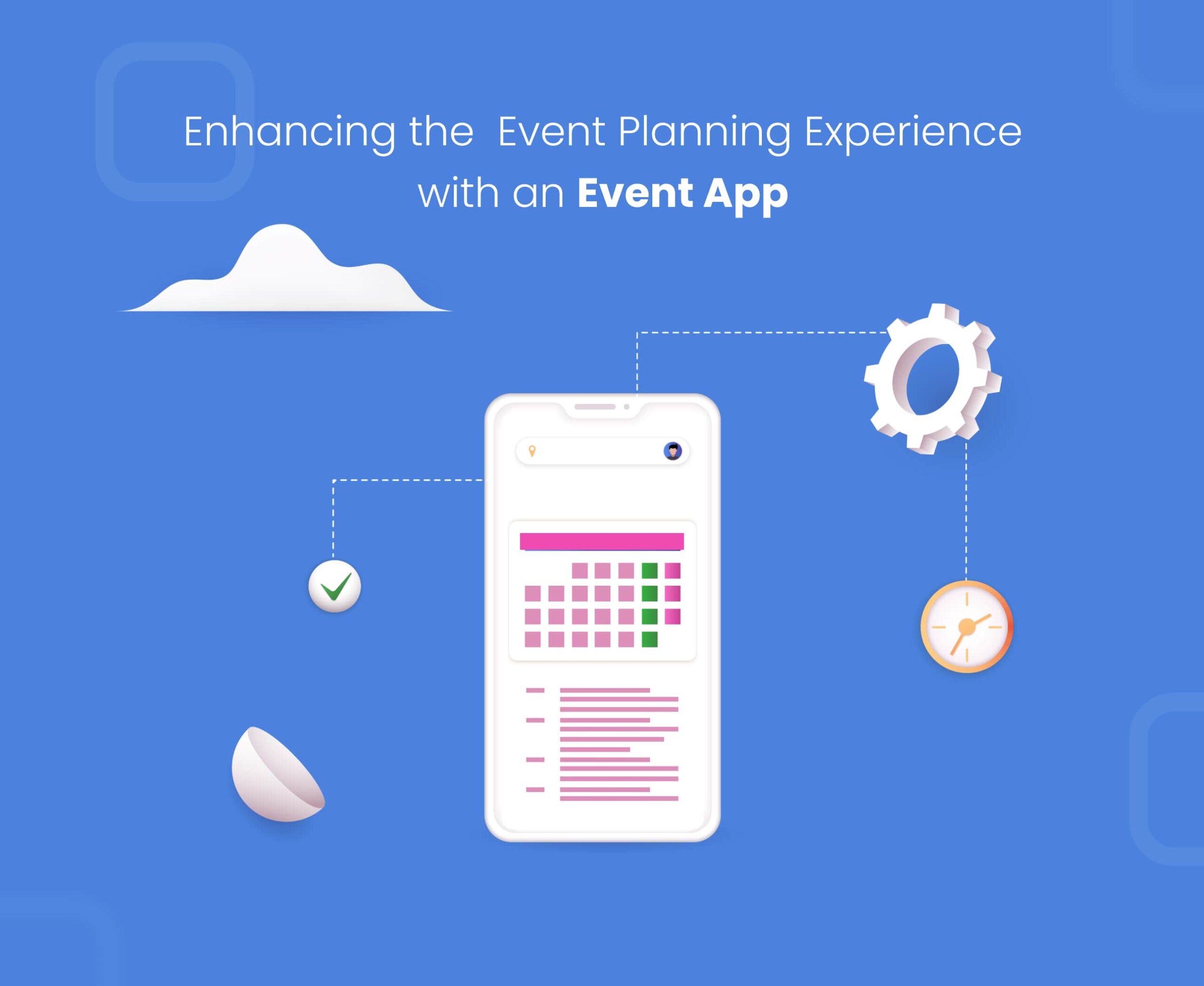
Enhancing the Event Planning Experience with an Event App

Event organizers want to be the head of the pack, but that takes something extraordinary. According to a survey of event decision-makers, it is challenging for most (71%) to replicate the in-person experience with virtual events. And even more (67%) find it challenging to convey the brand message through virtual events. Be it a virtual, or live event experience, event planning, and management can become a big headache. That’s why many are turning to custom event management apps to make their events stand out. Whether it’s a big bash, a tradeshow, or a conference, a bespoke event management app can elevate the experience for all attendees, all while cutting costs.

This enhanced experience leads to more satisfaction and engagement, making sure that everyone at the event – be it an attendee, sponsor, or exhibitor- gets the most bang for their buck. It also opens up a world of new revenue opportunities, from sponsored in-app content to augmented reality exhibition booths. The secret to success lies in deeply understanding your attendees and exhibitors. This will drive the app’s development and ensure that it provides value for both them and your business. So, if you want to make sure your investment pays off, you’ll want to tailor the app to your specific audience and build it from the ground up with help of mobile app development services.

Table Of Content🧾

Advantages Of Developing Event Planning App
How To Enhance The Impact Of Your Events
Features Of Event Management App
Examples of Event Apps
Wrapping up

Advantages Of Developing A Custom Event Planning App

Hassle-free Organization

As an event organizer or manager, a bespoke event management app is like having a personal assistant; it makes your life simpler by taking care of tasks like registration, entries, and attendee interactions. 

Automation 

The automation through the mobile app also provides you with more valuable insight into attendees and how to improve their experience, which can boost revenue and your reputation in the industry.

Scalability 

When choosing a business app, one question that often comes up is whether to develop a bespoke app or go for an off-the-shelf solution. An off-the-shelf app can work well for simple tasks where the requirements are specific, but if you want a feature-rich event app that requires data collection and has room for future development, a bespoke event management app is the way to go. A custom event app will cater to your specific needs and has room for customization and scalability.

How To Enhance The Impact Of Your Events

Collecting data about your attendees is the golden ticket to improving the overall experience of your event. Surveys and questionnaires at the end of an event can help you find out where you need to make improvements, but it also allows attendees to voice their opinions and show that you value their feedback.

One major obstacle in event marketing is that attendees are often too tired to fill out surveys by the end of the day. But custom event apps can be the ultimate game-changer here. With a push notification feature, attendees can quickly fill out a form directly through the app, making it quick, easy, and convenient. This is especially important as feedback is most valuable when given right after the event rather than a few weeks later.

An in-app feedback form is like a cherry on top for your event, but what other toppings can you add to make it even more delicious? A custom event app can have a wide range of features that make your event more engaging and enjoyable for attendees. 

Features Of A Custom Event Management App

Up-To-Date Event Schedule With A Touch Of Personalization

A custom event management app is like having a personal assistant that makes sure your schedule stays on track. With an up-to-date schedule feature, your attendees will always know what’s happening and when no matter where they are. This ensures that you and your attendees are always on the same page and eliminates the need for a costly reprint of event brochures if the schedule changes. 

Furthermore, let your attendees take the reins and craft their itinerary. With a range of seminars to pick from, they can easily tap and select the events they want to attend to create a personalized schedule that suits their fancy. And that’s not all; they can even sync this schedule with their calendar, so they never lose track of what’s coming up.

To top it off, the attendees can even sign up for push notification reminders, so they don’t miss a beat; they’ll never miss a session that piques their interest; with this feature, your event will be running like a well-oiled machine. Giving attendees the power to build their schedule is like giving them a buffet of options and letting them pick what’s on the menu for the day.

The Interactive Floor Plan

An event app can turn a dull map into a thrilling adventure. Attendees can easily navigate the event floor and use filters to find specific vendors or seminars with a flick of a finger. They can also keep a running list of the booths they want to visit and check them off as they go. It’s like having a treasure map, but instead of discovering gold, they will find what they are looking for at the event.

In the future, new technology like Android P’s WiFi RTT support will make it easier to track user movement and use indoor positioning to pinpoint their location within one to two meters. This will give you valuable insights about hotspots and the most popular stands, allowing you to make informed decisions about the layout and flow of your future events. This technology is like a GPS for indoors, helping attendees to find their way around and identify the popular booths.

Polls and Q&As 

Live polls and Q&As can spark an event; it’s like adding an interactive component to a speaker’s session. With live polls, speakers can quickly gauge the audience’s interest and adjust their presentations accordingly, getting real-time feedback on their performance.

On the flip side, attendees can also submit and vote on questions of their own, making sure they get the most out of the event. With this feature, attendees are the masters of their own experience; they can steer the discussion in the direction they want and get answers to the questions that matter most to them. It’s like giving attendees a microphone and letting them ask the questions they want.

Online Tickets & Networking

Gone are the days of searching for a missing paper ticket or forgetting it at home. With a custom event app, attendees can keep their tickets safely tucked away in their smartphones and all the event information in one place. They will have quick links to social media and map directions, like a one-stop shop for all event-related needs.

And when it comes to networking, this feature makes it as easy as pie. Attendees can scan each other’s QR codes or use NFC to connect quickly and easily; no more fumbling with business cards. This makes networking faster and more efficient; it’s like having a virtual networking assistant.

Notifications And Search Options

A message board in a custom event app can be like a bulletin board for the event, giving attendees a space to post comments and questions and for organizers to post updates, news, and sponsored messages. It can be a valuable hub of communication throughout the event.

In addition, an app can include a directory of speakers, sponsors, and exhibitors that attendees can use to find what they’re looking for. They can search based on seminar topics or company categories, making it easy to find the right people to talk to. This feature can also open up new opportunities for sponsors and exhibitors to highlight their offerings and increase visibility. It’s like having yellow pages for speakers, sponsors, and exhibitors.

Cost to Develop an Event Management App

The cost of developing an event planning app can vary greatly depending on several factors. Here are a few things to consider:

  • Location, location, location: The development cost can vary depending on where the app development team is based.
  • Developer experience: A team of seasoned developers will typically charge more than a less experienced or newer team. It’s important to consider the needs of your project and choose the team that best fits those needs, even if it comes at a higher cost.
  • Platform: The platform you choose to develop your app (iOS, Android, or hybrid) can also impact the overall cost.
  • UX/UI: Simple and clean design makes the app stand out. The UI you choose for your app determines the cost of the app. A more attractive app design will cost you more but will engage increased traffic.
  • GPS Functionality: An event management app needs GPS functionality to help attendees reach the event venue. This feature is a bit more costly, but it will make your app more useful.
  • API Integrations: API integration makes the app easily accessible and is one of the features users look forward to. It leads to the seamless delivery of data and connection between programs and devices and thus affects the cost of the app.
  • Chatting Option: Chat options for customers or the staff are essential for any event planning app; it will cost you a bit but will pay off in the long run.
  • Offers & Discounts: Offers and discounts are a great way to attract customers and boost brand awareness, but they will also increase the cost of the app.

In summary, the cost of an event app depends on the specific requirements and features you need; it’s like building a puzzle where each piece costs differently, and you need to balance the cost according to the need.

Examples of Event Apps

There are many event apps available, but here are a few famous examples:

Eventbrite Organizer:

Eventbrite Organizer App

This app allows event organizers to manage their events, check-ins, and ticket sales on the go. It also offers analytics and insights to help organizers improve their events.

EventMobi:

EventMobi

This app offers a comprehensive suite of event management tools, including interactive agenda builders, attendee networking, and real-time analytics. Many significant events and conferences use it.

Whova:

Whova App

This is an all-in-one event app that offers features such as interactive agendas, attendee networking, and surveys. It’s designed to help attendees get the most out of their event experience and provide event organizers with valuable insights.

Attendify:

Attendify App

A customizable event app that helps attendees navigate events and allows organizers to share content and communicate with attendees. Attendify offers features such as networking, scheduling, and attendee engagement.

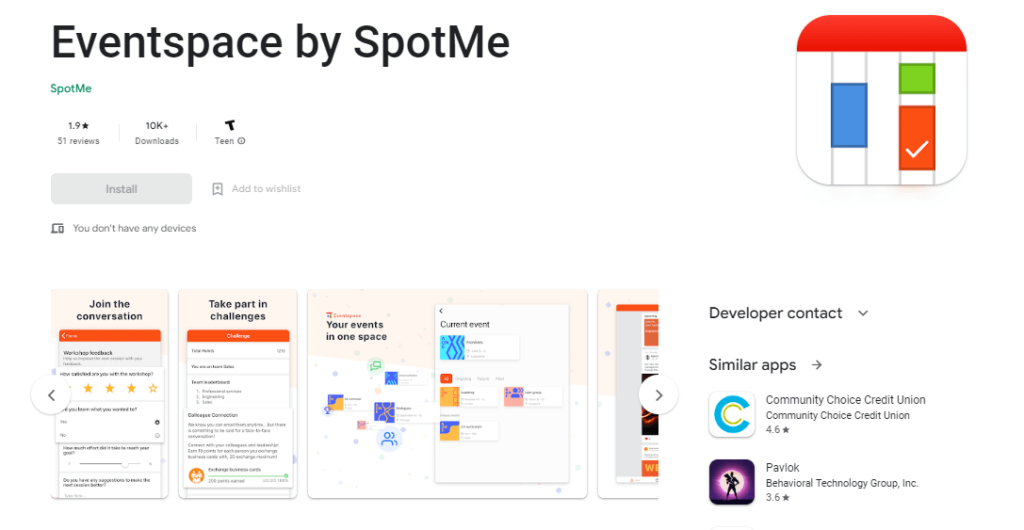
SpotMe:

SpotMe

This app focuses on interactive meetings and events and allows for features such as live polls, Q&A, and surveys. It also offers an agenda builder and a networking feature that allows attendees to connect in real time.

Wrapping up

As the market for event apps continues to grow, more and more professional event planners are turning to app development to get in on the action and increase their ROI. If you’re also considering developing an event management project, partnering with a mobile app development company is a smart move that can help you achieve your goals. Give yourself a booster for your event management business and get in touch with our technical expert.✔

Streamlining the HR Process with a Custom App

All mobile apps don’t need to be designed for widespread use. Some mobile apps can be valuable tools for improving efficiency in the workplace. Both large enterprises and small businesses can benefit from an employee mobile app. However, it is not necessary to create a mobile app simply for the sake of doing so. You need to know all the parameters and aspects of mobile app development services to choose the best option for yourself. So without any further ado, let’s dive into the nitty-gritty of an HRM app. Here are some benefits of an employee mobile app for your business.

Table of Content 🧾

1. Develop an HR App
2. How To Make A Custom App & Streamline The HR Process
3. HRM App MVP Features
4. Monetization Model
5. Conclusion

Why You Need To Develop An HR App

HR is the department responsible for serving employees directly. If employees are satisfied, they will provide top-quality service to customers. We have reached that stage where everyone focuses on overall well-being, including addressing mental health concerns through platforms like Calm. 

Many employees are not invested in their current workplace and are willing to leave for another company, even if it means a pay cut. They all want to balance and enjoy their professional and personal life. HR departments need to work to retain talented individuals. By utilizing a mobile application, HR can streamline various functions and increase productivity. Mobile technology is a vital part of this effort.

How To Make A Custom App & Streamline The HR Process

Define And Solve A Problem

Before diving headfirst into developing an app for your employees, it’s important to ask yourself what problem the app will solve and how it will make the users’ lives easier. The app should provide clear and tangible benefits, meet most of the users’ needs, be reasonably priced, and ensure the security of their data. To better understand what your audience wants, consider conducting a survey. Your target audience may seek an app that is both secure and convenient and can boost their productivity. By keeping these needs in mind and addressing a specific problem, you’ll be well on your way to creating a successful HR mobile app that hits the mark.

Your app must offer something unique to stand out in a crowded market. It won’t be easy to attract users if it has the same features as your competitors. Once you have a clear idea of what your users want and need, it will be easier to develop innovative features that set your app apart.

Know Your Audience

If you want your app to be successful, it’s crucial to keep your target users in mind throughout the development process. To better understand your target audience, consider creating personas, or profiles, of your ideal users. These profiles should include details such as age, gender, hobbies, and preferences. This will help you to explore your app ideas and see how they align with your target market. It’s important to thoroughly understand your target audience, as it will greatly influence the development and pricing of your app.

It Must Represent Your Company’s Culture

It is important to clearly define your company culture, as it is a key factor that employees consider when working for an organization. Your company culture includes the values, beliefs, and behaviors that shape your organization. An employee mobile app can be used to promote and maintain your company culture by setting standards for communication and establishing a specific tone or atmosphere. For instance, if your company app is dull and unengaging, it may give employees the impression that your company culture is uninspiring. On the other hand, if the app is vibrant and engaging, it can help to create a positive company culture.

Seamless Access To All The Information

To ensure your app is precious to your employees, it’s important to include various valuable features. In today’s digital age, it’s unlikely that your employees will always carry a physical copy of your employee handbook. Instead, consider creating a mobile app that provides easy access to all relevant information and can be easily installed on employees’ phones. This will allow you to centralize all vital information in one place, making it easy for employees to access everything they need.

With a well-designed employee app, your staff can quickly access all the information they need about the company without sorting through countless emails. They can stay up-to-date on the latest company news by simply checking the app whenever they want. You can even include a directory listing of all employees, complete with their names, phone numbers, and email addresses, so other employees can easily find contact information when needed. And through push notifications, employees can stay informed about upcoming events. Perhaps most importantly, the best employee apps allow staff to access information about payroll, health plans, remaining leave, and other benefits, saving them time by eliminating the need to contact HR.

High Performance Is Paramount

Mobile app performance plays a significant role in determining an app’s reputation, rating, and revenue. According to a survey by Dimensional Research, 80% of app users will only try to use a problematic app three times or fewer. In comparison, 36% say they will have a lower opinion of an app with performance issues. Here are some tips for improving performance:

  • Compress and resize images: Large, heavy photos can slow down a mobile app. By compressing an idea, you can reduce its size without compromising quality, and by resizing images, you can prevent the app from using too much bandwidth.
  • Cut down on features: It’s tempting to pack as many features as possible into an app, but this can harm performance and the user experience. Instead, focus on the core features that are most important for your app and target audience.

Keep The Engagement In Mind

If you want your HR mobile app to be successful, it must help to foster stronger connections between employees and the HR department. One way to do this is by seeking direct feedback from employees through questionnaires and surveys. This can help you to get a better understanding of what your employees want and need. Additionally, by allowing employees to engage with various activities and models, you can encourage them to be more active and involved. You can identify areas where engagement may be lower by measuring employee engagement and working to improve it. All of these efforts can help to boost employee engagement and create a more connected and supportive work environment.

HRM App MVP Features

Several key features can be included in an HR mobile app to make it more effective and useful for employees and HR managers. These features may include:

Recruitment And Hiring: 

By automating hiring processes, HR can save time and increase efficiency by automatically selecting or screening applicants based on predefined criteria.

Payroll: 

This is an essential part of the HR process, and an HRM system can help to calculate staffing tables, salaries, tax payments, paid time off, and sick leave, making this complex and time-consuming work much more manageable.

Employee Portal: 

An HRM app can help organize data such as employee records, positions, starting dates, salaries, insurance plans, and paid time off, making communicating and managing all this information more accessible.

Time Tracking

It’s important to track how much time employees spend on specific tasks, as this can be helpful for performance reviews and for understanding how well employees are meeting goals. Time tracking can also be useful for monitoring sick leave and paid time off.

Scheduling

An HRM system can help HR managers to schedule attendance or shifts, allowing for more efficient use of time. For example, scheduling performance reviews through the system can help employees and HR managers to organize their work better.

Data Management And Analysis

HR professionals often need to make decisions based on data analysis, and an HRM system can help to automate this process by collecting and analyzing data such as employee mood, performance, and progress. 

Additionally, push notifications can alert employees to changes, meetings, and other important information. These are just a few basic features that can be included in an HRM system. If your business has specific human resource monitoring needs, consider them during the HRM implementation process to ensure that you get exactly what you need.

Also Read: IT Staff Augmentation vs. Project based Consulting: What’s the Difference?

Monetization Model

App monetization refers to the various ways in which mobile app developers can make money from their apps. Some common monetization strategies include:

  • B2B (business-to-business) and pay-per-download sales models: In the B2B model, a mobile app is sold directly to a company and is often used when making apps for a specific customer. The pay-per-download model involves charging users before installing the app, with app stores taking a share of the profits.
  • Freemium Model: Freemium apps are free to download but may offer only basic functionality. Users can pay to unlock additional features or access proprietary content. For example, the Zoho People HR mobile app is free with a limited number of employee logins and profiles, but users must pay to unlock additional features and storage.
  • Partnerships: If a business uses an app that meets most of its needs but lacks certain functionality, it may be interested in seeing ads for complementary apps that offer those features. Partnerships between app developers can involve including advertisements for each other’s apps, potentially leading to more users for both apps.

How Ultroneous Can Be The Right Choice

At ultroNeous, we have a strong track record of implementing successful business automation projects. We have experience developing mobile apps and websites for Automate in diverse industries and have a customer-focused approach that aims to maximize value for our clients. We are open to discussing the best possible terms for cooperation and even offer free focus groups within our company to analyze the results of projects after reaching certain milestones. If you are interested in working with us, don’t hesitate to get in touch!

Best Practices for App Security and Data Protection

The rapid growth of app development in recent years has made applications a crucial part of our daily lives, with millions of mobile and web apps available. However, this growth has also led to an increase in security issues. Sometimes developers or a mobile app development company may think their applications are secure, but they still end up releasing code with vulnerabilities. The emergence of the internet of things (IoT) has also contributed to this problem as it has automated manual processes. But that would not happen if you keep in mind certain app security practices. So let’s dive in!

Table Of Content

Common Application Security Challenges
Best Practices for App Security
Use Secure Coding Practices
Threat Assessment
Manage Containers
Limit The User Access To Data
Update and Patch
Authentication At A High Level
Security Of The Backend Is Crucial
Data Storage Should Be Minimized
App Security-related FAQs

The Most Common Application Security Challenges

Several challenges contribute to security issues in applications, including:

  • A shortage of qualified mobile app developers leads to amateur programmers creating mobile apps that may have vulnerabilities.
  • Inefficient use of testing tools, which can miss potential vulnerabilities
  • Web applications are the primary attack vector for data leaks, making it important for businesses to be aware of APIs in their apps and the associated risks. Many API breaches occur in companies unaware of these interfaces’ presence in their solutions.
  • Many organizations do not follow best practices for securing their software and do not implement a DevSecOps process, which is necessary for quickly addressing and resolving security issues.
  • Open-source software, used in 96% of enterprise market apps, can also contain vulnerabilities that pose a threat. It’s essential to follow a checklist of app security best practices to avoid these issues and improve the safety of apps. These best practices are similar for web, mobile, and desktop software development.

Best Practices for App Security 

Use Secure Coding Practices

Using secure coding practices is an essential best practice for ensuring the security of an app. Secure coding practices involve:

  • Following best practices and guidelines when writing.
  • Testing.
  • Maintaining code to ensure it is free of vulnerabilities and weaknesses that attackers could exploit.

Some key elements of secure coding practices include:

  • Input validation: Ensuring that all input to the app, whether from users or external sources, is properly validated and sanitized to prevent malicious input from being processed.
  • Error and exception handling: Properly handling errors and exceptions that may occur during the execution of the app can help prevent sensitive information from being disclosed to attackers or other unauthorized parties.
  • Authentication and authorization: Implementing strong authentication and authorization measures can help prevent unauthorized access to the app and its resources.
  • Cryptography: Using cryptography correctly and appropriately can help protect sensitive data and communications.
  • Resource management: Properly managing resources such as memory and system resources can help prevent vulnerabilities from being introduced into the app.

By following secure coding practices, developers can help ensure that their app is as secure as possible and minimize the risk of vulnerabilities being introduced or exploited. It is important for developers to continuously educate themselves on the latest best practices in secure coding and to review and test their code for vulnerabilities regularly.

Threat Assessment

To assess the threats to your application, you should consider how hackers could potentially breach it and whether you have measures in place to detect or prevent attacks. You may need to use additional tools to protect yourself. It’s important to be realistic about the level of security you can achieve, as nothing is completely unhackable. You should also be honest about what your team can manage regarding security measures, as setting unrealistic goals can lead to them being ignored. To judge your risk, you can use the formula: Risk = Probability of Attack x Impact of Attack.

Manage Containers

Locking down your containers is crucial for ensuring their security. One way to do this is by using a digital signature tool like Docker Content Trust to sign your container images. It’s also a good idea to run regular scans for open-source vulnerabilities to catch any potential issues. 

Limit The User Access To Data

Another vital step is limiting access to data by determining who needs access to specific resources, creating access rules, and promptly removing active credentials when access is no longer needed. 

Don’t Forget To Update and Patch

As the saying goes, “an ounce of prevention is worth a pound of cure,” so it’s essential to regularly update and patch your software to fix known vulnerabilities. Just be sure to plan ahead and consider the impact on API compatibility when upgrading to new versions.

Authentication At A High Level

“Lax” authentication can lead to security breaches, so developers must design apps that only accept solid alphanumeric passwords. To further enhance security, you can require users to change their passwords periodically, or for susceptible apps, you can even implement biometric authentication using fingerprints or retina scans. Encouraging users to prioritize authentication can go a long way in helping you “lock the barn door before the horse gets out” and prevent security breaches.

Security Of The Backend Is Crucial

Mobile apps often rely on a client-server mechanism, so it’s important to have measures in place to protect against attacks on backend servers. Don’t assume that only the app you’ve programmed can access APIs – it’s essential to verify all your APIs for the specific mobile platform you’re using, as the methods for authenticating and transmitting data can vary. In other words, don’t leave the “back door” to your backend servers unlocked and vulnerable to attack.

Data Storage Should Be Minimized

To protect sensitive data, it’s generally best practice to avoid storing it on the device if possible. If you do need to store it, consider using encrypted data containers or key chains to keep it secure. You should also minimize the log by adding an auto-delete feature that removes data after a specific time. With the increasing risk of malicious activity, mobile app security is a top concern for developers and can make users hesitant to install untrustworthy apps. By following these best practices, you can develop a secure mobile application that your customers can rely on.

What is app security?

Application security, or app security, protects applications from vulnerabilities, threats, and attacks. This can include identifying and fixing code vulnerabilities, implementing secure authentication and access controls, and protecting against network and data breaches. App security aims to ensure that applications are safe and resistant to attacks and protect sensitive data and user information.

What app security testing tools are recommended?

Many different tools and methods can be used to test the security of applications. Some popular tools include:
1. Static code analysis tools: These tools analyze source code and look for vulnerabilities without actually executing the code.
2. Dynamic analysis tools: These tools test applications by executing them and analyzing their behavior.
3. Penetration testing tools: These tools simulate attacks on an application to identify vulnerabilities.
4. Network scanning tools: These tools scan networks and identify vulnerabilities in networked applications.

It’s worth noting that no single tool can provide complete coverage, so it’s often recommended to use a combination of tools and approaches to test an application’s security thoroughly.

What are the main approaches to application security testing?

There are several approaches to testing the security of apps. Some common approaches include:
1. Black box testing: This approach involves testing an app without knowing its internal design or implementation.
2. White box testing: This approach involves testing an app with knowledge of its internal design and implementation.
3. Gray box testing: This approach involves testing an app with partial knowledge of its internal design and implementation.

Other approaches to app security testing include:
1. Manual testing:
This involves manually reviewing an app for vulnerabilities.
2. Automated testing involves using tools and software to scan an app for vulnerabilities automatically.

It’s often recommended to use a combination of these approaches to thoroughly test an app’s security. Or just contact us to develop secure mobile app✔ solutions.

Importance of Testing and Quality Assurance in Android App Development

The following post will delve into the significance of Quality Assurance in creating Android apps. If you have yet to consider the role of Quality Assurance in Android app development, it may be beneficial to understand its importance for the success of your app.

Table of Content 📃
What is Quality Assurance?
QA importance in Android
Purpose of QA
Steps to follow
Android QA & Testing Tools
Conclusion

What is Quality Assurance?

Quality assurance is like the cherry on top of your mobile app sundae. It’s the final step before you serve it up to the masses in the app store. By testing your app, you can ensure that everything is running smoothly and that there aren’t any unexpected hiccups. Think of it as a chance to catch any potential issues before they become a problem for your users.

Think of it this way: publishing an app full of defects is like serving a five-star meal with a side of food poisoning. Not only will your users likely delete your app in disgust, but you’ll also have to put in a ton of extra time and effort to clean up the mess. Save yourself the headache, and make sure to give your app the quality assurance it deserves.

Why Is Quality Assurance For Android Mobile Apps Important?

It’s all about creating a positive user experience. If an app is difficult to use or constantly has issues, users will likely delete it from their phones. That’s why it’s important to pay attention to every aspect of the app, from major crashes to small UI details. Quality testing helps to ensure that the app lives up to your company’s brand and gives users a good impression. In other words, the better users experience the app, the more favorably they will view your brand.

The Purpose of Quality Assurance 

Think of Quality Assurance and testing as the icing on the cake for your app. You want your users to love it just as much as you do, which means making sure everything is running smoothly and the user experience is flawless. Quality Assurance (QA) is an essential part of the app development process to ensure that you’re putting your best foot forward when you release it in the competitive app marketplace. In other words, you want to ensure your app is the cream of the crop, so Quality Assurance is a key piece of the puzzle to help you get there.

Quality Assurance in app development is like an insurance policy for your app. It helps identify and address any potential problems, bugs, or risks at the beginning of the development process, saving you time and money in the long run. This is especially important to protect your brand reputation and provide users with a positive experience. Having the right app development team is crucial to your app’s success, including having Quality Assurance (QA) engineers on board. They are skilled at identifying and resolving any quality-related issues. Overall, identifying potential issues early on is crucial for the success of your Android app. Let’s take a closer look at the quality control process and what QA engineers should look for during the Android app development process.

Steps Of The Quality Assurance Testing Process

The Quality Assurance testing process for mobile apps may vary depending on the specific app, but some standard tests can be applied to any app. These include:

Functionality Tests

This is typically the first step in the QA process. During these tests, developers will go through each function to ensure it works correctly and meets the requirements outlined in the project’s initial specifications. This helps to catch any major issues before proceeding to other types of testing.

UI Testing

User interface (UI) testing makes your app shine. Not only does your app need to function properly without crashes or glitches, but it also needs to be easy for users to navigate and use. That’s where UI testing comes in. This process involves having real users test out the app before it’s released to the market.

UI testers can help identify areas where the app feels clunky or confusing and provide suggestions for improvement. They can also uncover bugs or glitches that you might have missed. Having a fresh set of eyes on your app can offer a new perspective and help you make it the best it can be. UI testing can be done at various stages during the development process, even with prototypes, if the app is not yet fully complete.

Cross-platform Testing

Cross-platform testing is like the peanut butter to your jelly, the yin to your yang, the Bonnie to your Clyde. It’s crucial if you want to release your app on both iPhone and Android devices. These tests help ensure that both versions of the app perform and deliver the same results.

Keep in mind that for your Android app to work on different operating systems, it may require slightly different features. Cross-platform testing allows you to make any necessary adjustments based on the specific requirements of each device. Plenty of cross-platform testing programs are available to make the process as smooth as possible.

In 2023, it is expected that the trend towards increased cross-platform compatibility will continue, as more and more users access apps from a variety of different devices. This means that cross-platform testing will remain a crucial part of the app development process, as developers strive to deliver consistent experiences across all platforms.

Performance Testing

Performance testing is like a dress rehearsal for your app. It helps ensure that it can handle the demands of a real-world environment, such as running concurrently with other apps on a device. This type of testing can identify issues such as excessive battery usage or excessive memory consumption, as well as any interference with the normal functioning of the device.

Even if the app has been working well during development, there may be real-world performance issues that you can’t catch on your own. That’s why this testing process is so important. It helps to identify and address any potential problems before the app is released to the public.

Security Testing

In today’s digital age, security threats are always a concern. That’s why it’s important to include security testing in your Quality Assurance process. The specific security risks for your app will depend on the type of data it collects from users. It’s essential to ensure that passwords and personal information are kept safe and private and that the app maintains a secure encrypted connection.

Depending on the industry, there may be additional regulations to consider. For example, apps in the financial or healthcare sectors may require extra security measures to be compliant. Including security testing in your QA process can help protect your users’ data and ensure that your app meets the necessary requirements.

What are the Best Quality Assurance Tools for Android app development?

There are several quality assurance tools available for Android app development. Some popular options include

Android Studio

Android Studio

This is the official integrated development environment (IDE) for Android app development. It includes a built-in emulator for testing and debugging and tools for performance profiling and testing.

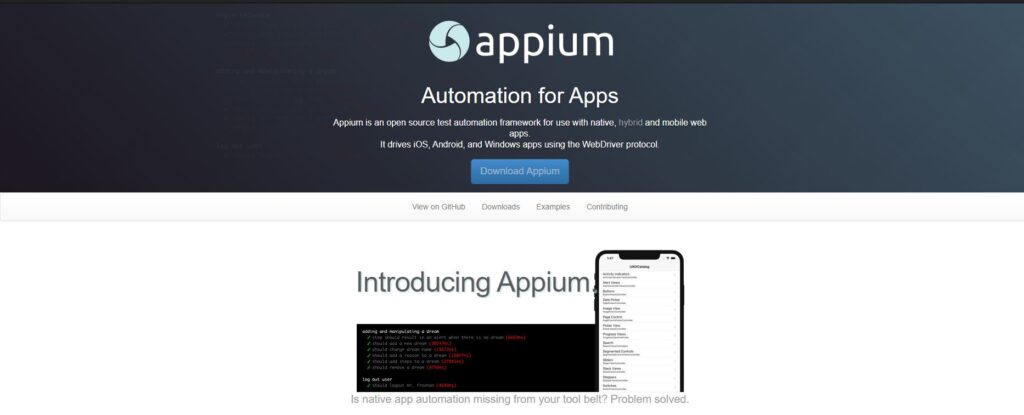
Appium

Appium for Android App Testing

This is an open-source tool for automating mobile app testing on Android and iOS platforms. It supports native, hybrid, and web app testing and can use various programming languages.

TestFairy

TestFairy for Android Mobile Apps Beta Testing

This mobile testing platform allows developers to test their apps on real devices and collect feedback from testers. It includes features such as video recordings of tests, performance monitoring, and crash reports.

Robolectric

Robolectric for Mobile App Testing

This framework for testing Android apps allows developers to test app code on their development machines rather than on a physical device. It can test both the app’s UI and its functional logic.

Espresso

Espresso for Android App Testing

This is a testing framework for Android developed by Google. It allows developers to create automated UI tests for their apps and is well-suited for testing apps on many devices.

Tips For Quality Assurance Testing in Android App Development

Here are some tips for Quality Assurance testing in Android app development:

  1. Define your testing goals and requirements: Clearly define what you want to test and what you hope to achieve with your testing efforts. This will help you focus your testing efforts and ensure you get the most value out of your testing.
  2. Use a mix of automated and manual testing: Automated testing can be useful for repetitive tasks and quickly running through many tests, but it’s important to include manual testing to ensure that the app is functioning properly and providing a good user experience.
  3. Test on various devices and configurations: Android devices come in a wide range of shapes, sizes, and configurations, so it’s important to test your app on as many different devices as possible to ensure that it performs well for all users.
  4. Test for performance and scalability: Test your app’s performance under various conditions, including low battery, memory, and network connectivity. This will help ensure that your app performs well for all users, regardless of device or network conditions.
  5. Use crash reporting tools: Crash reporting tools can help you identify and fix any issues that cause your app to crash or behave unexpectedly. This can help improve the overall stability and reliability of your app.

Takeaway

In summary, the importance of Quality Assurance (QA) in app development cannot be overstated. The app market is competitive, and users will quickly uninstall an app with bugs or issues. To ensure the success of your app, it’s essential to have a QA engineer on your team. These professionals are experienced at identifying and resolving bugs in your app and will help you deliver a polished and flawless product to the market.

When hiring a QA engineer, be sure to look for someone with experience in dynamic testing to identify bugs in all parts of the app’s user experience, a strong understanding of app security regulations and potential issues, and good interpersonal skills to work well with your app development team. Remember, even if it seems tempting to skip the QA process or leave bug testing to your developers, this could be a critical mistake that could make or break your app. Investing in Quality Assurance is an important step to ensure the success of your app.

Top Trends in Android App Development for 2023 and Beyond

Can’t live without your smartphone, right? Yes, we all need these life-saving apps to stay active and productive nowadays. So in a world full of entrepreneurs with successful apps, you have got to come up with an idea that serves the right purposes. And what better choice than Android? It is the most widely used operating system and Android app development satisfies the need for an enjoyable experience for both users and Android developers. To remain competitive and enhance user involvement, it is advisable to be aware of the most current trends. So let’s dive into top Android trends one by one!

Table Of Content 🧾

Instant Apps
Artificial Intelligence
Cross-platform App Development-Flutter
Chatbots
Android Jetpack
Development In Kotlin Language
Internet of Things (IoT)
Super App Development
Beacon Technology
Wearables
Metaverse
Wrapping up

Instant Apps

Instant apps, which allow users to access part of an app without downloading it, are becoming increasingly popular. This feature is handy for occasionally needed apps, such as parking or coffee shop-finding. eCommerce companies can also benefit from instant apps by giving users a quick experience with their products without requiring a full app download. Instant apps offer a better user experience and are more likely to be successful because they are easily accessible without needing installation. Developing Android instant apps utilizes the same source code and APIs as regular Android apps, making it an efficient option for developers as it eliminates the need for a separate codebase.

Artificial Intelligence

There are so many apps that utilize artificial intelligence and machine learning algorithms to enhance the user experience. What these apps actually do is analyze user behavior and provide personalized recommendations. These technologies are integrated into mobile app development through virtual assistants, chatbots, voice translation, smart predictions, and targeted content. 

Social networks are using AI to offer better content recommendations to users, and Google is reportedly working on an AI-powered operating system for future smartphones. In addition to personalization, AI is used in security measures such as facial recognition and iris scanning. AI automates image tagging, translations, and fraud detection tasks in business. So there is no doubt that AI helps us to own tomorrow.

There are various APIs that assist with integrating artificial intelligence and machine learning into Android apps, including:

  • Face API detects faces in photos or videos and provides information about facial features such as closed eyes and smiles through Mobile Vision.
  • Text API allows for recognizing Latin-based written text and detecting text in images and videos.
  • Barcode API enables the real-time scanning of barcodes and the simultaneous scanning of multiple codes.

Cross-platform App Development-Flutter

Flutter, a new technology from Google, is expected to play a significant role in the future of Android app development. This framework enables the creation of apps with native interfaces for platforms such as Android and iOS. Many startup founders prefer to hire Flutter developers for mobile app development due to their flexibility and compatibility. Flutter is widely adopted by software engineers, making it a current trend in Android development. Several successful apps, including Google Ads, Alibaba, and Reflect, have been developed using Flutter and feature attractive interfaces and advanced functionality.

Chatbots

Chatbots are popular among customers due to their quick responses and 24/7 availability. According to recent data, 58% of businesses using chatbots are in the B2B field, making chatbots a current trend in Android development. Chatbots can improve customer support by providing immediate answers and significantly reducing time. Many companies, such as Facebook and Starbucks, have already incorporated chatbots into their operations. For example, the Starbucks Barista app, allows customers to order and pick up coffee through the chatbot.

Android Jetpack

Android Jetpack is a collection of libraries, tools, and guidelines that assist developers in creating advanced apps and simplifying routine development tasks. 

It is well-documented by Google and consists of four main components: foundation, architecture, behavior, and UI. The foundation component provides cross-cutting functionality such as testing and Kotlin integration, and the architecture component offers various tools for developing robust and maintainable Android apps.

The behavior component includes components for implementing Android services like notifications and permissions, and the UI component offers widgets for creating user-friendly Android apps. Android Jetpack is a trend in Android app development because it speeds up and simplifies the development process.

Development In Kotlin Language

Kotlin, a new programming language introduced in 2016, is gaining popularity in Android app development. Kotlin is an attractive choice for developers because it is simple and concise, with a clear syntax that is easy to learn. Many developers are actively exploring the potential of Kotlin, even though it is still in its early stages of evolution. The recent increase in interest in Kotlin suggests that it will continue to be widely adopted for Android app development in the coming years.

Internet of Things (IoT)

IoT spending market share worldwide 2018-2023, by region

IoT refers to the network of connected devices, vehicles, appliances, and other objects with embedded electronics, software, sensors, and connectivity, allowing them to exchange data. Integrating the Internet of Things (IoT) is a significant trend in app development, and YOU CANNOT MISS THIS! In 2023, it was predicted that the Asia Pacific region would maintain its top position in IoT spending, with a forecasted market share of 35%. North America and EMA (Europe, Middle East, and Africa) were expected to have 27% and 25% market shares, respectively.

While IoT is not a new technology and can be found in consumer products such as thermostats and lights, it is also being utilized in various industries such as agriculture, automotive, healthcare, manufacturing, and retail. 

Implementing IoT in a business can provide insights into products through analytics and data processing and enable the creation of new business models. Small businesses can benefit from IoT by optimizing resources, improving customer service, and creating a more efficient workplace.

Super App Development

Super app development is expected to be a major trend in the upcoming years. A super app is a comprehensive app that offers a range of features, such as WeChat, which includes finance, payments, chatting, social media, learning content, ticket bookings, and more. When an app provides multiple features, users are more likely to use a nifty app instead of multiple apps.

Beacon Technology

Beacon technology, introduced in 2013, has been a popular trend in Android app development and is expected to continue growing in the coming years. A beacon is a small wireless device that uses Bluetooth Low Energy (BLE) to transmit signals to nearby devices and trigger actions when a user’s device is within range. 

Businesses use Beacons to increase foot traffic and sales by sending users to push notifications about special offers or events.

Beacons technology market value worldwide in 2016 and 2026

In 2022, beacon technology was utilized in airports, museums, and retail stores, and the beacon market is predicted to reach $56.6 billion by 2026, with an annual growth rate of almost 60%. There are several potential apps for beacon technology, including indoor navigation, proximity marketing, asset tracking, and customer engagement. It is highly likely that businesses will adopt beacon technology in their Android apps to interact with customers.

Wearables

Smart devices are becoming smaller and more wearable. Wearable devices are gaining popularity because they offer a convenient way to access information and perform tasks without any hassle. The use of wearables is expected to increase in the future as technology continues to advance. To get ahead of the competition, consider developing wearable fitness and health-tracking apps for productivity, communication, and entertainment. Because wearable devices are not just for younger people; seniors also adopt them quickly. Android apps can track chronic conditions for seniors, such as diabetes, and many wearable devices offer features like fall detection and emergency call buttons for safety purposes.

Metaverse

The metaverse is a user-generated, persistent virtual world where people can interact with each other using avatars. It is powered by blockchain technology, allowing users to explore infinite settings in 3D virtual space. The metaverse is popular among gamers and could influence mobile gaming. On the business side, metaverses built on the blockchain enable users to purchase digital and real-life products and offer secure, transparent, and trustless interactions between users. Companies can also hold virtual conferences or product launches in the metaverse. The future of Android includes the potential for virtual dating apps in the metaverse and announcements from Facebook and startups.

Wrapping up

It is important to stay informed about the latest trends in Android app development. If you need help with your app development project, consider working with a reliable mobile app development company like ultroNeous. Our team is experienced in using the latest technologies and trends to create high-quality mobile apps for both iOS and Android platforms. We can assist you in developing a new app or updating your current one. Contact us today to get started.

How To Build MVP Using React And Firebase

When a concept is still in the ideation stage, don’t you believe it makes sense to simplify and develop a simple core to determine if it satisfies your requirements? Before investing all of your resources in developing your product, an MVP might assist you in ascertaining whether there is a market for it. Businesses may create MVPs by utilizing React and Firebase’s competitive edge. So let’s continue learning about creating an MVP with Firebase and React.

Table of Content
React and Firebase: What they are
Advantages of React + Firebase
Steps to set up Firebase
Integrate a React App With Firebase
Greatest apps built with combination
Ending thoughts
Frequently asked questions

React and Firebase: What Are They?

React is a front-end web app framework that helps programmers create visually appealing and highly responsive user interfaces. Many businesses choose to use React, along with Firebase, to build MVPs (minimum viable products). React is a popular choice for developers and companies that offer React development services due to its relatively simple learning curve.

Google’s Firebase is a programming platform renowned for its centralized cloud storage, real-time database synced across PCs and smartphones, and other features. Firebase is a robust backend programming platform with all the necessary resources. In a single program, Firebase provides many essential functionalities. You must scale your product’s reach cautiously when using Firebase because you may run into various problems. When selecting your first MVP, Firebase might be your best option.

React, and Firebase can create apps that can deploy in real-time and have authentication and databases. These tools allow developers to focus on the app’s front end without worrying about the back end, as Firebase handles database management and authentication tasks.

Advantages Of Building An MVP Using Firebase And React

Using Firebase and React to develop an MVP has many benefits. Let’s talk about some significant benefits.

Firebase

Firebase is a platform developed by Google that is known for its real-time, synchronized database that can be accessed from both desktop and mobile devices and is stored in the cloud. It allows for the storage and retrieval of data and also supports hosting data in the cloud. Firebase offers password authentication for websites and social media platforms, as well as integration with other sign-in processes. Plus, it has a hosting feature that allows developers to cache content in content delivery systems worldwide.

React

React is a framework that is popular among businesses because it allows for the creation of web pages that have complex UI. It has a feature that enables developers to create reusable components, which can save time during the development process. React can be used to develop web and mobile apps, expanding the potential client base for businesses.

Another reason that companies may choose React over Angular is that React allows for greater flexibility in terms of choosing additional libraries and tools to use in the development process. It is also easier to integrate with other technologies and platforms, making it a good choice for companies that have specific requirements or need to integrate with existing systems. Additionally, React has a large and active developer community, which can be a valuable resource for finding solutions to challenges and staying up-to-date with the latest best practices.

steps to build an MVP with Firebase

How To Set Up Firebase To Build An MVP?

Here are the steps to set up Firebase to build an MVP:

  1. Go to the Firebase website (https://firebase.google.com/) and click “Go to console” in the top right corner to create a new project.
  2. Follow the prompts to create a new project and select the features you want to use. Some common features of MVPs include:
  • Cloud Firestore: a NoSQL database for storing and syncing data
  • Cloud Functions: serverless functions that run in response to events triggered by Firebase features or HTTPS requests
  • Cloud Storage: file storage for storing and serving user-generated content
  • Authentication: user authentication and authorization
  • Hosting: hosting for static files and web apps
  1. Once your project is created, you will be taken to the Firebase console where you can manage your project’s features and settings. From here, you can access the documentation and sample code for each feature to help you get started.
  2. To use Firebase in your MVP, you will need to install the Firebase SDK in your app. The Firebase SDK is available for a variety of platforms including Android, iOS, web, and Unity. Follow the instructions in the Firebase documentation to install the SDK and configure your app to use Firebase.
  3. To authenticate users in your MVP, you can use one of the authentication methods provided by Firebase, such as email/password, phone number, or social media accounts. Follow the instructions in the Firebase documentation to set up authentication in your app.
  4. To store and retrieve data in Cloud Firestore or Cloud Storage, you will need to use the Firebase API or client libraries. The API allows you to perform CRUD operations on your data, while the client libraries provide an easier interface for common tasks. Follow the instructions in the Firebase documentation to learn how to use the API or client libraries to access your data.
  5. To deploy your MVP, you can use the Firebase Hosting feature to host your static files (e.g. HTML, CSS, JavaScript) or web app. Follow the instructions in the Firebase documentation to set up hosting for your app.
steps to integrate React app with Firebase

What Are The Steps To Integrate a React App With Firebase?

To integrate a React app with Firebase, follow these steps:

  1. Sign in to Firebase using your Google account.
  2. Create a new Firebase project and disable Google Analytics. You can manage up to 14 projects through the Firebase console.
  3. Set up the project as a web or Android app, depending on your preference.
  4. When the console creates the configuration, a code will be generated and saved in the Firebase project.
  5. Choose a method of verification, such as a phone number, email address, or social media credentials.
  6. Copy and paste the important details, such as the apiKey and authDomain, into the web configuration before the other script tags at the bottom of your HTML page.
  7. Open the terminal and enter the following commands: “npx create-React-app”, “my-app cd my-app”, “npm start”.
  8. When you click “npm start”, the React application will run, completing the integration of Firebase with React.

Examples Of MVPs Built Using React+Firebase

Here are a few examples of real-world MVPs that were built using React and Firebase:

  1. Habitica: This gamified task management app allows users to create and track their daily habits and tasks. It uses React for the front end and Firebase for the back end, including user authentication and real-time database management.
  2. Slido: This virtual event platform allows users to ask and vote on questions during presentations and panels. It uses React for the front end and Firebase for the back end, including user authentication and real-time data synchronization.
  3. Notion: This productivity and organization tool allows users to create and share notes, tasks, and wikis. It uses React for the front end and Firebase for the back end, including user authentication and real-time data synchronization.
  4. Canva: This graphic design platform allows users to create and edit designs for social media, presentations, and other purposes. It uses React for the front end and Firebase for the back end, including user authentication and real-time data synchronization.
  5. Alo: This mental health and wellness app allow users to track their moods and connect with licensed therapists. It uses React for the front end and Firebase for the back end, including user authentication and real-time data synchronization.

These are just a few examples, but many other MVPs have been built using React and Firebase. These technologies are famous for building MVPs due to their flexibility, scalability, and ease of use.

Conclusion

You have learned how to sign up for a Firebase account, connect collections to your user interface, fill the database, and other important processes. Integrating Firebase and React allows developers to build MVPs (minimum viable products) more efficiently. Firebase offers a range of valuable tools and services that help create MVPs, as well as various Firebase extensions that can be beneficial for development. If you want to ensure the success of your future project, don’t hesitate to contact us.

FAQs on Building MVP using React and Firebase

Is Firebase a solid MVP option?

All your data is synced in real-time and can still be stored and processed offline, thanks to Firebase’s real-time database. From our experience, Firebase is a good platform for creating MVPs.

What drawbacks does Firebase have?

One big drawback of adopting Firebase for app development projects is that users are locked into the platform. Because they cannot shift their programs to other platforms when necessary, many developers look for alternate platforms for app creation.

What is the best language for Firebase?

Firebase is compatible with iOS’s current language, JavaScript for the web and Java for Android. Plus, it provides significant C++, Go, and Python support.

Let’s Discuss your Idea.