IT Staff Augmentation vs. Project based Consulting: What’s the Difference?

Expert individuals are always in demand, but finding and keeping them can take time and effort, particularly in the web and mobile app development industry. Whether a start-up or a large enterprise, the company increasingly turns to more inexpensive and flexible alternatives, such as staff augmentation and consultancy, when they urgently need highly-qualified resources for specialized web app development projects.

While consulting focuses more on hiring developers or teams to manage and advance a project from scope to maintenance, staff augmentation is often considered when an ongoing project needs an expert to join it. But which should you choose if your necessities don’t match those typical use cases? When that occurs, there are several subtle differences between using staff augmentation and consulting.

This post will examine the differences between staff augmentation and consulting to help you decide which is appropriate for any software development projects your business might be short-staffed on.

What is Staff Augmentation?

what is staff augmentation

You use staff augmentation when you employ a company to cover a staffing gap. The procedure is relatively simple: you contact a staff augmentation service provider, explain your project to them, and they choose the appropriate employees. Then, that personnel comes to work in your organization. Their employment is for the duration you and the staff augmentation company have decided upon.

What are the benefits staff augmentation brings to you?

The advantages of staff augmentation are numerous. You hire qualified developers to work in your workplace at your preferred times on projects. You can contact them immediately if something in work comes up, and they can start work instantly. Staff augmentation service providers can readily give temporary staff that can easily integrate with your team by spending the workday in your office if you already have a team.

Cost-effectiveness

Staff augmentation reduces business costs. When you leverage these services, you get to hire an expert; you don’t have to pay maintenance expenses that come along with an employee, such as healthcare expenditures. They can begin working with you as soon as they are recruited and do not have to be trained (apart from what is necessary for the company’s internal operations).

Flexibility

Since you hire people when you need them based on the project requirements and for specific durations, staff augmentation is incredibly flexible.

Security

You can avoid disclosing sensitive and confidential information about your project to outside sources. Staff augmentation services are more reliable as resources are employed within the organization.

Control

As mentioned above, new necessary experts are hired to work within the particular team, answer to them only, and follow internal procedures; the corporation will typically have more control. 

What are the challenges in staff augmentation?

Staff augmentation has many wonderful advantages, but they are offset by some serious concerns. Your HR and IT departments will work harder now that more temporary professionals are working there. These specialists require desks, ID badges, laptops, and other tools. Your business may incur large costs as a result of these extra costs, plus the fact that staff augmentation is frequently more expensive per hour than project based consulting.

What is Project Consulting?

What is Business based consulting

The term “outsourcing” also applies to project based consultancy. You have more possibilities when you outsource. You can employ only a few resources when you contact a freelance network website. Instead, consider outsourcing your work to a company in another country to cut costs. You might hire local consultants from a web and app development business to build your digital product.

What are the benefits consulting brings to you?

The project based consultancy also brings benefits in terms of confidentiality, staffing, and cost. No need for HR, IT, or any other departments to become involved, and you still get the same qualified developers working on whatever project you want. There is no need to provide desks or other tools because the developers will work from their “home base.”

Cost-effectiveness

By offering its services without requiring the significant upfront costs required to develop a whole in-house team, consulting can help a company cut costs. Although they can offer more services in a single package, they are typically more expensive than staff augmentation.

Control

Typically, consulting teams have a system in place for internally organizing their work. These teams frequently use methods and techniques that a business might not be familiar with or find challenging to adapt. Also, only particular people will be allowed to communicate at arranged times.

Flexibility

Since consulting teams frequently require individual experts with particular skill sets to complete a project, they are typically less adaptable. Additionally, this may extend the price of the service.

Security

You will need to give consulting teams access points to the project’s sensitive data, which raises the possibility of leaks or hostile assaults.

What are the challenges in consulting?

When dealing with a project based consulting firm, their developers frequently adhere to the business’s schedule. This implies that they might only be available to respond to inquiries or that they might work on several projects together.

When should you opt for staff augmentation services?

Adding new IT professionals to your company can improve company abilities. These outside employees work together as a team. Receive direction from your management and work alongside your developers as an integrated unit. They enable you to scale your production and fulfill deadlines without going through a stretched hiring and training process each time an enterprise’s targets expand.

These committed professionals might be called upon to increase output depending on what the development cycle requires. They bring expertise in the most recent market trends and best practices that can improve the efficiency of your current protocols, such as implementing agile development methodologies or QA testing techniques.

When should you opt for project consulting?

By making their product accessible to as many customers as possible, everyone seeks to increase product success. However, only some businesses have the depth of expertise required to execute sales properly across all of these new channels.

A project based consultant overcomes the difficulty of broad scope. They can help businesses navigate the tools, technology, and industry standards—particularly those related to security and privacy—that guarantee effective product delivery into uncharted territory.

They aim to integrate market best practices into your particular development environment to create a new project delivery roadmap. The most effective course of action is determined by a project based consultant, who then gives the firm the authority to carry out the strategy.

Conclusion

The decision between project-based consulting and staff augmentation comes down to how you and your business want to operate. The cost reductions with project-based consulting will be a substantial benefit if you and your business are comfortable working with distant personnel and using video conferencing software for meetings. Staff augmentation is a fantastic alternative if all your employees are in-house or you want to grow your current team. Whether it is a shortage of expertise or an inability to find a reliable partner for a project, get in touch with us, and our team will rescue you with complete assistance.

Frequently Asked Questions on Staff Augmentation and IT Consulting

What is staff augmentation?

Staff augmentation is a process where a company hires additional staff to complete a specific project or fill in skill gaps. These staff members work alongside the company’s existing team to achieve the desired goals.

What is the difference between staff augmentation and managed services?

The main difference between staff augmentation and managed services is that staff augmentation provides the company with additional employees to work on specific projects or tasks, whereas managed services provide a complete team of professionals who manage all aspects of a particular service or process.

what are staff augmentation services?

Staff augmentation services provide businesses with temporary staff members to fill specific roles or complete projects. This service allows companies to quickly scale up their workforce to meet business demands without committing to long-term employment contracts. Staff augmentation services can be beneficial for businesses that need specialized skills for a particular project or have a short-term increase in workload.

What is IT consulting?

IT consulting refers to the practice of providing expert advice to organizations on how to leverage technology to achieve their business goals. This advice can be related to areas such as software development, infrastructure, cybersecurity, and digital transformation.

What does an IT consultant do?

An IT consultant is a professional who provides expert advice and guidance to businesses on how to best utilize technology to achieve their goals. They can provide a range of services, including assessing the organization’s technology needs, developing technology strategies, selecting and implementing new technology solutions, and managing ongoing technology projects. IT consultants work closely with their clients to understand their business objectives and help them achieve success through the effective use of technology.

What are examples of IT Consultation?

Examples of IT consultation services include:
1. Assessing the organization’s current technology infrastructure and providing recommendations for improvements.
2. Helping organizations develop and implement technology strategies that align with their business goals.
3. Advising on software development projects, including selecting the right development methodology, technology stack, and project management approach.
4. Providing cybersecurity consultation services to help organizations identify and mitigate security risks.
5. Advising on cloud computing solutions and helping organizations migrate to the cloud.
6. Providing guidance on digital transformation initiatives, including how to use technology to improve customer experience and streamline business processes.
7. Conducting technology audits and providing recommendations for cost savings and efficiency improvements.
8. Advising on IT project management and providing guidance on how to manage IT projects effectively.

Strategy and Tips for Migrating Your Old Website to React

Companies must adopt emerging tech stacks for web development to provide a functional browsing experience and make their jaw drop. Customers today expect websites to perform effectively and want pleasant user interfaces that lead them to solutions. And to deliver that one-of-a-kind experience, you need to consider React. According to recent statistics, react is currently the most used javascript framework among businesses. React is now the leading choice for frontend, with over 11 million websites worldwide. React is embraced by numerous organizations throughout the world over alternative frontend languages to address their problems. In contrast to many other frameworks, React is concentrated on a single objective — view rendering — giving software architects the freedom to precisely customize the rest of the ecosystem. You can hire ReactJS developers to leverage a range of services, from developing products from scratch to migration.

Table Of Content🧾

Reasons to Migrate to React
What React Migration Brings You
Strategies for Migrating to React
Final Thoughts

Reasons to Migrate to React

The switch from the current framework to React may take place for several reasons. Here are a few typical causes for the migration to React:

  • The existing site does not function properly with recent updates, browser features, user interface developments, etc.
  • Absence of built-in SASS support
  • Subscription fees and high-cost cloud services
  • a drop in website traffic and engagement

Here Is Why a Good Percentage of Developers Select Reactjs for Migration:

  • Open-source
  • Extensive community backing
  • Simple to learn and use
  • High-performance

What React Migration Brings You?

React is a free and open-source javascript framework that makes it easier to build web apps and user-friendly websites with cutting-edge functionality. So using it as your front-end brings you the following benefits.

  • Multi-Platform compatibility
  • Reusability of code
  • Affordable website development
  • Refine and redesign your website while closely observing UI/UX best practices.
  • When you determine which plugins, features, APIs, and codes are overburdening your site, you can delete them.
  • Increased conversion rate.

Also, you gain knowledge about how to evaluate and measure a website’s performance effectively. So it can help in implementing further changes in the future.

Best Strategies for Migrating to React

When you implement certain methods and planned strategies, React Migration can deliver the result just how you pictured it. Project managers, developers, UX/UI designers, QA specialists, and DevOps engineers can benefit from React migration best practices.

Examine the Old Website

A thorough evaluation will assist in identifying the causes of any current pain points. It will also help in defining specific objectives for this modernization journey. Third-party technical assessments can be quite beneficial too because they can reveal previously unknown parameters and develop hypotheses about your legacy stack that benefit in uncovering information buried deep inside the underlying architectures.

Spend Time on Your Plan

Unite the team’s goals by creating an objective. Plans for the team, the company, the product, and the technology should all be identified and communicated—everyone on the team values being able to share the WHYs that drive strategy. Exemplary leadership promotes a sense of ownership among employees.

Train Your Team

Train the Team

Early in the process, train the team. A fresh technology stack adds novelty. And that can bring challenges along with it. A leading product shouldn’t be built to be thrown away means it should boost revenue with minimal effort. So spend money on a week-long training session; better yet, let the team develop a prototype that includes essential features. This way you can increase the team’s confidence and productivity.

Read More: Why Choose React JS Development For Your Startup? 🚀

Start Easy and Small

Early wins are necessary for your team to feel at ease with the new stack. The benefits will also be evident to the stakeholders right away.

Choose a Suitable Development Partner

It would help if you searched for tech service providers knowledgeable in agile approaches, project management, quality assurance, and user experience and those with the appropriate expertise in React migration and custom development. Give yourself enough time to research and examine sources. Make sure the partner also fosters a positive workplace culture.

The Plan for Migration Progression

Go either top-down or bottom-up. If you opt for the bottom-up approach, start with the components that have the fewest dependencies. Be aware that employing several concurrent frameworks, routing parallelism, and other factors will result in a performance penalty until the migration is finished. The Strangler pattern, also known as the top-down technique, enables you to choose a significant portion of the old program that you can deploy as a whole. Either strategy should let you start deploying quickly and get feedback as you refine the remaining steps of the migration process. React is a solid choice for either top-down or bottom-up methodologies. Consistently increasing growth is the key.

Invest in Open Source

You probably use many self-funded open-source products like React Router, Webpack, Babel, etc. Even small contributions to support initiatives enable projects to be maintained for your benefit.

Utilize React Migration Completely

It’s a chance to enhance more than just the front end. Switch from outdated backend APIs to React.

Establish a Procedure for Introducing New Team Members

The team will likely expand or see some turnover. Also, you might temporarily introduce individuals to offer vital knowledge to include features with the legacy website. A more effective onboarding will be made possible by suitable documentation, increasing productivity. A complete Storybook implementation, testing deployments, NPM scripts, and a development ecosystem will be quite helpful.

Find the Relevant Users

The website typically has both internal and external users. The team can better understand the legacy site and make just-in-time decisions for modernization when they are aware of personas and usage circumstances.

Create Small, Manageable Work Units

Smaller code changes enable quicker reviews and quick corrections. Although feature branches and feature deployments are always an option, increments should be small. Short PRs foster transparency and integrate much more quickly.

Early Automation

Before developing a single line of code, performance budgets, accessibility guidelines, coding standards, and formatting can all be automated. Lint and auto-formatting checks are excellent choices for staged files in the pre-commit stage. The ideal way to implement the others is in a Continuous Integration setting. The ecosystem for React developers is brimming with fantastic frameworks and goods.

Extract the Necessary Knowledge

The team has undoubtedly found and repaired significant bugs over the years that you don’t want to happen again after the move. If writing acceptance tests are challenging, note that information for future manual quality assurance testing.

Maintain Accurate Records

Write down all you learned. Justify each decision. List every to-do item. Adequate documentation will extend the life of your product and prevent further rewrites.

Implement a Design System

The Design System is a library of parts and design aesthetics provided as code to promote uniform and scalable adoption. Regardless of the size of the project, design systems make maintenance more accessible and provide an excellent layer for separating business logic from views.

Establish Sensible Performance Budgets

Performance and conversion rates are closely related. Although React is simple to learn, setting up a fantastic performance architecture does demand skilled care.

Keep Up the Strangler Facade

When you start delivering new code, there’s a good probability that consumers will be using outdated platform features. For instance, they can be using an outdated URL. A translation layer that connects legacy and contemporary apps might be necessary. This layer may frequently be found in the cloud as serverless computing or as redirects. AWS Lambda or Cloudflare Workers are two good examples. Due to its exceptionally low latency of only 30 ms worldwide, serverless on the Edge or CDN is a fantastic option.

Introduce the Tests

Even older tests can be used to find problems or alert the team to edge cases. The likelihood is high that you’ll need to transfer the tests using code, but this does not necessitate starting from scratch.

Rewriting the Early Migrated Code Should Not Be Done

Many teams make the mistake of going back and rewriting sections of their early-migrated code. Naturally, we’ve grown a lot and are ashamed of how we used to think a few months ago. Rewrites are more complex to justify than bug fixes or new feature development. Contrast this with technical debt, which is the deliberate impairment of technological capabilities done to increase productivity. Everything should have a business purpose, even committing to a rewrite.

You Need a Before and After Comparison.

Remember that migrations demand time and money. After the migration is complete, you must keep your eye out for higher conversion rates. This is similar to having dessert after a fancy lunch. While performing this step satisfies our egos, it might also highlight instances where the legacy app outperformed the newly updated version. So you take steps accordingly.

Final Thoughts

Consider migration to be a digital transformation, and be ready for it. The procedure works best when iterations are rapid, simple, and relatively agile, enabling early client feedback. To decrease friction, ensure standards, and boost efficiency, automate as much as possible. The secret to a successful React JS migration is transparency.

contact us

Why Food Delivery Startups Are Going for Flutter App Development?

When delivering hot, fresh food to your doorstep, time is of the essence. No one wants to be left holding the bag, so to speak, when it comes to their grub. And that’s why more and more food delivery start-ups hire Flutter app developers for app development to get their food to customers faster, cheaper, and with a better user experience. In this blog post, we’ll be diving into the nitty-gritty of why food delivery start-ups are betting the farm on Flutter and what it means for the industry’s future. So, let’s get started!

Table of Content

A Brief Overview Of The Food Delivery Industry
Challenges Food Delivery Startups Faces & How Flutter Can Help
Flutter: How does it work?
Benefits of using Flutter for App Development
Examples of food delivery start-ups that have used Flutter App
Considerations for start-ups to keep in mind when using Flutter
Wrapping lines

A Brief Overview Of The Food Delivery Industry

Flutter for Food delivery startups

In recent years, we’ve seen a rapid rise in food delivery apps and services popping up on the market. From GrubHub to UberEats, DoorDash to Postmates, it seems like a new player is in the game every day. And let’s not forget the traditional players like Pizza Hut and Domino’s, who have also hopped on the food delivery bandwagon.

According to Statista,

  • By 2027, there will be 2,644.2 million users in the Meal Delivery segment.
  • By 2023, the online food delivery market is expected to generate $9.1 trillion in revenue.
  • By 2027, the market is projected to generate US$1.45 trillion in revenues (CAGR 2023-2027).
Sml Tyrone GIF - Sml Tyrone Uh I Got An Uber Eats Delivery GIFs

But what’s driving this surge in popularity? Well, for starters, ordering food from the comfort of your home has never been easier. With just a few taps on your phone, you can have a hot meal delivered straight to your doorstep. And contactless delivery and takeout options have become more important than ever.

But it’s not just convenience that’s driving this trend. Food delivery start-ups and cloud kitchens are benefiting from mobile apps. They also use cutting-edge technology to improve the overall customer experience. From personalized recommendations to real-time tracking, these apps use data and analytics to give customers exactly what they want when they want it.

But as the market becomes increasingly crowded, it’s becoming increasingly important for start-ups to find ways to stand out from the pack. And that’s where Flutter app development comes in.

Challenges Food Delivery Startups Faces & How Flutter Can Help

As with any industry, the food delivery business has its fair share of challenges. From the rising cost of food and labor to the cutthroat competition, it’s not always easy to keep up with the Joneses. And with the ongoing pandemic, the stakes are higher than ever.

One of the biggest challenges facing food delivery start-ups is mobile app development cost. Building a top-notch app that can handle everything from ordering to delivery can be a pricey endeavor. But that’s where Flutter comes in. As a cross-platform development framework, it allows developers to create apps that run seamlessly on both iOS and Android devices with a single codebase. This means that start-ups can save time and money on development while delivering a top-quality app to customers.

Another challenge that food delivery start-ups face is the need to stand out in a crowded market. With so many options available, it can be hard to differentiate your app from the competition. But with Flutter, start-ups can create unique and engaging user experiences that will make them stand out. The framework’s rich set of customizable widgets and ability to build custom designs enables developers to create apps that are both visually appealing and easy to use.

Angry Kfc Lady Angry Lady GIF - Angry Kfc Lady Angry Lady Fat Lady GIFs

Also, there is a scalability issue. As the number of customers grows, so too does the need to handle more orders and deliveries. Flutter’s ability to handle high-performance apps and large amounts of data makes it a great option for start-ups looking to scale their operations.

In short, while the food delivery industry may have its fair share of challenges, Flutter and other cross-platform technologies offer start-ups a way to overcome them while still delivering a top-notch customer experience. So, while the road ahead may be bumpy, food delivery start-ups can rise to the occasion with the right tools.

When building apps for the food delivery industry, Flutter is the icing on the cake. But before we dive into the sweet benefits it offers, let’s first look at what exactly Flutter is and how it works.

Flutter: How does it work?

Flutter is a free and open-source mobile app development framework created by Google. It uses the Dart programming language and allows for the creation of high-performance, visually attractive apps for both iOS and Android devices using a single codebase.

One of the unique features of Flutter is its use of widgets. These are pre-designed elements that developers can use to build their app’s user interface. They can also customize these widgets to create a unique look and feel for their app. Additionally, Flutter offers a rich set of pre-designed animations and motion widgets, which enables developers to create visually engaging and dynamic apps.

Benefits of using Flutter for App Development

Faster Development Time

One of the biggest advantages of using Flutter is its faster development time. With a single codebase, developers can create apps that run seamlessly on iOS and Android devices, saving a lot of time and effort. This means that food delivery start-ups can get their app to market faster, giving them a competitive edge.

Lower Development Costs

Because of faster development time, using Flutter also leads to lower app development costs. A single codebase reduces the need for separate development teams for iOS and Android, which ultimately saves your time for coordinating them.

Customizable UI

With Flutter, developers can create unique and engaging user interfaces that stand out in a crowded market. This can be an important factor for food delivery start-ups looking to differentiate themselves from other apps in the market.

Easy integration with 3rd Party APIs

Flutter also has a rich library collection, enabling easy integration with third-party APIs. For example, food delivery start-ups can easily integrate with payment gateways and real-time tracking systems, which can be crucial for a smooth ordering and delivery process.

Scalability

Flutter’s ability to handle high-performance apps and large amounts of data makes it a great option for start-ups looking to scale their operations. As the number of customers grows, the app can seamlessly handle the increased load.

Flutter is the cherry on top in app development, taking the best of both worlds from native and cross-platform development. Using it is a breeze; its foundation lies in widgets that act as building blocks for your app. It boasts a more organized code architecture than React Native and offers a more accurate outcome prediction.

Additional advantages:

  • One of its standout features is Hot Reload – it allows you to experiment, construct UIs, incorporate features, and debug easily, ultimately accelerating the development process.
  • Flutter pairs perfectly with Firebase, both being Google products; it enables the use of Firebase for the backend. Its animation capabilities are noteworthy; it has ready-to-use widgets to implement animations. 

The framework allows for pixel-perfect apps as the Dart engine renders each pixel on the screen, giving you greater control over the outcome.

Examples of food delivery start-ups that have used Flutter App

Development

Several food delivery start-ups have adopted Flutter to develop their apps. Some examples include:

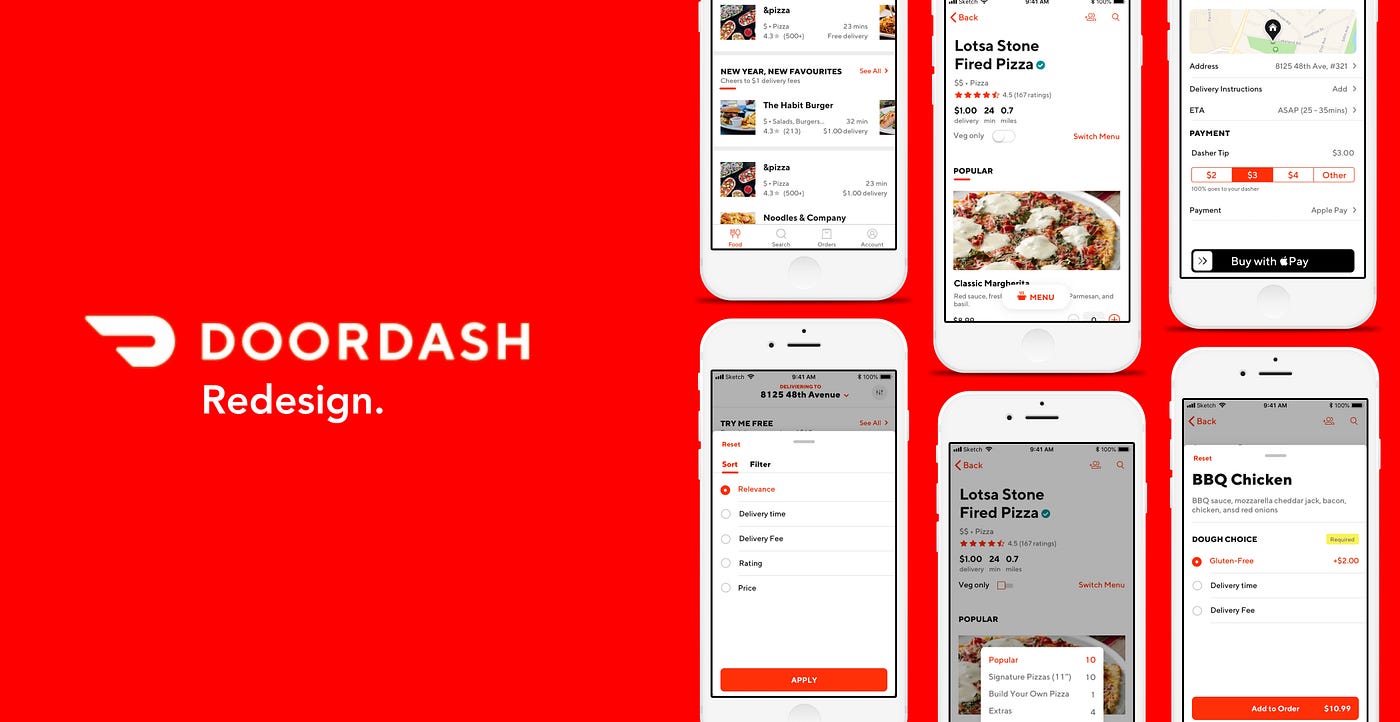
Doordash

Food ordering made simpler: A DoorDash redesign | by Jashan Gupta |  Prototypr

Doordash, one of the leading food delivery start-ups, used Flutter to develop its app. The company created a visually attractive and user-friendly app that runs seamlessly on iOS and Android devices.

JustEat

Just Eat - Food Delivery - Apps on Google Play

JustEat, a popular food delivery service in Europe, also used Flutter to develop their app. 

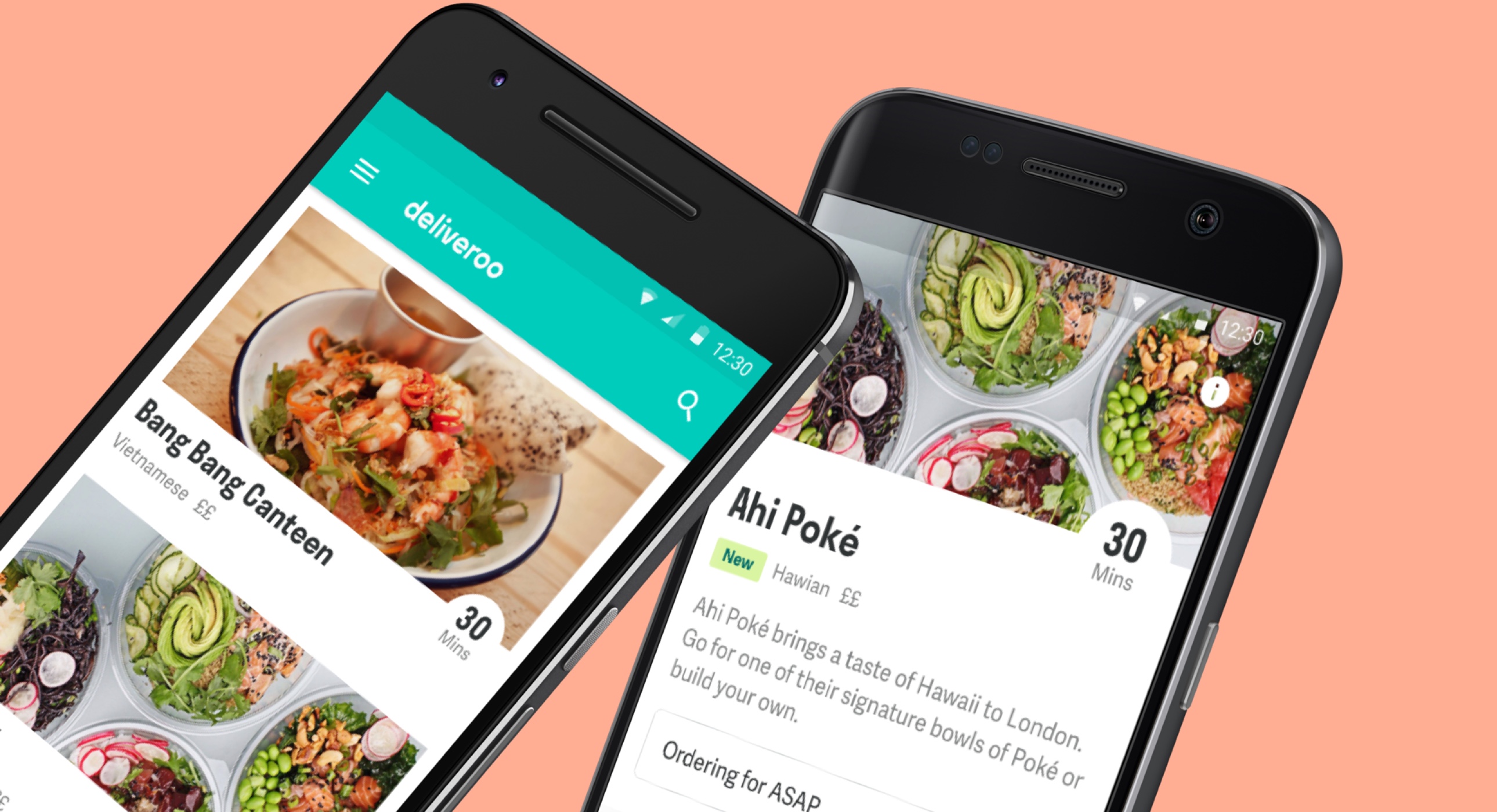
Deliveroo

Marvel | Digital Design Platform | Deliveroo Case Study

Deliveroo, another leading food delivery start-up, also used Flutter to develop their app. They created a visually engaging app that can handle large amounts of data and offers a great user experience.

Glovo

Glovo App maker found to have tried reverse hijacking - Domain Name Wire |  Domain Name News

Glovo, a Spain-based food delivery service, also used Flutter to develop their app. 

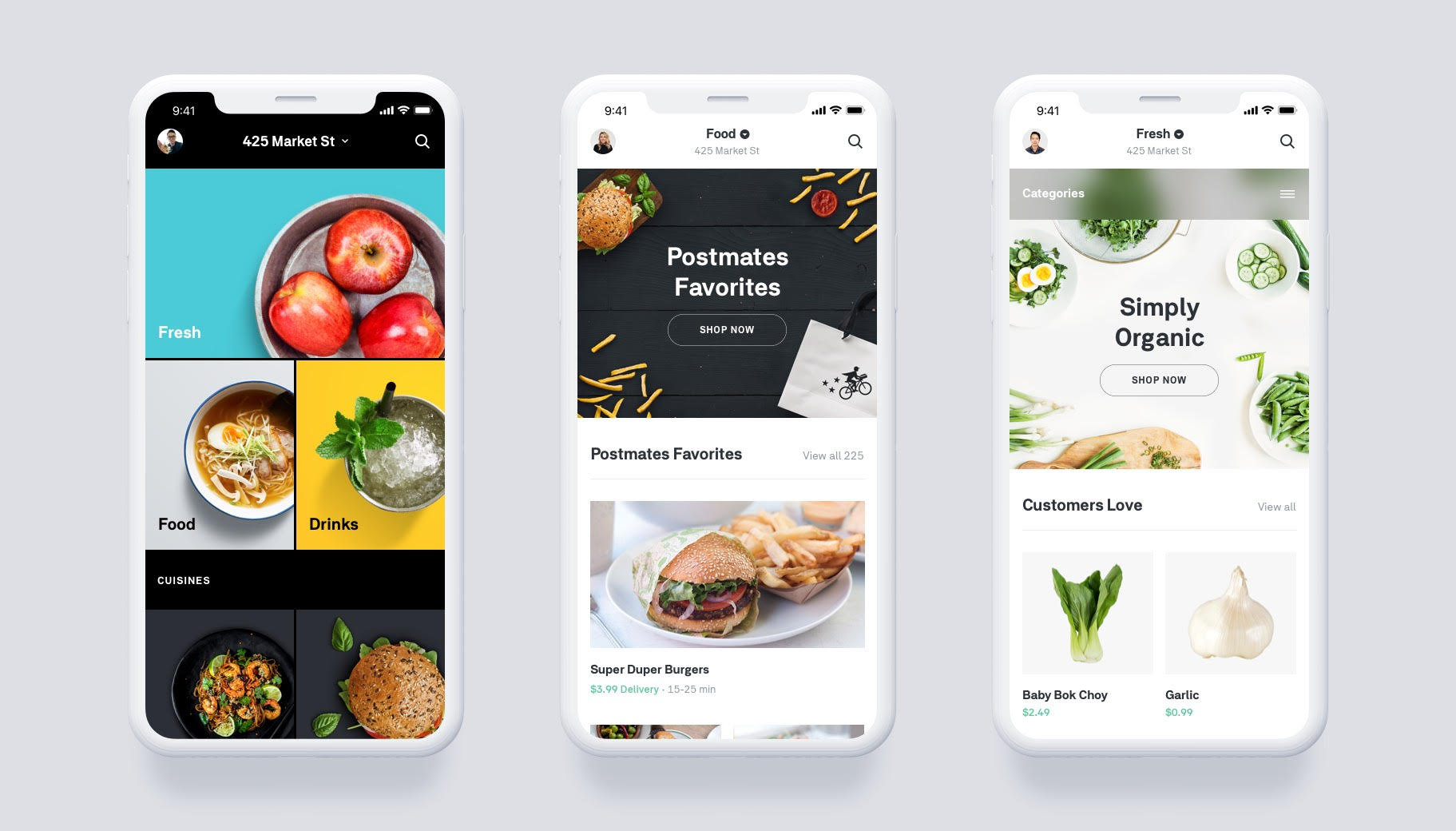
Postmates

Postmates launches grocery service, scheduled deliveries and revamped app |  TechCrunch

Postmates, an American food delivery service, also used Flutter to develop their app. 

Considerations for start-ups to keep in mind when using Flutter

Community Support

Flutter is an open-source framework with a growing community of developers. Start-ups should remember that the framework is relatively new, and the community is not as large as other frameworks like React Native. This can make it harder to find solutions to problems that may arise.

Development Skills

Start-ups should hire flutter developers with experience in Dart, the programming language that Flutter uses. This is important to ensure that the app is developed correctly and to take full advantage of the framework’s features.

Third-Party Libraries

Flutter has a rich collection of libraries, but it may not have all the features that start-ups need. In some scenarios, you may need to use third-party libraries to add certain features to your app.

App Size

As the framework uses its widgets, it may lead to an increased app size. You should keep this in mind when developing your app and optimize its size as much as possible.

In conclusion, using Flutter to develop food delivery apps can be a great choice for start-ups, but they should keep the above considerations in mind to ensure that their app is successful.

Wrapping lines

The food delivery industry is expected to continue growing, with more and more start-ups entering the market. With this growth, we can expect to see more innovation and technology being used to improve the customer experience. Flutter is well-positioned to play a role in this growth. It offers start-ups a way to create high-performance, visually attractive apps that handle large amounts of data. Contact us if you also want to give your start-up the kick that it needs!

How to Easily Migrate Your Already Existing App to Flutter?

Google released Flutter in 2018, a software development kit and user interface framework designed to make creating stunning mobile apps quicker and simpler. With Flutter, you can use a single codebase to create cutting-edge, high-caliber apps for Android, iOS, Windows, Linux, Mac, and Web platforms. Flutter apps work flawlessly on all leading mobile platforms, run incredibly quickly, and have fantastic looks.

But why would I need Flutter if I already have Android and iOS apps? To save time and to save money on app development, of course. 

Flutter provides unique features to assist developers with regular and simple tasks. Therefore, Google has enabled businesses to use Flutter with their native apps without having to rewrite their software in Flutter completely. If you do not wish to do it yourself, you can also hire Flutter developers to initiate the transfer of your existing app.

Table of Content
Why Flutter?
Deciding When to Opt for Flutter?
Why Flutter is most preferred?
How to migrate app to Flutter?
iOS and Android App
Prime Example
Conclusion

Why Choose Flutter for converting the current Android or iOS app

Flutter is a cross-platform, open-source framework created by Google and uses Dart as the programming language. There are many hybrid frameworks for app development, but Flutter since its inception has been the most used and loved framework.  It is relatively adaptable and enables developers to create cross-platform scalable, reliable, and fully functional apps. Flutter introduced the add-to-app functionality in 2019. With the help of this technology, we may integrate the entire Flutter app or certain sections into an already-existing iOS or Android app. You can smoothly convert your iOS or Android app to Flutter without sacrificing speed.

But When Should You Opt for Flutter for App Migration? 

  1. Whenever an update is required for an existing program on Android or iOS.

Let’s think about the first scenario. It’s time for a significant upgrade or redesign of your software, which is available for iOS and Android. Now is the perfect time to use Flutter. Since you need one development and a QA team rather than two, using this cross-platform software development kit will allow you to cut your development team in half. Your second resource team may have more time for other projects.

Further, development resources are typically more efficient than native language development. This results in resource savings as compared to the conventional native language method. Code size and runtime efficiency are equivalent to native language apps.

  1. Even though there are technical problems with your current app, you still need to work on issuing an update.

In the second scenario, you need to revamp as you face some technical issues and need to work on the update; your hands are full with the tasks.  Should you utilize a Native app language, such as Swift or Kotlin, or should you consider using Flutter? A flutter is a great option in such a case. Both apps will have the same design and feel. As Flutter has an easy learning curve and a large community for support, developers can quickly resolve issues compared to other platforms. It provides all maintenance and development benefits of being truly cross-platform.

  1. When you want to add a new feature to your existing app

There is some uncertainty about the final case. You wish to add functionality to two natively created apps that don’t yet require replacement or significant improvements. Flutter should remain your option, though. While creating your new features in Flutter, you can continue using your old native-language code.

Why Is Flutter The Most Popular Choice For App Development?

Flutter over other hybrid frameworks
  • Its simplicity in design, the Flutter app’s performance, and quickness
  • Single code base so you build two apps for Android and iOS simultaneously; the app just needs to be tested once.
  • It offers all the features and functions needed for speedy mobile app development.
  • Thanks to the Hot Reload functionality, we can immediately see the changes made to the source code.
  • You should use Flutter to address a unique set of issues. 

How can you import your current app into Flutter?

First, Flutter must be incorporated as a library or module. That module must reflect the UI of the app. Using the Flutter create-t module command, you can create a module. This will start building a new project with a somewhat different structure. This method of creating a module allows you to divide the main code from the Flutter code. It serves as an external dependency for this module. The next step was the same as outlined in the official Flutter documentation.

Adding Flutter to an Android app or an iOS app already in use

  1. Open the current project.
  2. Make a new Flutter Module wizard.
  3. If you want to migrate an Android app, then use the Android Flutter APIs. and if you want to migrate an iOS app, then install CocoaPods and use Flutter iOS APIs.
  4. Build and run
  5. Attach and hot reload.

What Flutter enables us to do when incorporated into the Android app

  • To auto-build and import the Flutter module, you can add a Flutter SDK hook to your Gradle script.
  • Build your Flutter module into a generic Android Archive (AAR) to improve Jetifier interoperability with AndroidX if you want to integrate the Flutter module into your own build system.
  • Use the FlutterEngine API to start and maintain your Flutter environment independently.
  • You can edit Android and Flutter projects in Android Studio using the module import/creation wizard
  • Both Java and Kotlin-built apps are supported.
  • An IDE or command line can use Flutter to attach a function to connect to a Flutter app and debug it. It can also reload the app using stateful hot reloading.
  • The pre-existing platform can be coupled with Flutter plugins to allow Flutter modules to communicate with it.

Actions that Flutter enables when incorporated into iOS apps

  • For the Flutter module to automatically compile and be imported, add a Flutter SDK hook to your CocoaPods and Xcode build phase.
  • You can construct a Flutter module into a basic iOS Framework and then incorporate it into your own build system.
  • Without attaching a FlutterViewController, you can start and maintain your Flutter environment using the FlutterEngine API.
  • Moreover, it supports Swift and Objective-C for iOS apps.
  • Allow Flutter plugins to be used by Flutter modules to communicate with the platform.
  • You can connect to a Flutter-containing app and debug or reload it using a stateful hot reload by using the Flutter attach function from an IDE or the command line.

Example of Flutter Migration

Google Pay

Google Pay, an example of migrating existing app to Flutter

With 100 million users across dozens of nations, Google Pay enables users to save money, pay bills, and more. But to achieve that, they had to rely on 1.7 million lines of code across their Android and iOS apps, which felt unsustainable given that Google Pay was still expanding to new nations, each of which would need its unique features.

The fact that their existing consumers were nearly entirely Android users while many of those new locations had a significant percentage of iOS users added to the difficulty of the situation. As a result, they would have to retain more iOS engineers and build each feature twice.

Instead, they decided to spend money on Flutter, a cross-platform framework that would help them accomplish more with less.

Conclusion

Apps created with Flutter are sharper and more precise than those made with the Android or iOS programming language. The transition to Flutter happened rather quickly. It is simple for developers to port native apps to Flutter because of the Hot reload and Ahead of Time compilation features. You can always get in touch with us if you need more information on developing apps with Flutter. Flutter is the future, and now is the ideal time to begin creating apps with it.

What Makes Flutter Best Choice for MVP Development?

A Minimum Viable Product (MVP) is a product with the bare minimum functionality that aims to assess a product idea’s worth. The concept of an MVP is well-known in the field of mobile apps as a way to validate a product idea. It involves providing selected users with a simple version of the app. 

Then after these beta testers provide insightful feedback to improve MVPs, they also help develop better products. This way, MVPs save time and money. A flutter is a popular tool for creating MVPs for apps. We’ll figure out what makes this combination excellent for companies looking to do preliminary testing before launching a full-fledged app. We’ll go into great detail on what entrepreneurs should consider to hire Flutter app developers and how MVP is a first step to starting their mobile adventure. 

Before we explore them together, let’s first examine the significance of the MVP development process for the app industry.

Table Of Content📑

Why Is Developing an MVP Important?
Role Of Flutter In App Development
Why Flutter Choose MVP Development
Conclusion

Why Is Developing an MVP Important?

In the app market, MVPs are widely used, particularly by entrepreneurs trying to test their ideas in the marketplace. An MVP’s basic premise is straightforward. Create a version of your app that highlights its unique factors, then distribute it to potential users to see how they react. The next step is to modify the app based on users’ feedback.

The qualities of an MVP are matched with several advantages. Let’s examine the most crucial ones one at a time.

Reason 1: Beginning with a Test of the Idea.

Nobody can argue with the fact that entrepreneurs love their idea and think that it is the best idea because they believe that it has a high chance of succeeding in the market. Is this conviction in the concept enough to make it a success? When that happens, MVP steps in. The purpose of an MVP is to assist you in commercializing your idea. Plus, it helps get customer feedback, conduct market research, and refine the future app. By doing this, an MVP validates an idea and saves expenses.

Reason 2: Reduced Development Costs Since Development Is Easier and Faster

Developing an MVP is more affordable than making a whole app. This is because MVP development implements a set of defined core features with little effort. With the help of Flutter’s cross-platform app development process, apps are simultaneously developed for Android and iOS. Because it’s simpler and quicker, app development companies prefer to create MVPs before beginning a full-fledged app. MVPs are the essential components of the app—no frills or extras. They are considered the crucial first stage in app development.

Reason 3: Helps to Bring in Investment

It’s challenging to interest investors in your app idea. However, addressing them with a functional model helps to get a foot in the door. Compared to when you only give them an idea or a graphical presentation, there is a higher possibility that they will become uninterested. You need to show them an MVP supported by user engagement data to make them hooked on your app.

The Role Of Flutter In App Development

Flutter was released in 2018 by google, and it has become a ground-breaking platform for developing apps. According to Statista, Flutter has taken the top spot among app development frameworks. You need to learn the Dart programming language to use it, and if you have a background in Java or C language, it helps to master this framework. With Flutter, you can create desktop, online, and mobile apps. Companies like Google Ads, Groupon, Alibaba, and Tencent favor it because of its strength and adaptability. 

Many developers prefer to use Flutter to create an MVP because of its cutting-edge features. Among these factors are the following:

A Reduction in Coding

The Flutter SDK uses Dart, an object-oriented programming language noted for having fewer lines of code than other languages currently on the market.

The Hot Reload

This functionality makes it incredibly simple and quick to make changes to the app code because they are immediately accessible to developers on their screens. Moreover, thanks to this capability, they can quickly update anything that doesn’t fit inside the app.

Multiple Widgets

These appear native to Android and iOS separately and offer customization options in the widgets package.

When you want to show yourself in the market with your ideas rapidly, you must figure out whom to target as your audience. Using Flutter, you can avoid the difficult decision-making process and expand your user and client base for polling. With Flutter, developers can leverage the single code base to build the same app for iOS and Android users.  In this manner, you can reach your targeted audience on both platforms without extra effort.

After examining the best features that both MVP and Flutter offer to developers and the app industry world, let’s move on to the segment where we’ll explore how their pairing benefits entrepreneurs and start-ups. These advantages can be incorporated when you design an MVP with Flutter.

What Makes Flutter a Smart Choice for MVP Development?

Flutter facilitates MVP development as an open-source, feature-rich, cross-platform app development framework. With shorter hours, it simplifies and speeds up the development process. Besides this, Flutter works with Firebase and provides many benefits for MVP development. 

Adaptability and Scalability

Google is famous for its adaptable user interfaces that improve the user experience. It also gives Flutter accessibility to this experience. The flexibility and scalability of Flutter make it a great choice for MVP app development. By using the platform, developers now create feature-rich, flexible user interfaces with ease.

The built-in widgets for material design make it simple to develop eye-catching MVPs. The development of an excellent MVP using Flutter is also made possible by Cupertino and the default animations. Developers can change and customize MVPs significantly thanks to the comprehensive customization tools.

Rapid Development Reduces the Cost

Developers who use Flutter for MVP development can drastically shorten the turnaround time. With Flutter, team collaboration can be improved. To improve the quality of the MVP, developers, quality assurance, and designers can swiftly work together. Developers can quickly and effortlessly correct errors and add new features thanks to the hot reload capability.

The cost is a significant concern for new users in the mobile app market. With Flutter, as above mentioned, development efforts get reduced. You can create user-friendly apps quickly and affordably, as it is a cross-platform app development platform. You can make apps for both iOS and Android using the same codebase. Costs are significantly reduced when using a single codebase across two platforms.

Limited Resources Needed

Since the platform has a low learning curve, beginners can pick it up quickly. Firebase and Flutter are integrated. This implies that server-side programming is not necessary for Flutter developers. The time to market is shortened when an MVP is created with Flutter. Further, integrating Firebase into your app adds many capabilities, including cloud storage, crash reporting, cloud functions, real-time databases, hosting, authentication, analytics, etc.

Native-like User Experience 

Having a big budget refers to expensive native app development.  However, there is a risk that most of the framework would sacrifice performance if you are on a strict budget and want to build hybrid apps, which will harm the app’s user experience. Flutter-built applications are renowned for their performance. The produced apps operate without the influence of mediators thanks to natively built code. To give users a native experience, use Flutter to build your app’s MVP.

Make Investors Interested in Your Idea

Attracting investors to your app idea is crucial for both companies and startups. The Flutter SDK has enhanced UI elements and interactive designs to draw investors’ and customers’ attention and keep them engaged. Flutter provides a large variety of widgets and gives developers the flexibility to alter them as needed, making it the finest platform for cross-platform app development. Additionally, Flutter enables 2D GPU-accelerated APIs, enhancing animations’ UI and UX by making them slick and appealing.

Looking for a software development company?

Conclusion

Flutter requires only a small amount of time and work to produce an MVP. Additionally, it keeps the development cost cheap, so you can have a user-friendly, robust and interactive solution with all the features you want. And to get the advantage of Flutter, we are here to help you out as the reputable provider of Flutter app development services. Contact us to hire our in-house team of skilled Flutter app developers who can incorporate recent developments in cutting-edge technologies to create enterprise-grade apps and high-quality MVPs. 🚀

Top 11 React Developer Tools to Build High-Performance Apps

React, a JavaScript toolkit developed by Facebook initially emerged as a solution to build highly interactive and dynamic user interfaces. It has the potential to serve as an excellent framework for developing robust web and mobile apps. React offers developer tools that facilitate its extensive adoption and reliability. The React developer tools facilitate the creation of clean, durable, and steady code, thus saving time during development. React can be an exceptional platform for building more dynamic and efficient web and mobile apps. The availability of roughly 30-40 different React developer tools has been instrumental in promoting React’s widespread acceptance and dependability. React is widely adopted by major corporations like Facebook, Airbnb, Tesla, Skype, and others, thanks to its diverse features. Below is a list of practical React Developer Tools to help developers enhance their productivity.

Why are Developer Tools for React necessary? 

Let’s examine some of the advantages of employing these dev tools, which can provide you with a clear understanding, before exploring some of the best ReactJS dev tools.

  • Simplifies inspection and debugging of apps.
  • Enables the inspection of props, hooks, states, etc., to troubleshoot any malfunctioning component.
  • The ReactJS Dev tools can be installed effortlessly in the browser and accessed conveniently.
  • Allows you to switch between and explore different component states without affecting other components.
  • The “components” tab provides a quick overview of the root React components rendered for the page.
  • Detailed and rapid profiling enables the detection of each performance bug.
  • The “Profiler” tab in React Developer Tools provides an overview of the re-render summary.

React Dev Tools: How to use them

First things first, you’ll need to download the React developer extension. You can grab the add-ons here for Firefox or here for Chrome. Install them on your browser, and you’re good to go!

Once you install the extension, you’ll see a new “React” tab in your Chrome DevTools. Click on it, and you’ll find a list of root React components and their subcomponents rendered on the page. To open React Devtools quickly, right-click on the page you’re interested in and select the “inspect” option.

Select a Component in the React tab, and you can view and edit its props and state in the right-hand panel. The breadcrumbs function at the bottom lets you inspect the selected Component, the Component’s creator, the Component that created the creator, and so on.

If you use the Elements tab to inspect a DOM element, you can switch over to the React tab, and it will automatically select the corresponding component. It will also automatically select the component if you have a breakpoint within the render phase. Once the component is selected, you can step through the render tree and see how one component affects another. 

Top React Developer Tools to Build Advanced Apps

React Developers Tools

React Developers Tools is the developers’ best friend for debugging the React tree, allowing them to examine components, their hierarchy, and their state. You can even check out how a component influences other components!

You can get React Developer Tools as a browser extension for Firefox and Chrome. With full support for react hooks, you can use all the cool features of React without even creating a class. Its filter mechanisms make it easy to navigate deep into nested hierarchies.

Features

  • React Developer Tools is super customizable. 
  • You can easily theme it to fit your style, and it offers convenient options to interact within the console. 
  • It also has a profiler to debug performance issues quickly.
  • Its transparency level in source code viewing is top-notch. 

Create React App

Create React App is a helpful tool that provides a comfortable environment for building new single-page apps using React. It enables developers to use the latest JavaScript features and optimize the app for production without worrying about backend logic or databases. Create React App is preconfigured with tools like Babel and webpack, making it easy for developers to focus on coding. Node.js 14.0.0 or later and npm 5.6 or later are required to get started with Create React App on macOS, Windows, or Linux.

Features

  • A local development server for testing and debugging
  • Support for ES6 and ES7 features with an in-built Babel preset
  • Easy asset importing from JavaScript modules for bundling of files used in your app
  • Efficient styling with easy CSS imports
  • Unit testing with Jest and automatic re-running of tests when changes are made
  • ESLint for detecting errors during the development stage. 

Why Did You Render

Why Did You Render is an excellent tool for debugging component behavior. Components are not always easy to understand, so developers must know when they are rendered and re-rendered. This is especially helpful if you are new to React development. The why-did-you-render feature in React and React Native alerts developers when unnecessary component re-renders occur and provides details on why. It is a valuable tool for troubleshooting performance issues.

Features of Why Did You Render

  • Avoids component re-renders
  • Identifies when and why a re-render occurred
  • It helps developers understand component behavior

Storybook

Storybook is an excellent user interface design tool that enables React developers to create, develop, and test UI components. It serves as a UI component playground and a development environment, allowing developers to test and display their work quickly. React provides a means to create a user-friendly interface through complex components. The Sandbox is where components are created outside of the business logic environment. The component development playground is known as a Storybook since the components are stored as stories. Every story has statistics; each state is compared using a visual test case. Stories are displayed on screens by a function that generates value.

Key Features of Storybook include

  • Quick and simple setup & configuration
  • Rapid UI development backed by numerous add-ons
  • Development of components in isolation
  • Interactive environment for creating and showcasing components
  • Delivering a highly interactive and robust UI
  • Simplified documentation with UI development and testing

CodeSandbox

CodeSandbox is an online code editor perfect for developers with limited space on their laptops or PCs. It allows developers to build apps by writing code online. CodeSandbox offers a one-click project setup and is an all-in-one tool for building, transpiling, and managing dependencies. It has a live preview function that allows you to see your code’s output in real-time. The platform supports all types of NPM dependencies, including React-specific capabilities. You can share the URL of your project with others to view it, and you can collaborate in real-time. CodeSandbox provides the ability to download the React project in a create-React-app template.

React banner

Features of CodeSandbox

  • Online code editor with no installation required
  • Space-saving option for developers
  • One-click project setup
  • Live preview function for real-time output
  • Supports all types of NPM dependencies
  • Real-time collaboration for teamwork
  • Offers React-specific capabilities
  • Can download React projects in a create-React-app template

Reactide

Reactide is a popular and well-known dedicated IDE tool for React web development. It simplifies processes; you don’t need to manually configure or build components. With built-in modules, it can easily automate the rendering of a React project in the browser. The tool is cross-platform and can render React projects in the browser automatically when a single React JSX file is opened. Reactide also comes with a simulator and an integrated node server. The app’s interactive GUI provides visual editing capabilities, making getting feedback from the browser simulation easy. 

Features of Reactide include:

  • Previewing using hot module reloading
  • Compatibility with different terminals for workflows and commands
  • Simple visualization of components
  • Structured and streamlined configuration for easy understanding
  • Custom browser simulator
  • An extensible development environment with an integrated Node server, for perfect web development

Redux

Redux is a well-known JavaScript container that lets you keep your app’s state in a store, which any component can access. It provides a set of processes and rules for interacting with the store, guaranteeing that components can’t change or read the store at random. The Redux Toolkit is an essential tool for developers to build Redux logic quickly and efficiently.

In a nutshell, Redux is a way to manage the state, or a cache or storage, that can be systematically accessed by all components using a reducer and action system. The global state of your app can be stored within a single store in an object tree by Redux. The state is read-only by default, and pure reducers or functions are used to make changes.

Features of Redux:

  • Enables you to store your app’s state in a single store accessible by any component
  • Provides a set of rules for interacting with the store
  • Ensures that components cannot change or read the store at random
  • Offers the Redux Toolkit for building Redux logic quickly
  • Uses reducer and action systems for managing state
  • Stores the state in an object tree
  • By default, the state is read-only
  • It makes use of pure reducers or functions for making changes.

React Sight

React Sight is a powerful visualization tool that helps developers debug large, intricate projects. It represents an application as a hierarchical tree of components, and filters help focus on relevant components. It is open-source and can be downloaded as a Chrome extension.

Features

  • React Sight is perfect for developers who want to speed up their work and avoid deviation when working with complex projects. 
  • It is easy to learn and understand and comes with in-built filters that help reduce complexity. 
  • No installation or setup is required, making it simple.

React-Proto

React-Proto is a tool used to build app architecture from scratch. It is designed to help developers create an app architecture and start with a visual design. This tool helps developers define the ReactJS properties and states and is perfect for developers who focus more on visual design than coding. The tool provides prototyping tools to create the user interface by drag-and-drop instead of writing code. However, it does not mean an app’s user interface can be developed without writing a single line of code. You can label all potential components from a picture using React-Proto and establish the components’ properties, names, and hierarchy. After creating all the components, you can export them into auto-generated codes and change them later.

Features of React-Proto:

  • Create, design, drag, and resize components easily
  • Define component properties and states
  • Establish a component hierarchy
  • Visualize the application architecture
  • Easily integrate the new architecture into previous projects

React Boilerplate

The React Boilerplate refers to a collection of code snippets that can be reused in multiple projects. It is a kind of template that can be used with minimal or no modifications required. You can create your own boilerplate or use one offered by the community. If you’re new to this, you’re likely to use a build-React-app (CRA) package, which makes starting a React.js project easy. This package is great for learning the basics because it has a limited number of features and dependencies.

When you use create-React-app, you get a project with several configuration options, including Babel and Webpack. This is everything you need to get started using React, and you can add anything you need on demand, such as more modules or libraries.

Key features of React Boilerplate are:

  • Supports dynamic imports, which enables efficient loading of specific components
  • Complete support for CSS files and CSS modules, which facilitates the customization of styles
  • React Router for routing support, which enables the creation of multi-page apps.
  • Code splitting for dynamic imports allows for separating code into smaller chunks, improving performance and reducing load times.

Evergreen

Evergreen is a free and open-source JavaScript framework without a predefined setup. It subsequently enables users to combine their design needs into new systems. The establishment and upkeep of segments is the only way to manage this architecture. Also, it is entirely compatible with React because it offers well-polished React components that provide users total control when necessary. It’s inevitable for the apps to appear good, whether in the previous decade or the present one. To achieve infinite composability, the React components in Evergreen are constructed on top of the React User Interface Primitive. For web apps, Evergreen also uses a different UI design language.

Key Features of Evergreen

  • Simple to install and set up
  • Ideal for aesthetics enthusiasts
  • Comprehensive documentation
  • Extremely flexible and composable

Conclusion

In this article, we’ve covered different React developer tools to help build clean code. These tools range from browser extensions to libraries with APIs and graphical user interfaces that allow for creating React apps. Using these tools allows developers to create more robust and maintainable code while speeding up the development process. The hope is that these modern React developer tools will make it easier for developers to create, manage, debug, and document apps. While these tools have multiple functions, they can be combined to achieve a complementary effect.

At ultroNeous, we have a skilled and experienced React JS development team well-versed in powerful React developer tools. Our end-to-end React JS development services can help give your app development cycle a boost and help you build web and mobile apps with a shorter time-to-market. Contact us and share your vision or requirements with us, and our experts will be happy to connect with you.

Infinite Scrolling: When to Use It, When to Avoid It

Imagine your website has a lengthy list of items, orders, data entries, or search results. Of course, you currently have a shedload of filtering, grouping, and search parameters. But when it comes to facilitating and expediting the scan through data, you must utilize UX/UI design services and assist clients in finding relevant items.

Initially, your may want to stick with traditional pagination. However, sooner or later, you start wondering if infinite scroll could be a smart choice to consider based on your use case. We all have strong opinions about the infinite scroll, most of which are not particularly constructive.

Before jumping straight into when to use and avoid the infinite scroll, let us look at what this technique is and its benefits and drawbacks.

Table of Content📃
Infinite Scroll
Benefits
Downside
Use Infinite Scroll If
Not so Good Idea to Use
Options to Infinite Scroll
Ending thoughts

What Is an Infinite Scroll?

A technique known as infinite scrolling restricts the browser scroll bar to display the lowest reach point of a page. By scrolling down the page, the user can see more content. With the “Load More” option, users can continue or stop infinite scrolling with either continuous or shortened scrolling. Pinterest, Facebook, and Twitter are popular social media sites with infinite scrolling. Using this infinite scrolling technique, each of these sites keeps information populating into feeds, so there is no end to their content.

Depending on the size and type of content, this technique can be effective or cumbersome. However, it is recommended to go through the requirements of the project to make sure that during website or app development mistakes don’t lead to bigger blunders.

Benefits of Infinite Scrolling

Minimal interruptions

Perhaps infinite scrolling’s major upper hand over pagination is that it causes fewer user disturbances. Sometimes even brief interruptions like using the Next tab to view more information on another page can cause users of social and eCommerce platforms to switch between tasks. The impact of disruptions may differ based on the category of user activity. Minimization of interruptions is crucial for social media, entertainment, and news sites since they can have a satisfying transition and motivates them to remain attentive.

Discreet Browsing

When users’ main activity is to leisurely skim through a social networking site’s feed, infinite scrolling is a logical decision. The relevance of each piece of material is nearly equivalent in this case, and timing is a priority as fresh updates are constantly available.

Visually oriented

Visual web pages were created for infinite scrolling. In the Pinterest style, an infinite number of images may be displayed.

There are no restrictions on the quantity, types, or formats of pictures. Everything may fit neatly like a huge jigsaw to create an eye-catching look. To further captivate consumers, graphics can be blended with additional aspects like text, color, or UI tools.

Infinite scrolling is most frequently used on websites with lots of visual material. Websites that use infinite scroll repeatedly feature content related to design, photography portfolios, and photo-sharing services. Aggregated content is also often used, as seen on Tumblr and some e-commerce websites.

Suitable for touchscreen devices

Particularly on smart devices, infinite scroll might give users the impression of a smoother experience. Mobile gadgets seem to be designed exclusively for swiping. Exploration can be constrained by pagination in terms of load time, which is a frequent driving force for users of tablets and mobile devices.

Drawbacks of Infinite Scrolling

This leads users to become disoriented

Instead of breaking up its inventory into pages that each showcase a dozen or so things, imagine that an eCommerce site employs infinite scroll to show all of its merchandise on a single page.

If a user finds a product they like, they may click on it to examine it on a different page. And if they want to keep surfing, they will click the “back” button in the hopes of going back to where they were. Generally speaking, though, they won’t. In reality, they will go back to the beginning of the preceding section. They must scroll down one more to return to the position they were in before clicking.

By employing a control click to generate new tabs for content without affecting their spot in the scroll, clever web users avoid this annoyance. However, any design that counts on users using sophisticated strategies to avert an unpleasant interaction must be re-evaluated.

Higher page load 

Infinite scrolling websites frequently take more time to load because of the constant stream of fresh content. When users return to a list after engaging in pogo-sticking (see above), a lot of content may need to be loaded if websites attempt to do the proper approach and maintain tracking of users’ locations on the page.

Mobile users (whose connectivity can be unpredictable) and anyone using a device in a low-bandwidth area or with a limited data plan, frequently experience issues with the slow pace.

Subpar SEO performance

The last but most serious problem with infinite scrolling is that it adversely affects your website’s SEO results. It is because search engine crawlers are unable to access all the content below the first section of a page. Google bots do not load all the content and overlook a significant amount of content. In addition, scrolling endlessly slows down page speed, an influential SEO factor.

Issues related to accessibility

Customers with accessibility concerns may encounter significant issues as a result of infinite scrolling. Since keyboard-only users must “tab” around the content; link by link, to reach the end of an infinite scroll. This makes it more difficult for them to browse the web due to the sheer amount of information that can be displayed on a single page. On the other side, users of screen readers will only be able to view the first “chunk” of the list and cannot force the loading of additional content.

When to Use Infinite Scroll?

It works best for websites and applications with significant amounts of content created by users (such as Twitter, Facebook, Pinterest, and Instagram). Pagination, meanwhile, is ideal for goal-oriented websites and apps where users search for a specific item.

The nature of the content is a consideration when choosing a browsing strategy. “Do you have more images compared to text? Because people can scan and process images much faster than words, Google Images uses infinite scroll. A search result takes much longer to read. This explains why the pagination method still used in their Google Search results is more conventional.

When to Avoid Infinite Scroll?

Because limitless scrolling can lead to user interactions, we do not advise it in situations where users will want to use the listing page’s content to:

  • Locate a certain piece (e.g., searching for a particular article or product)
  • Analyze the items on a lengthy list (e.g., compare several products on the same list)
  • Examine only a handful of the first few options on the list (e.g., choose a few of the most relevant results)

If you have a sizable customer base from regions with limited connectivity, infinite scrolling is not the right solution.

Substitutes to Infinite Scroll

Load more buttons

Load more button, a substitute for Infinite scrolling

Users are frequently prompted to view more results by load-more buttons that are typically positioned beneath a section of content. It provides both a logical halting point and the option to go on. 

Pagination

The most obvious method of organizing web material is pagination. It breaks up the content into separate pages, each of which is only partially filled with items. It is simple and provides users with what they want. 

Pagination, another option to infinite scrolling

Additionally, it gives consumers a feeling of where things are situated. For instance, a person searching for a scarf on an eCommerce site might reach page four and see that there aren’t many options left and remember that their preferred choice was on or around page two. With pagination, going back to the spot where that particular scarf was may be done quite easily.

Guidelines for Infinite Scrolling

When designing a better infinite scroll, here are some tips to keep in mind: 

  • Always incorporate a footer reveal when using an infinite scroll.
  • Allow users to return to their browsing at a later time.
  • You could try combining “load more” and infinite scroll.
  • Think about combining pagination with infinite scroll.
  • Explore the possibility of enabling users to bookmark or pin objects or areas of interest.

Closing Thoughts

It is just bizarre to make a vague statement like, “Use Infinite Scroll to generate traffic and gain popularity”  There isn’t a perfect navigation type that meets the needs of both UX and SEO. The best course of action is to carefully investigate all the aspects, grasp the objectives of your website, and combine pagination, infinite scroll, and Load More to identify the best possible option. Likewise, contact us for the flamboyant navigation style.

Why Choose Mern to Build Real-Time Chat App

Users frequently favor chat or instant messaging apps over traditional means of communication. Because chat is asynchronous, it lacks the burden and haste of a phone call yet still feels quicker and less professional than email. In July 2021, about 2 billion users were accessing WhatsApp messenger monthly. Due to their widespread use and popularity, chat platforms are attracting the attention of new businesses and app developers, who are now looking for information on how to create them for websites and mobile apps.

Your search ends with this post, as we have covered all the needed aspects of a real-time messaging app and why you should choose the MERN stack development services.

Leading Chat App Example

The market for chat apps is overwhelming. Due to their inability to deliver scalable, reliable performance with a captivating user experience, the majority of new messaging apps fail.  Before prioritizing features, making technological choices, or allocating technical expertise, teams intending to introduce a new product into this competitive industry require a thorough grasp of the qualities and flaws of their rivals. Do a careful analysis of the strengths and weaknesses of the best chat apps listed below and yield insightful information to guide the creation of your chat app.

Real-time chat app examples

WhatsApp

Features:

  • End-to-end encryption (E2EE)
  • Starred Messages
  • Groups (channels) with customized notifications for up to 256 users
  • messages in text, photos, videos, and audio
  • Calls using voice and video via the internet
  • Sharing pictures directly from the built-in camera app or from the device’s storage
  • File sharing up to 100MB for PDFs, documents, spreadsheets, and presentations
  • Enable online payment

Facebook Messenger

Features

  • Optional two-factor authentication (2FA) and end-to-end encryption (E2EE)
  • Customizable reactions with any emoji, message effects, and selfie stickers
  • Users can select their UI themes and colors.
  • Group video call “rooms”
  • Facebook, WhatsApp, Instagram, and Portal integrations
  • Push notifications are optional
  • Threaded comments
  • Device fingerprint authentication is optional.
  • Possibility of sending friends Instagram messages from Messenger

Slack

Features:

  • Channels, direct messaging, and group messaging
  • Support for multiple integrations with third-party apps
  • Commands in slash
  • Discussion threads
  • Reactions
  • Mentions
  • Attached documents
  • Calling via audio and video
  • Conversational AI Slackbot
  • Automated recollections
  • Messages pinned
  • Messages saved

Real-time chat apps are currently designed with a variety of capabilities, and their features and functionalities are what determine their growth and success in the market. Now, let us look at some of the most popular features you can incorporate into your real-time chat app.

What Are The Must-have Features?

Group and One-On-One Chat

With the help of added facilities like emojis, a file uploading option, phone contacts, etc., one-on-one and group chat lets you rapidly connect via text message with a specific member or a group of users at a time to make conversation faster.

Encrypted Communications 

Any chatting app’s primary challenge is security. The interaction between you and other people is completely secure due to end-to-end encryption. Here, the information is encrypted at the sender’s end and is automatically decoded at the receiver’s end, providing the highest level of security against intruders.

Multiple Media Support (File and Image)

Aside from chat, voice, and video, real-time messaging also uses multimedia tools like animation, GIFs, and photos. Sending others visuals, GIFs, photos, and emojis to convey your feelings enables you to have more dynamic and enjoyable conversations.

Video Conferencing and Video Calling

Real-time chat app

It is impossible to imagine a real-time chat app without video calling and video conferencing capabilities. This is the case since these capabilities enable you to rapidly engage in one-on-one or group video chat interactions with a large range of worldwide people, regardless of where they are located.

We’ve discussed the essential features of a real-time chat app. Next, let’s talk about its technical aspects.

Robust Real-Time Chat App Technical Stack

Have you ever noticed how flawless these real-time chat apps are in terms of their features? The technical stack, ultimately, is what matters. Yes! The one who quietly works and offers the finest assistance in developing the best real-time chat platform. Let’s look at a few tech stack variations to gain a clear picture.

The frameworks, protocols, infrastructure, and front-end and back-end coding languages you select should align with the objectives and skill levels of your team. The relevant frameworks and tools can simplify some processes by employing pre-built objects to tackle common issues rather than requiring lower-level programming. And that’s when using a full stack like MERN will save you a lot of effort, time, and money. 

But Why MERN Stack?

First, let’s understand what the MERN stack consists of before we get into the whys.

MongoDB

You’ll need a database that’s just as straightforward as React, Express, and Node if your app saves any data (user profiles, content, comments, uploads, events, etc.).

JSON documents written by your React.js front end can be sent to the Express.js server for processing, and (if they are valid) they can then be immediately saved in MongoDB.

ExpressJS

Express.js, which functions inside a Node.js server, is the lowermost level. Express.js is exactly what it says it is: a “fast, unopinionated, straightforward web framework for Node.js.” Strong models for managing HTTP requests, replies, and URL routing are provided by Express.js (mapping an incoming URL to a server function).

Sending XML HTTP Queries (XHRs), GET requests, or POST requests from your React.js front end allows you to link to the Express.js functions that power your application. These functions make use of the Node.js drivers for MongoDB to access and alter the data in the MongoDB database.

ReactJS

The top layer of the MERN stack is made up of React.js, a declarative JavaScript library for creating dynamic client-side apps in HTML. Simple components can be linked to data on your back-end server using React, and complex interfaces can be linked to those connections and rendered as HTML.

It includes good support for forms, error handling, events, lists, and more—everything you’d want from a modern web framework. With little effort and code, React excels at handling stateful, data-driven interfaces.

NodeJS

It is a cross-platform framework for creating mobile apps, and the back end uses an open-source JavaScript runtime environment. A V8 engine called Node.js runs JS code outside of a web application. Node.js can be used to create original content for websites, gather form data, change database data, and manage server files, among other things.

Node.js does not create new threads for each request; instead, it only runs one process at a time. To prevent JS code from being stuck, it also contains a set of I/O primitives.

Reasons to Pick Mern for the Chat App

Reusable Code

The components of a web application made with MERN technology can be changed and reused. The quickest turnaround for your product is guaranteed thanks to this reusable component, authorized for production use.

High Scalability and Compatibility With the Cloud

Things are constantly being posted to all platforms, therefore there is no chance that scalability will be compromised. The MERN stack also includes Node.js, which maximizes processing power, and MongoDB, a NoSQL database that is extremely scalable and compatible with cloud storage. As a result, the data gathered from the platforms may be easily managed from any location in the world.

Frontend Customization Reduces Complexity

The PHP-based LAMP architecture mostly uses backend coding and offers a static user experience because of the significant HTML content and server-side scripting. On the other side, the MERN stack’s Model View Controller (MVC) design enables an unrestricted level of platform frontend customization. Instead of managing the material via backend panels, you can change your user interface to give your users a unique experience.

Real-Time Interaction

The fact that this tech stack operates in real-time, i.e., notifications, updates, etc., are made immediately without the need to wait for the website to refresh, is a salient feature. Particularly for social media or e-commerce apps, this is very useful.

Flexible Alterations

Testing and updating codes are relatively easier because all scripts and components are hosted on a cloud platform. With the reduction of development and testing periods, application modifications are made quickly.

With No Licenses

Most open-source platforms only charge nominal license fees. MERN has no licensing restrictions despite being an entirely open JavaScript stack. Additionally, they are rather fast accessible through libraries and public repositories.

Only Uses One Language

The MERN stack simplifies communication between the client and server by utilizing only one language, namely Javascript. Additionally, it eases the additional burden of mastering many frameworks and languages. Developers who are proficient in Javascript can work with this tech stack with ease.

1. What Makes MERN Stack So Popular?

The MERN stack’s popularity may be attributed to its adaptability, one-language design, use of one of the most well-liked libraries in the world (React), and resource efficiency.

2. Can I Use the Mern Stack for App Development?

Yes, you definitely can! Modern enterprises can develop and implement apps thanks to the MERN stack. Additionally, MERN uses JavaScript to facilitate and accelerate the development of full-stack web applications.

3. Why Is Mern Stack a Preferable Platform for Startup Apps?

The MERN stack is favored because it offers entire project development capabilities for managing and creating web apps. The MERN stack requires the least amount of investment when developing apps, and it also saves you time and effort because one developer can handle both front-end and back-end development tasks with it.

Final Note💡

This brings us to the conclusion of our post, where we briefly touched on the requirements for creating a chat app before turning our attention to MERN’s popularity and how it supports the development of a real-time messaging app. It is clear that MERN stack development is here to stay, and the ability it offers to create scalable and reliable applications may prove to be quite helpful. All you need to do is hire a full-stack developer, which can greatly expand your business options, allow you the chance to work with cutting-edge technology, and increase your revenue. As a result, it must be integrated with our services and used to provide the greatest goods for your businesses.

Check out more : Best Web Scraping Services

Let’s Discuss your Idea.